Solved there is a red X on battery & report is freaking, how can I correct it

seko

New member
Local time
8:43 PM
Messages
6
there is a red X on battery & report is freaking, how can I correct it

hi guys, i am new at forum.

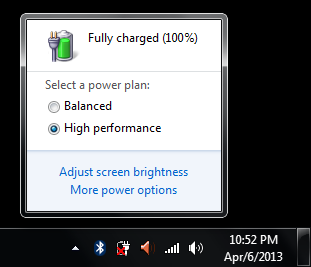
there is a red cross on my battery icon at system tray as you see from snap.

oYNXQJK.png


This icon warns me "consider replace your battery" or something like that.
But when I unplugged the power cable of my laptop and started using it with battery, windows warn me with "your battery is low, it is about 7% blah blah blah" warning after only 2 or 3 minutes later...
But I can continue using battery about 1 hour.
I mean this windows warning is mistake... There is a problem somewhere...

After all of these, I opened cmd and typed "powercfg -energy" and generated a file that name is "energy-report.html"
this report told me about warnings and errors of my power plan..
At the end of the report, there is a statistical information as this;

Code:
[B]Battery:Battery Information[/B]
[B]Battery ID[/B]         xxxxxxxxxxx
[B]Manufacturer	[/B]   SIMPLO
[B]Serial Number[/B]     xxxxxxxxxx
[B]Chemistry[/B]          LION
[B]Long Term[/B]         1
[B]Design Capacity[/B]	48840
[B]Last Full Charge[/B]  701165

my questions are these;

"How can I charge a battery to level 701165, if its capacity is only 48840...
what is wrong here?
what have i to do correct this?"
 

My Computer My Computer

At a glance

win 7
Computer type
Laptop
Computer Manufacturer/Model Number
acer
OS
win 7
Looks like you need a battery replacement.
 

My Computer My Computer

At a glance

Windows 7 Ultimate 32-Bit & Windows 7 Ultimat...Intel Core i7 CPU 950 @ 3.07GHzOCZ 6GB (3 x 2GB) 240-Pin DDR3 SDRAM DDR3 160...ATI Radeon HD 5700 Series
Computer Manufacturer/Model Number
Custom Built
OS
Windows 7 Ultimate 32-Bit & Windows 7 Ultimate 64-Bit
CPU
Intel Core i7 CPU 950 @ 3.07GHz
Motherboard
ASUS P6T DELUXE V2
Memory
OCZ 6GB (3 x 2GB) 240-Pin DDR3 SDRAM DDR3 1600 OCZ3X1600R2
Graphics Card(s)
ATI Radeon HD 5700 Series
Sound Card
OnBoard
Hard Drives
WD6400AACS-00M3B0 (640GB SATA )
PSU
CORSAIR 850w
Case
NZXT LEXA
Cooling
Intel Stock Heatsink Fan
Keyboard
Microsoft Wireless Laser Keyboard 7000
Mouse
Microsoft Wireless Laser Mouse 7000
but (as I said first message) I can use my laptop at "high performance power scheme" about 1,5 hour...
I mean my battery is not new, but it has not died yet...
 

My Computer My Computer

At a glance

win 7
Computer type
Laptop
Computer Manufacturer/Model Number
acer
OS
win 7
If you have Service Pack 1 installed .

You may do this

Battery-Health-Wanrings.png
 

My Computer My Computer

At a glance

Windows 7 Ultimate 32-Bit & Windows 7 Ultimat...Intel Core i7 CPU 950 @ 3.07GHzOCZ 6GB (3 x 2GB) 240-Pin DDR3 SDRAM DDR3 160...ATI Radeon HD 5700 Series
Computer Manufacturer/Model Number
Custom Built
OS
Windows 7 Ultimate 32-Bit & Windows 7 Ultimate 64-Bit
CPU
Intel Core i7 CPU 950 @ 3.07GHz
Motherboard
ASUS P6T DELUXE V2
Memory
OCZ 6GB (3 x 2GB) 240-Pin DDR3 SDRAM DDR3 1600 OCZ3X1600R2
Graphics Card(s)
ATI Radeon HD 5700 Series
Sound Card
OnBoard
Hard Drives
WD6400AACS-00M3B0 (640GB SATA )
PSU
CORSAIR 850w
Case
NZXT LEXA
Cooling
Intel Stock Heatsink Fan
Keyboard
Microsoft Wireless Laser Keyboard 7000
Mouse
Microsoft Wireless Laser Mouse 7000
but (as I said first message) I can use my laptop at "high performance power scheme" about 1,5 hour...
I mean my battery is not new, but it has not died yet...
Even though you can use it for 1.5 hours, it is still acting strange. You should replace the battery as VistaKing said. If that doesn't solve the problem, you could have a motherboard issue.
 

My Computer My Computer

At a glance

Windows 7 Professional x64 Service Pack 1AMD Athlon X4 6456GB DDR3 1066Sapphire Radeon HD 5670 512MB GDDR5
Computer type
PC/Desktop
Computer Manufacturer/Model Number
HP Pavilion P7-1010
OS
Windows 7 Professional x64 Service Pack 1
CPU
AMD Athlon X4 645
Motherboard
Foxxcon N-Alvorix RS880
Memory
6GB DDR3 1066
Graphics Card(s)
Sapphire Radeon HD 5670 512MB GDDR5
Sound Card
Realtek Integrated Audio
Monitor(s) Displays
HP 2011x
Screen Resolution
1600x900
Hard Drives
1. Crucial M4 128GB SSD
2. 1TB Seagate Barracuda 7200.12 RPM
3. 1TB Western Digital Caviar Green 5400RPM
PSU
Seasonic S12 II Bronze 380 Watt
Case
HP OEM
Cooling
Coolermaster Heatsink, AVC Case Fan
Keyboard
HP OEM- Made by Chicony
Mouse
HP OEM- Made by Logitech
Internet Speed
20MBit Down/4 Up
Antivirus
Microsoft Security Essentials
Browser
Internet Explorer 10
VistaKing and windude99 thanks for your precious helps.
but I already did it 1 month before, unchecked the "warn me" checkbox...

Now it seems like;

Yq2zfx1.png


and it is acting strange...
sometimes I use my battery for 1,5 hours, it holds at 100% level, no drop with time.. And it immediately drops to 7% and warns me as "your battery is low, please charge it blah blah..."

sometimes I start using my battery and within 2 or 3 minutes later windows warn me as "your battery is low, it is 7%. please charge it blah blah..." but I continue using it for 1,5 hours without going automatic shut-down...

and this red cross on battery icon is annoying me...

also "powercfg -energy" commanded report is freak, it is not logical, as you see...
 

My Computer My Computer

At a glance

win 7
Computer type
Laptop
Computer Manufacturer/Model Number
acer
OS
win 7
VistaKing and windude99 thanks for your precious helps.
but I already did it 1 month before, unchecked the "warn me" checkbox...

Now it seems like;

Yq2zfx1.png


and it is acting strange...
sometimes I use my battery for 1,5 hours, it holds at 100% level, no drop with time.. And it immediately drops to 7% and warns me as "your battery is low, please charge it blah blah..."

sometimes I start using my battery and within 2 or 3 minutes later windows warn me as "your battery is low, it is 7%. please charge it blah blah..." but I continue using it for 1,5 hours without going automatic shut-down...

and this red cross on battery icon is annoying me...

also "powercfg -energy" commanded report is freak, it is not logical, as you see...
I had bad battery life on my laptop and it said that I needed to replace my battery, so I did. It doesn't have that issue any more and the battery life is better.
 

My Computer My Computer

At a glance

Windows 7 Professional x64 Service Pack 1AMD Athlon X4 6456GB DDR3 1066Sapphire Radeon HD 5670 512MB GDDR5
Computer type
PC/Desktop
Computer Manufacturer/Model Number
HP Pavilion P7-1010
OS
Windows 7 Professional x64 Service Pack 1
CPU
AMD Athlon X4 645
Motherboard
Foxxcon N-Alvorix RS880
Memory
6GB DDR3 1066
Graphics Card(s)
Sapphire Radeon HD 5670 512MB GDDR5
Sound Card
Realtek Integrated Audio
Monitor(s) Displays
HP 2011x
Screen Resolution
1600x900
Hard Drives
1. Crucial M4 128GB SSD
2. 1TB Seagate Barracuda 7200.12 RPM
3. 1TB Western Digital Caviar Green 5400RPM
PSU
Seasonic S12 II Bronze 380 Watt
Case
HP OEM
Cooling
Coolermaster Heatsink, AVC Case Fan
Keyboard
HP OEM- Made by Chicony
Mouse
HP OEM- Made by Logitech
Internet Speed
20MBit Down/4 Up
Antivirus
Microsoft Security Essentials
Browser
Internet Explorer 10
Seko

You could only charge a battery so many times until it doesn't hold the original amount of charge. For it to get it back to its original amount you would have to send it to a place they juice it back up and that cost a lot of money. It would be cheaper to replace the battery.
 

My Computer My Computer

At a glance

Windows 7 Ultimate 32-Bit & Windows 7 Ultimat...Intel Core i7 CPU 950 @ 3.07GHzOCZ 6GB (3 x 2GB) 240-Pin DDR3 SDRAM DDR3 160...ATI Radeon HD 5700 Series
Computer Manufacturer/Model Number
Custom Built
OS
Windows 7 Ultimate 32-Bit & Windows 7 Ultimate 64-Bit
CPU
Intel Core i7 CPU 950 @ 3.07GHz
Motherboard
ASUS P6T DELUXE V2
Memory
OCZ 6GB (3 x 2GB) 240-Pin DDR3 SDRAM DDR3 1600 OCZ3X1600R2
Graphics Card(s)
ATI Radeon HD 5700 Series
Sound Card
OnBoard
Hard Drives
WD6400AACS-00M3B0 (640GB SATA )
PSU
CORSAIR 850w
Case
NZXT LEXA
Cooling
Intel Stock Heatsink Fan
Keyboard
Microsoft Wireless Laser Keyboard 7000
Mouse
Microsoft Wireless Laser Mouse 7000

My Computer My Computer

At a glance

Windows 10 Pro x64Intel Core i7 4790K @ 4.5GHz32GB DDR3Nvidia GeForce GTX970
Computer type
PC/Desktop
Computer Manufacturer/Model Number
Custom
OS
Windows 10 Pro x64
CPU
Intel Core i7 4790K @ 4.5GHz
Motherboard
Asus Maximus Hero VII
Memory
32GB DDR3
Graphics Card(s)
Nvidia GeForce GTX970
Sound Card
Realtek HD Audio
Screen Resolution
1920x1200
Hard Drives
1x Samsung 250GB SSD
4x WD RE 2TB (RAIDZ)
PSU
Corsair AX760i
Case
Fractal Design Define R4
Cooling
Noctua NH-D15
It's most likely that your laptop battery's sensor isn't calibrated. You can try calibrating battery by turning off all the power saving features and disabling hibernation so that the laptop won't hibernate when the battery becomes fully drained. After the battery is fully drained, charge the laptop to 100%. Windows should most likely give the correct amount of charge left.
 

My Computer My Computer

At a glance

Windows 7 Professional x64 SP1Intel® Pentium® 4 @ 2.26 GHz, Intel Core i7-2...512MB Dual channel DDR SDRAM @ 400MHz 2.5-3-3...Intel 82865G, Nvidia GeForce 520M Graphics
Computer type
Laptop
Computer Manufacturer/Model Number
Dell Optiplex SX270, Lenovo Z470
OS
Windows 7 Professional x64 SP1
CPU
Intel® Pentium® 4 @ 2.26 GHz, Intel Core i7-2670QM @ 2.20 GH
Motherboard
Dell, Lenovo
Memory
512MB Dual channel DDR SDRAM @ 400MHz 2.5-3-3-7, 8 GB DDR3
Graphics Card(s)
Intel 82865G, Nvidia GeForce 520M Graphics
Sound Card
SoundMax Integrated Audio, Integrated HD Audio
Monitor(s) Displays
LG W1952
Screen Resolution
1440x900, 1366 x 768
Hard Drives
40 GB 2.5" IDE 4200 RPM HDD, 500 GB 5400 RPM Sata 1.5 + 32 GB SSD
PSU
Dell 145 Watt, Lenovo 120 Watt Power Adapter
Case
Optiplex SX270 Small Form Factor, Laptop
Cooling
Dell Proprietary Air Cooling, Stock laptop cooling
Keyboard
Dell SK-8125 USB Keyboard
Mouse
Dell PS/2 2 button ball mouse with wheel scroll
Internet Speed
300 Mbit down / 20 Mbps up Time Warner Cable
Antivirus
MSE, Malwarebytes Scanner
Browser
Internet (Aizawa) Explorer 11
Other Info
Running Windows Server 2012 Datacenter on a virtual machine to run Metro Apps.
Be aware, since this information is coming from the battery itself, it may really actually be down to some low percentage charge capacity. Win7 was the first OS from Microsoft to check for this, hence why people upgrading to Windows 7 "suddenly" find that the battery is in fact dying.

Given the fact that the powercfg -energy report from this machine has some pretty sketchy numbers for charge and full charge, I'd put good money on the battery itself is not working properly anymore and not holding the full charge it was designed for. Note batteries are not designed by the OEMs to last more than a few years (sometimes even less), so if the laptop is more than 2 years old this would be pretty typical, and if it was a particularly cheap OEM design, it may start to report battery issues even sooner.
 

My Computer My Computer

At a glance

Windows 10 Pro x64Intel Core i7 4790K @ 4.5GHz32GB DDR3Nvidia GeForce GTX970
Computer type
PC/Desktop
Computer Manufacturer/Model Number
Custom
OS
Windows 10 Pro x64
CPU
Intel Core i7 4790K @ 4.5GHz
Motherboard
Asus Maximus Hero VII
Memory
32GB DDR3
Graphics Card(s)
Nvidia GeForce GTX970
Sound Card
Realtek HD Audio
Screen Resolution
1920x1200
Hard Drives
1x Samsung 250GB SSD
4x WD RE 2TB (RAIDZ)
PSU
Corsair AX760i
Case
Fractal Design Define R4
Cooling
Noctua NH-D15
theveterans and cluberti are both saying the true solution.
but I found the solution with my own searches, before they have writen it.
so and so many thanks them, however i couldn't see their message..

I will write the solution here, for future guests who will come to this thread from google searches...
I hope, this method solves their problem, if it is same problem...
--

IF YOU ARE SURE AND/OR STRONGLY BELIEVE THAT YOUR BATTERY HAS NOT DIED YET BUT WINDOWS SHOWS A WARNING AND A RED CROSS (x) ON BATTERY ICON, you have to CALIBRATE your battery...
the problem is not at your battery hardware, the problem is at windows measurement and fully software problem...

Firstly, you have to discharge your battery to "absolute 0%" level... there is a reservoir place at your battrey and it is hidden... you have to discharge it too; as I said above, you have to discharge your battery "absolute 0% level%"... (reservoir battery partition is generrally 7% for windows default, if you didn't change it)
[(how to discharge notebook battery fully, you can find the way via googling with these blue keywords)]

then for second step, after "fully, absolute discharcing", you must fully re-charge your battery up to 100%
now you can observe the charcing rate is very and very slow... (because it is calibrating and windows will write a new battery stat file... for example my battery is still at 22% level, I have charged it for 45 minutes, and charcing is continuing)

For third step, after full charge, create a new power scheme...
[how to create a power scheme at windows 7, you can find it via googling with this blue search suggestion, search keywords...]

You can be sure of this method, it is correct...
I learned this method from notebook manufacturer's official sites (asus, hp, sony, etc), if you want to have to be sure, you can check it from these sites...

If an official manufacturer site is suggesting this method, it has to be absolutely the right way, isn't it? :D

----------

I will offer you to search to take more knowledge...
and try the methods if you are believing and trusting the website...
i mean try the walkthrough if it is in an official manufacturer site, or globally trusted site..

there are searching offers for you;
"calibrate laptop battery",
"how to calibrate notebook battery",
"how to recalibrate batteries"


good lucks,
regards.
--------

if my this way solves your problem, don't be too lazy for clicking thanks button...
I want to see the feed-backs, how much people solve their problem via my writings...
thanks...
(dont forget, internet "user-created-contents" lives with thanks...
and if you want to find a solution for your future problems like this, you have to write, and generate content... at least you have to click thanks button) :D
 

My Computer My Computer

At a glance

win 7
Computer type
Laptop
Computer Manufacturer/Model Number
acer
OS
win 7
The real issue I have with the information above:
the problem is at windows measurement and fully software problem...
which is incorrect. The problem is the hardware, the hardware alone controls the battery and its information. Windows only involvement is reading that information.
 

My Computer My Computer

At a glance

Windows 10 Pro (x64)Intel Core i7-3930K (3.2GHz - 4.5GHz)4x Samsung 4GB PC3-12800 DDR3 (16GB 1600MHz)Nvidia Geforce GTX 690
Computer type
PC/Desktop
Computer Manufacturer/Model Number
Alienware Aurora ALX R4
OS
Windows 10 Pro (x64)
CPU
Intel Core i7-3930K (3.2GHz - 4.5GHz)
Motherboard
Alienware Aurora-R4 x79
Memory
4x Samsung 4GB PC3-12800 DDR3 (16GB 1600MHz)
Graphics Card(s)
Nvidia Geforce GTX 690
Sound Card
SteelSeries Siberia Elite
Monitor(s) Displays
Dell UltraSharp U3011
Screen Resolution
2560x1600
Hard Drives
Samsung 850 Pro 256 GB, Seagate 1TB Desktop Hybrid HDD, 2x Western Digital 4TB Green HDD
PSU
875W Some Dell PSU <.<
Case
Alienware Aurora ALX
Cooling
Custom Liquid Cooling (EK CPU & GPU blocks) dual EK 480RAD
Keyboard
Logitech G710+ Mechanical
Mouse
Logitech G700s
Internet Speed
Verizon Fios (50 mbps average)
Other Info
Server: Intel NUC D54250WYK: i5-4250U, 16GB, 256 GB mSATA, Windows Server 2012 R2
The real issue I have with the information above:
the problem is at windows measurement and fully software problem...
which is incorrect. The problem is the hardware, the hardware alone controls the battery and its information. Windows only involvement is reading that information.

nope, my precious brother...
if your battery's technology is older than 2 or 3 years ago, (i meant if your notebook had bought 2 or 3 years ago) windows 7's software cannot handle it perfectly, or windows 7's battery controller software cannot handle it as how it should be, how it should handle it... and windows cannot read its information perfectly, and some mistakes leak as this problem...

(sorry for bad english my friend... english is not my main language, and I hope I told what I am trying to explain)
------
edit: also I have solved my problem with this way
 

My Computer My Computer

At a glance

win 7
Computer type
Laptop
Computer Manufacturer/Model Number
acer
OS
win 7
nope, my precious brother...
if your battery's technology is older than 2 or 3 years ago, (i meant if your notebook had bought 2 or 3 years ago) windows 7's software cannot handle it perfectly, or windows 7's battery controller software cannot handle it as how it should handle... and windows cannot read its information perfectly, and some mistakes leak as this problem...

(sorry for bad english my friend... english is not my main language, and I hope I told what I am trying to explain)

Sorry, but don't speak of something you don't know. Windows 7 uses the API available to it that allows it to read the battery, this API is what the hardware provides. It is called Advance Configuration and Power Interface, in order to get a laptop that does not use ACPI you will have to get an old laptop well over 10 years. If the information that Windows 7 is getting is wrong it is because the HARDWARE is wrong. (There is, however, some malware that seems to affect this information, but that is malware.) Any laptop older then 2 to 3 years ago is not old enough to be old. My laptop is from 2007 and its battery works perfectly fine with Windows 7.

Now in relation to the battery, it is a self contained system. Its protected from external access other then read access. An operating system has no control over the battery it does not dictate when it will charge when it will discharge or any of that, its only access is read.
 

My Computer My Computer

At a glance

Windows 10 Pro (x64)Intel Core i7-3930K (3.2GHz - 4.5GHz)4x Samsung 4GB PC3-12800 DDR3 (16GB 1600MHz)Nvidia Geforce GTX 690
Computer type
PC/Desktop
Computer Manufacturer/Model Number
Alienware Aurora ALX R4
OS
Windows 10 Pro (x64)
CPU
Intel Core i7-3930K (3.2GHz - 4.5GHz)
Motherboard
Alienware Aurora-R4 x79
Memory
4x Samsung 4GB PC3-12800 DDR3 (16GB 1600MHz)
Graphics Card(s)
Nvidia Geforce GTX 690
Sound Card
SteelSeries Siberia Elite
Monitor(s) Displays
Dell UltraSharp U3011
Screen Resolution
2560x1600
Hard Drives
Samsung 850 Pro 256 GB, Seagate 1TB Desktop Hybrid HDD, 2x Western Digital 4TB Green HDD
PSU
875W Some Dell PSU <.<
Case
Alienware Aurora ALX
Cooling
Custom Liquid Cooling (EK CPU & GPU blocks) dual EK 480RAD
Keyboard
Logitech G710+ Mechanical
Mouse
Logitech G700s
Internet Speed
Verizon Fios (50 mbps average)
Other Info
Server: Intel NUC D54250WYK: i5-4250U, 16GB, 256 GB mSATA, Windows Server 2012 R2
nope, my precious brother...
if your battery's technology is older than 2 or 3 years ago, (i meant if your notebook had bought 2 or 3 years ago) windows 7's software cannot handle it perfectly, or windows 7's battery controller software cannot handle it as how it should handle... and windows cannot read its information perfectly, and some mistakes leak as this problem...

(sorry for bad english my friend... english is not my main language, and I hope I told what I am trying to explain)

Sorry, but don't speak of something you don't know. Windows 7 uses the API available to it that allows it to read the battery, this API is what the hardware provides. It is called Advance Configuration and Power Interface, in order to get a laptop that does not use ACPI you will have to get an old laptop well over 10 years. If the information that Windows 7 is getting is wrong it is because the HARDWARE is wrong. (There is, however, some malware that seems to affect this information, but that is malware.) Any laptop older then 2 to 3 years ago is not old enough to be old. My laptop is from 2007 and its battery works perfectly fine with Windows 7.

Now in relation to the battery, it is a self contained system. Its protected from external access other then read access. An operating system has no control over the battery it does not dictate when it will charge when it will discharge or any of that, its only access is read.

my precious friend, i understood you perfectly...
and i accept that you know "windows 7" more and more than me, it is obvious...

but i read these knowledges from official sites of notebook manufacturers, from official sites of notebook providers...
if a knowledge has been writen in an official notebook provider's site, it has to be right, isn't it?
and also i solved my problem with this way that i wrote above.

if these are facts, what about your theoritical arguments!!!
everyone wants to solve his/her problem, not theoritical knowledge...
and i am the one who solved my problem with this way.
 

My Computer My Computer

At a glance

win 7
Computer type
Laptop
Computer Manufacturer/Model Number
acer
OS
win 7
Back
Top