Things look "stretched" in 7, I can't find a fix

l3asketcase

New member
Local time
8:05 PM
Messages
3
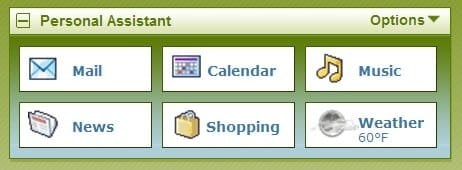
I'm new to windows 7, only had my laptop a couple of weeks. When I'm on the net things [icons/logos/etc] are 'stretched' You know, like when you're looking at a pic at like 150% or so. This doesn't seem to be the case with the actual pc files, only when i'm on the net.
I'm not positive it was this way when I got the pc or if I've accidently changed something, I was too busy getting used to the look of 7 and how it worked.

This is supposed to be a 16.5" screen.
The resolution is set at 1366x768 [recommended]
The screen is set at 100%
In IE I have the text size set to smallest
Someone told me about the ClearType settings, I ran that and nothing got better

Another thing, when I log onto yahoo I get this message "Your screen resolution is set below our minimum recommendation. When it's set under 1024 x 768 pixels, the all-new Yahoo! Mail won't look as good." I checked that out but when I changed my resolution to 1024x768 it just squeezed the viewable part of my screen to the middle with black panels on either side.

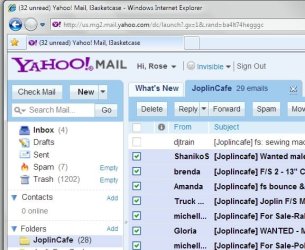
Any ideas or suggestions would greatly appreciated! I'm attaching a couple of screenshots to hopefully help show how blurry and stretched the icons, etc look.
Thanks ~Rose
 

Attachments
  • 01.jpg
    01.jpg
    54.4 KB · Views: 33
  • 03.jpg
    03.jpg
    14.4 KB · Views: 19
  • 04.jpg
    04.jpg
    8.8 KB · Views: 13

My Computer My Computer

At a glance

windows 7 home premiumAMD Athlon II Dual-Core M3203 GB
Computer Manufacturer/Model Number
Toshiba/Satellite D500D
OS
windows 7 home premium
CPU
AMD Athlon II Dual-Core M320
Memory
3 GB
Download Mozilla Firefox and check to see if things still look odd.
Firefox web browser | Faster, more secure, & customizable


Try this:

# Click Tools.
# Click Internet Options.
# Click the Advanced tab.
# Select Reset zoom level for new Windows and tabs.
# Restart Internet Explorer

This is from a forum post almost 6 years old, but maybe it'll help:

Got the FIX!!!!

Success in using DPI setting 120 (larger icons and fonts) AND using internet explorer.

There was a suggestion by Dell forum person to change settings in IE tools to uncheck 'not resize images' - but for me changing this advanced setting did not work.

Another suggestion which does work and should be done if you are comfortable changing registry settings:

run regedit

go to: HKEY_CURRENT_ USER\SOFTWARE\MICROSOFT\INTERNET EXPLORER\MAIN\USEHR

The setting for this key is (Hex) 1.

After changing this setting to 0 and using DPI = 120 the problem of viewing distorted images in Internet Explorer is gone.

My 8500 now is fabulous. I can make ICONS and fonts any size, as big as I want. My taskbars are great. This is just fantastic!

Also, read this: http://msdn.microsoft.com/en-us/library/cc849094(VS.85).aspx
 

My Computer My Computer

At a glance

W7 Ult. x64 | OS XIntel Mobile Core 2 Duo 2.93Ghz [T9800 Penryn]4096MB Samsung DDR3 Dual Channel [PC3-8500F 1...NVIDIA GeForce 9600M GT 512MB [G96M Rev. C1]
Computer Manufacturer/Model Number
Apple Macbook Pro (April 2009)
OS
W7 Ult. x64 | OS X
CPU
Intel Mobile Core 2 Duo 2.93Ghz [T9800 Penryn]
Motherboard
NVIDIA nForce 730i Rev. B1 [Mac-F2268EC8 (U2E1)]
Memory
4096MB Samsung DDR3 Dual Channel [PC3-8500F 1066Mhz]
Graphics Card(s)
NVIDIA GeForce 9600M GT 512MB [G96M Rev. C1]
Sound Card
SB X-Fi Surround 5.1 USB | Onboard Realtek (Disabled)
Monitor(s) Displays
Acer x223wbd 22" | Apple Anti-Glare 17" (Disabled)
Screen Resolution
{Current} 1440x900 {Acer} 1680x1050 {Apple} 1920x1200
Hard Drives
{Internal}
Seagate Momentus 320GB 2.5" 7200RPM [ST9320421AS]

{Externals}
LaCie 320GB USB 2.0 HDD [301284UR]
LaCie 750GB USB 2.0 FW400 eSATA HDD [301314U]
LaCie 1TB USB 2.0 HDD [301304UR]
PSU
Magsafe
Case
Aluminum/Unibody (MBP52)
Cooling
2 x 6000 RPM Fans
Keyboard
Logitech G-15v2 [PN 920-000379]
Mouse
Logitech G-9 [PN 910-000338]
Internet Speed
12Mbps/2.5Mbps w/ 24Mbps Speed Boost [Comcast]
Other Info
Logitech X-540 Speakers [PN 970223-0122]
Sennheiser PC-151 Headset
Thanks for the response. The only thing that I was able to use (all the rest of my settings were ok) was the "reset zoom level" I did notice something however, this zoomed/stretched look is not on the original page I open from my desktop. It only occurs when I navigate away from that. When I click a link, or select a site from favorites etc., then I'm back to the zoom/stretched look. sheeesh Any other suggestions would be appreciated, this is driving me nuts! lol
~Rose
 

My Computer My Computer

At a glance

windows 7 home premiumAMD Athlon II Dual-Core M3203 GB
Computer Manufacturer/Model Number
Toshiba/Satellite D500D
OS
windows 7 home premium
CPU
AMD Athlon II Dual-Core M320
Memory
3 GB
I FOUND IT!! It was just zoomed. I ran across something that told how to zoom in ie by hitting ctrl then + or -. I hit ctrl- and everything looks good.........shew
Thanks for the help.
~Rose
 

My Computer My Computer

At a glance

windows 7 home premiumAMD Athlon II Dual-Core M3203 GB
Computer Manufacturer/Model Number
Toshiba/Satellite D500D
OS
windows 7 home premium
CPU
AMD Athlon II Dual-Core M320
Memory
3 GB
Back
Top