
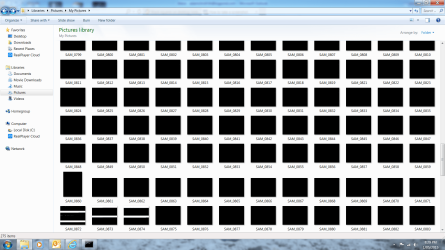
thumbnails are all black

aussiegu8791

New member
Local time
3:34 AM
Messages
5
Hi. I know this is pretty old thread but I am really at a loss!?!?! Firstly, I am by no means an IT wiz and have tried all I can think of, including all that is listed already within this thread, plus several others. See attached for me issue. I could really use any and all help with this matter? All of the pictures are still visible but only if I click into them and display them full size but as you can see, as thumbnails, they are all black. Please help. Thanks in advance
 

Attachments
  • Untitled.png
    Untitled.png
    90.3 KB · Views: 3
Last edited by a moderator:

My Computer

Computer type
PC/Desktop
Computer Manufacturer/Model Number
Custom
OS
Windows 7 Home Premium 64bit
CPU
AMD A10-7850K Radeon R7, 12 Compute Core 4C+8G 3.70GHz

My Computer

Computer type
PC/Desktop
Computer Manufacturer/Model Number
Self built custom
OS
64-bit Windows 11 Pro for Workstations
CPU
Intel i7-8700K OC'd to 5 GHz
Motherboard
ASUS ROG Maximus XI Formula Z390
Memory
64 GB (4x16GB) G.SKILL TridentZ RGB DDR4 3600 MHz
Graphics Card(s)
ASUS ROG-STRIX-GTX1080TI-O11G-GAMING
Sound Card
Integrated
Monitor(s) Displays
2 x Samsung Odyssey G7 27"
Screen Resolution
2560x1440
Hard Drives
1TB Samsung 990 PRO M.2,
4TB Samsung 990 PRO PRO M.2,
TerraMaster F8 SSD Plus NAS
PSU
Seasonic Prime Titanium 850W
Case
Thermaltake Core P3
Cooling
Corsair Hydro H115i
Keyboard
Logitech wireless K800
Mouse
Logitech MX Master 4
Internet Speed
2 Gb/s Download and 100 Mb/s Upload
Antivirus
Malwarebyte Anti-Malware Premium
Browser
Google Chrome
Other Info
Logitech Z625 speaker system,
Logitech BRIO 4K Pro webcam,
HP Color LaserJet Pro MFP M477fdn,
APC SMART-UPS RT 1000 XL - SURT1000XLI,
Galaxy S23 Plus phone
Hi Brink. Really appreciate the fact that you still reply to these old threads, thanks. Right, have tried all of the suggestions, including the cc cleaner mentioned in the Thumbnail Cache thread but still no luck. Have also tried sfc /scannow and Icon Cache Rebuild. Would welcome any further suggestions you may have? Thanks
 

My Computer

Computer type
PC/Desktop
Computer Manufacturer/Model Number
Custom
OS
Windows 7 Home Premium 64bit
CPU
AMD A10-7850K Radeon R7, 12 Compute Core 4C+8G 3.70GHz
Sorry, forgot to mention the the sfc scan did flag some error which could not be corrected.
 

My Computer

Computer type
PC/Desktop
Computer Manufacturer/Model Number
Custom
OS
Windows 7 Home Premium 64bit
CPU
AMD A10-7850K Radeon R7, 12 Compute Core 4C+8G 3.70GHz

My Computer

Computer type
PC/Desktop
Computer Manufacturer/Model Number
Self built custom
OS
64-bit Windows 11 Pro for Workstations
CPU
Intel i7-8700K OC'd to 5 GHz
Motherboard
ASUS ROG Maximus XI Formula Z390
Memory
64 GB (4x16GB) G.SKILL TridentZ RGB DDR4 3600 MHz
Graphics Card(s)
ASUS ROG-STRIX-GTX1080TI-O11G-GAMING
Sound Card
Integrated
Monitor(s) Displays
2 x Samsung Odyssey G7 27"
Screen Resolution
2560x1440
Hard Drives
1TB Samsung 990 PRO M.2,
4TB Samsung 990 PRO PRO M.2,
TerraMaster F8 SSD Plus NAS
PSU
Seasonic Prime Titanium 850W
Case
Thermaltake Core P3
Cooling
Corsair Hydro H115i
Keyboard
Logitech wireless K800
Mouse
Logitech MX Master 4
Internet Speed
2 Gb/s Download and 100 Mb/s Upload
Antivirus
Malwarebyte Anti-Malware Premium
Browser
Google Chrome
Other Info
Logitech Z625 speaker system,
Logitech BRIO 4K Pro webcam,
HP Color LaserJet Pro MFP M477fdn,
APC SMART-UPS RT 1000 XL - SURT1000XLI,
Galaxy S23 Plus phone
Have turned on preview pane but they are still black in preview. It only appear to be an issue with pictures. All other folders, documents, music & videos, appear to be ok.
 

My Computer

Computer type
PC/Desktop
Computer Manufacturer/Model Number
Custom
OS
Windows 7 Home Premium 64bit
CPU
AMD A10-7850K Radeon R7, 12 Compute Core 4C+8G 3.70GHz
If you copy one of the images to another location, does it show a thumbnail there?

Sometimes when you have a lot of large image files in a folder/library, they overwhelm loading thumbnails causing it to fail.
 

My Computer

Computer type
PC/Desktop
Computer Manufacturer/Model Number
Self built custom
OS
64-bit Windows 11 Pro for Workstations
CPU
Intel i7-8700K OC'd to 5 GHz
Motherboard
ASUS ROG Maximus XI Formula Z390
Memory
64 GB (4x16GB) G.SKILL TridentZ RGB DDR4 3600 MHz
Graphics Card(s)
ASUS ROG-STRIX-GTX1080TI-O11G-GAMING
Sound Card
Integrated
Monitor(s) Displays
2 x Samsung Odyssey G7 27"
Screen Resolution
2560x1440
Hard Drives
1TB Samsung 990 PRO M.2,
4TB Samsung 990 PRO PRO M.2,
TerraMaster F8 SSD Plus NAS
PSU
Seasonic Prime Titanium 850W
Case
Thermaltake Core P3
Cooling
Corsair Hydro H115i
Keyboard
Logitech wireless K800
Mouse
Logitech MX Master 4
Internet Speed
2 Gb/s Download and 100 Mb/s Upload
Antivirus
Malwarebyte Anti-Malware Premium
Browser
Google Chrome
Other Info
Logitech Z625 speaker system,
Logitech BRIO 4K Pro webcam,
HP Color LaserJet Pro MFP M477fdn,
APC SMART-UPS RT 1000 XL - SURT1000XLI,
Galaxy S23 Plus phone
That seems to be ok. Copied one photo to documents and it shows fine. How is it best to split them down but still keeping within the picture folder?
 

My Computer

Computer type
PC/Desktop
Computer Manufacturer/Model Number
Custom
OS
Windows 7 Home Premium 64bit
CPU
AMD A10-7850K Radeon R7, 12 Compute Core 4C+8G 3.70GHz
It depends on how large the files are, but you could test by moving some of them to another location until either they show again in the Picture library, or stop showing in the other location. This will let you know the limit at least per folder for them.
 

My Computer

Computer type
PC/Desktop
Computer Manufacturer/Model Number
Self built custom
OS
64-bit Windows 11 Pro for Workstations
CPU
Intel i7-8700K OC'd to 5 GHz
Motherboard
ASUS ROG Maximus XI Formula Z390
Memory
64 GB (4x16GB) G.SKILL TridentZ RGB DDR4 3600 MHz
Graphics Card(s)
ASUS ROG-STRIX-GTX1080TI-O11G-GAMING
Sound Card
Integrated
Monitor(s) Displays
2 x Samsung Odyssey G7 27"
Screen Resolution
2560x1440
Hard Drives
1TB Samsung 990 PRO M.2,
4TB Samsung 990 PRO PRO M.2,
TerraMaster F8 SSD Plus NAS
PSU
Seasonic Prime Titanium 850W
Case
Thermaltake Core P3
Cooling
Corsair Hydro H115i
Keyboard
Logitech wireless K800
Mouse
Logitech MX Master 4
Internet Speed
2 Gb/s Download and 100 Mb/s Upload
Antivirus
Malwarebyte Anti-Malware Premium
Browser
Google Chrome
Other Info
Logitech Z625 speaker system,
Logitech BRIO 4K Pro webcam,
HP Color LaserJet Pro MFP M477fdn,
APC SMART-UPS RT 1000 XL - SURT1000XLI,
Galaxy S23 Plus phone
This problem that you had, I got several days ago and because I'm in graphics bussines kind of :) it bothered me alot...
I've tried everything you said and it partly worked when I moved around 15 photos to a seperate folder and 10 of them showed up, the other 5, still the same issue same ol black thmbnail...So when you try all the smart things the only thing left is to do something stupid so I did and it worked perfectly...
I opened each of the photos in Photoshop and just went and clicked on "Save As" and saved again over the same filename and filetype, I clicked to overwrite and viola...problem gone... I'm not a genius...but does anyone here now gets what the real problem is??? Maybe dpi of the photos or different color profiles different settings used to save jpg files...I dont know but it took me 10 minutes and around 40 photos is fixed and it shows the way it should be under folder...
 

My Computer

Computer type
Laptop
Computer Manufacturer/Model Number
lenovo G505
OS
Win 7 64bit
This problem that you had, I got several days ago and because I'm in graphics bussines kind of :) it bothered me alot...
I've tried everything you said and it partly worked when I moved around 15 photos to a seperate folder and 10 of them showed up, the other 5, still the same issue same ol black thmbnail...So when you try all the smart things the only thing left is to do something stupid so I did and it worked perfectly...
I opened each of the photos in Photoshop and just went and clicked on "Save As" and saved again over the same filename and filetype, I clicked to overwrite and viola...problem gone... I'm not a genius...but does anyone here now gets what the real problem is??? Maybe dpi of the photos or different color profiles different settings used to save jpg files...I dont know but it took me 10 minutes and around 40 photos is fixed and it shows the way it should be under folder...


Welcome to W7F die4love. This has nothing to do with the post at hand but! I have to say that you live in one the most beautiful places on earth. I hope that you get up everyday and realize that you are truly blessed. I just had to say this... I am jealous infused...
 

My Computer

Computer type
PC/Desktop
Computer Manufacturer/Model Number
Custom Built By Me.
OS
Windows 10 Pro 64 bit
CPU
AMD FX 9590 8 Core Black Edition
Motherboard
MSI 990FXA GAMING (MS-7893)
Memory
Corsair Vengeance 16GB DDR3
Graphics Card(s)
AMD Radeon (TM) R9 380 Gaming Series
Sound Card
AMD High Definition
Monitor(s) Displays
Samsung 32" 60Hz 4ms Curved PLS LED
Screen Resolution
1920 X 1080
Hard Drives
C: 223 GB SSD = E: 465 GB HDD = F: 931 GB HDD = G: 149 GB HDD = H: 931 GB HDD
PSU
EVGA Supernova NEX750B 750W ATX EPS12V 80PLUS Bronze
Case
Cool Master
Cooling
Noctua NH-D15 Premium Cooler with 2x NF-A15 PWM 140mm Fan
Internet Speed
Fiber Optic: Download 332.7 Mbps / Upload 331.5 Mbps
Antivirus
Windows Defender
Browser
Slimjet (64bit)
Welcome to the center of wisdom on the web.
WBkj7mi.gif
 

My Computer

Computer type
PC/Desktop
Computer Manufacturer/Model Number
HP p6-2020t
OS
Win 7 Ult 64-bit
CPU
G620 2.6GHZ Pentium R
Memory
6 GB
Monitor(s) Displays
25" HPLV2311
Screen Resolution
1920 x 1200
Hard Drives
1 SATA, 1 exterior SATA
Case
HP
Cooling
PSU
Antivirus
Glasswire
Browser
Waterfox; Firefox; Chrome for work
Other Info
Firewall--Glasswire
Similar specs in Gateway DX4200
Verizon FIOS Wired network

1 other Win7 computer-- has SSD
Thanks guys :D :D :D
 

My Computer

Computer type
Laptop
Computer Manufacturer/Model Number
lenovo G505
OS
Win 7 64bit
Hi die4love,

So when you try all the smart things the only thing left is to do something stupid so I did and it worked perfectly...

I opened each of the photos in Photoshop and just went and clicked on "Save As" and saved again over the same filename and filetype, I clicked to overwrite and viola...problem gone... I'm not a genius...but does anyone here now gets what the real problem is??? Maybe dpi of the photos or different color profiles different settings used to save jpg files...I dont know but it took me 10 minutes and around 40 photos is fixed and it shows the way it should be under folder.

That's a very interesting observation and solution, although I know it doesn't fully explain why it happened in the first place.
Thanks for sharing. :thumbsup:
 

My Computer

Computer type
Laptop
Computer Manufacturer/Model Number
Fujitsu LIFEBOOK
OS
Win 7 HP SP1 64-bit Vista HB SP2 32-bit Linux Mint 18.3
CPU
Intel(R) Pentium(R) CPU P6200 @ 2.13GHz
Motherboard
FUJITSU FJNBB06
Memory
4.00 GB
Graphics Card(s)
Intel(R) Graphics Media Accelerator HD
Sound Card
[1] Realtek High Definition Audio [2] Intel(R) Display Audio
Screen Resolution
1366 x 768 x 32 bits (4294967296 colors) @ 59 Hz
Hard Drives
TOSHIBA MK5076GSX
Antivirus
AVG FREE
I agree, this cannot be the solution for someone who has 500 or 1000 photos blacked out in folder...
I thought this could help someone figure out the real solution based on what I did...

:thumbsup:
 

My Computer

Computer type
Laptop
Computer Manufacturer/Model Number
lenovo G505
OS
Win 7 64bit

My Computer

Computer type
Laptop
Computer Manufacturer/Model Number
Fujitsu LIFEBOOK
OS
Win 7 HP SP1 64-bit Vista HB SP2 32-bit Linux Mint 18.3
CPU
Intel(R) Pentium(R) CPU P6200 @ 2.13GHz
Motherboard
FUJITSU FJNBB06
Memory
4.00 GB
Graphics Card(s)
Intel(R) Graphics Media Accelerator HD
Sound Card
[1] Realtek High Definition Audio [2] Intel(R) Display Audio
Screen Resolution
1366 x 768 x 32 bits (4294967296 colors) @ 59 Hz
Hard Drives
TOSHIBA MK5076GSX
Antivirus
AVG FREE
Hi die4love,

I agree, this cannot be the solution for someone who has 500 or 1000 photos blacked out in folder...
I thought this could help someone figure out the real solution based on what I did.

I agree! One possible solution for someone who has numerous photos etc might be to write a batch file to do all the hard work for you!
 

My Computer

Computer type
Laptop
Computer Manufacturer/Model Number
Fujitsu LIFEBOOK
OS
Win 7 HP SP1 64-bit Vista HB SP2 32-bit Linux Mint 18.3
CPU
Intel(R) Pentium(R) CPU P6200 @ 2.13GHz
Motherboard
FUJITSU FJNBB06
Memory
4.00 GB
Graphics Card(s)
Intel(R) Graphics Media Accelerator HD
Sound Card
[1] Realtek High Definition Audio [2] Intel(R) Display Audio
Screen Resolution
1366 x 768 x 32 bits (4294967296 colors) @ 59 Hz
Hard Drives
TOSHIBA MK5076GSX
Antivirus
AVG FREE
I was thinking that this mite be the issue. Hit Windows Key + E Click Organize Then choose Folder and Search Option then choose the View tab then uncheck Always Show Icons Never Thumbnails. You might update the graphics drivers as well. Just my thoughts on it.
 
Last edited:

My Computer

Computer type
PC/Desktop
Computer Manufacturer/Model Number
Custom Built By Me.
OS
Windows 10 Pro 64 bit
CPU
AMD FX 9590 8 Core Black Edition
Motherboard
MSI 990FXA GAMING (MS-7893)
Memory
Corsair Vengeance 16GB DDR3
Graphics Card(s)
AMD Radeon (TM) R9 380 Gaming Series
Sound Card
AMD High Definition
Monitor(s) Displays
Samsung 32" 60Hz 4ms Curved PLS LED
Screen Resolution
1920 X 1080
Hard Drives
C: 223 GB SSD = E: 465 GB HDD = F: 931 GB HDD = G: 149 GB HDD = H: 931 GB HDD
PSU
EVGA Supernova NEX750B 750W ATX EPS12V 80PLUS Bronze
Case
Cool Master
Cooling
Noctua NH-D15 Premium Cooler with 2x NF-A15 PWM 140mm Fan
Internet Speed
Fiber Optic: Download 332.7 Mbps / Upload 331.5 Mbps
Antivirus
Windows Defender
Browser
Slimjet (64bit)
Back
Top