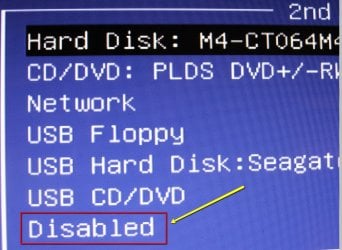
When I wanted to install an independent system (e.g. Win8) on another drive than my current OS drive, I used to crawl under the desk, remove the side panel, disconnect the cable of the OS disk and proceed. When the installation was done, same procedure in reverse order. I am really to old and too lazy for those gymnastics.
I wonder whether disabling the driver of the OS disk in device manager > properties would accomplish the same thing. Question is whether a) that would work and b) would the driver come back on reboot. Does anybody know??
PS: I could try it out but I like to first weigh the odds.
I wonder whether disabling the driver of the OS disk in device manager > properties would accomplish the same thing. Question is whether a) that would work and b) would the driver come back on reboot. Does anybody know??
PS: I could try it out but I like to first weigh the odds.
My Computer
At a glance
Vista, Windows7, Mint Mate, Zorin, Windows 8from 1.6GHz Duo to i7
- Computer Manufacturer/Model Number
- HP, Dell, Gateway, Toshiba - 4 laptops and 2 desktops
- OS
- Vista, Windows7, Mint Mate, Zorin, Windows 8
- CPU
- from 1.6GHz Duo to i7
- Monitor(s) Displays
- 2x HP w2207
- Hard Drives
- 5x HDD, 7x SSD, 12x Externals
- Keyboard
- with trackball - no mices
- Mouse
- Trackball mice
- Internet Speed
- DSL 6000