

SquonkSC
New member
Hi there,
I found this neat little tool to make the taskbar transparent.
Download Transparent TaskBar, Transparent TaskBar 1.0 Download
It doesn't need to run on boot.
The transparency however is maintained after reboot.
If you need to change or disable it just run the app again.
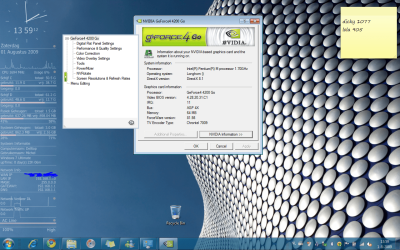
Screen shot of it running with RTM on my old laptop:
I found this neat little tool to make the taskbar transparent.
Download Transparent TaskBar, Transparent TaskBar 1.0 Download
1. After install you'll find a little rectangle on the right lower corner of your desktop.
2. There is a little slider in there to set your desired level of transparency on the fly.
3. After you are satisfied, you rightclick the rectangle, click exit, and forget about the app.
It doesn't need to run on boot.
The transparency however is maintained after reboot.
If you need to change or disable it just run the app again.
Screen shot of it running with RTM on my old laptop:
My Computer
- OS
- Win7 Build 7600 x86
- CPU
- Pentium II 300MHz
- Motherboard
- Asus
- Memory
- 32mb EDO RAM
- Graphics Card(s)
- Diamond Viper
- Sound Card
- Soundblaster 16
- Monitor(s) Displays
- 14" AOC CRT 16K color
- Screen Resolution
- 800x600
- Hard Drives
- 300mb Quantum fireball
- PSU
- 110 Watts
- Cooling
- Passive
- Keyboard
- Trust Ergonomic
- Mouse
- Generic
- Internet Speed
- 256K u 128K d


