- Local time
- 11:14 AM
- Messages
- 62
Hey good people of seven forums!
Asus P7P55D motherbord
Win 7 - main OS
I am trying to install the new Windows 8 Consumer Preview. I have used the install wizard to setup the usb memory stick so that I can install Wni 8 CP on a seperate partition to Win 7 running the setup from the usb memory stick. However my machine is not booting from the usb memory stick even though I have set it as the first device to boot from in BIOS.
There is more to the story though... My machine's startup is corrupt. I previously had the Windows 8 Developer Preview installed on a partition. Somehow the startup of Win 8 Developer Preview became corrupted and it stopped booting (I think it was possibly around the time I upgraded the BIOS).
So as Win 8 DP was broken, it couldn't be repaired, and my machine was constantly trying to boot to it instead of Win 7 I decided to get rid of it. So I just formatted the partition it was on.
I is now easier to get into Win 7, I just get this screen during boot up saying that it looked for win8 and couldn't find it and press F9 to boot to Win 7.
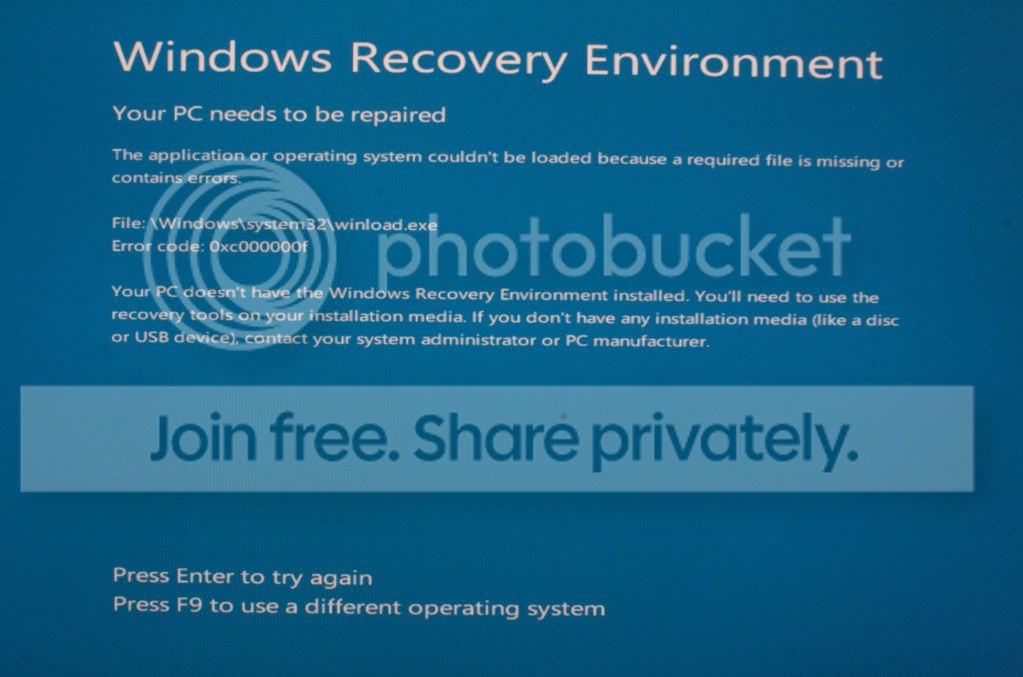
I am hoping that if I can run the Win 8 Consumer Preview then this will overwrite the startup and the problem will be solved.
So at the moment I don't know the exact reason I can not boot from the usb. I'm not sure if the windows startup should be preventing it from booting from usb or if there could be another reason?
I have tried running Win 7 startup repair and this failed to fix it.
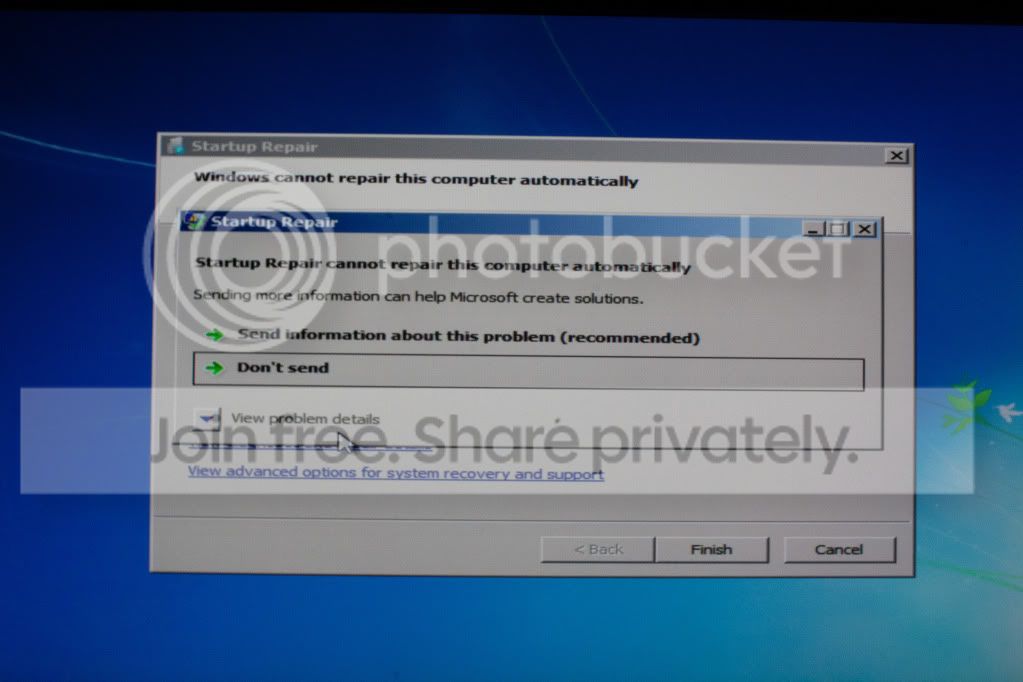
I have also tried disabling all other boot devices leaving just 'Removable Device' as a boot option and I got this screen..
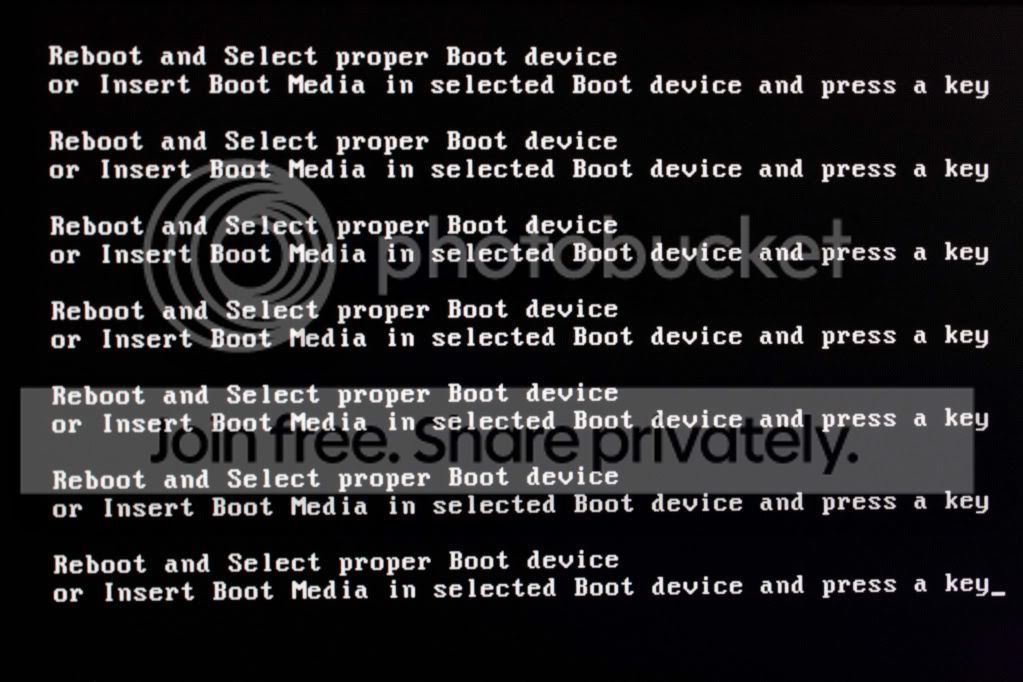
I tried plugging the usb in different ports and pressing a key to try again with no luck.
What should I try in order to get my machine to boot from usb?
Unfortunately I do not have the Win 7 installation disk (it is at my parents house) and I would prefer it if I could remidy this without a fresh installation. Although A system repair / roll back is probably also out of the question as it was a long time ago that I installed Win 8 DP. And in anycase doing a repair on Win 7 is not going to change the fact that I have formated the partition that Win 8 DP was on so it will still be missing during start up. If it comes to it I will have to get the Win 7 disk from my parents house and do a fresh install.
But if there is a way I can get my machine to boot from usb then I think attempting to install Win 8 CP and seeing if that will fix the problem is worth a try.
Any Ideas on getting the usb boot to work? or suggestions on fixing the start up?
Asus P7P55D motherbord
Win 7 - main OS
I am trying to install the new Windows 8 Consumer Preview. I have used the install wizard to setup the usb memory stick so that I can install Wni 8 CP on a seperate partition to Win 7 running the setup from the usb memory stick. However my machine is not booting from the usb memory stick even though I have set it as the first device to boot from in BIOS.
There is more to the story though... My machine's startup is corrupt. I previously had the Windows 8 Developer Preview installed on a partition. Somehow the startup of Win 8 Developer Preview became corrupted and it stopped booting (I think it was possibly around the time I upgraded the BIOS).
So as Win 8 DP was broken, it couldn't be repaired, and my machine was constantly trying to boot to it instead of Win 7 I decided to get rid of it. So I just formatted the partition it was on.
I is now easier to get into Win 7, I just get this screen during boot up saying that it looked for win8 and couldn't find it and press F9 to boot to Win 7.
I am hoping that if I can run the Win 8 Consumer Preview then this will overwrite the startup and the problem will be solved.
So at the moment I don't know the exact reason I can not boot from the usb. I'm not sure if the windows startup should be preventing it from booting from usb or if there could be another reason?
I have tried running Win 7 startup repair and this failed to fix it.
I have also tried disabling all other boot devices leaving just 'Removable Device' as a boot option and I got this screen..
I tried plugging the usb in different ports and pressing a key to try again with no luck.
What should I try in order to get my machine to boot from usb?
Unfortunately I do not have the Win 7 installation disk (it is at my parents house) and I would prefer it if I could remidy this without a fresh installation. Although A system repair / roll back is probably also out of the question as it was a long time ago that I installed Win 8 DP. And in anycase doing a repair on Win 7 is not going to change the fact that I have formated the partition that Win 8 DP was on so it will still be missing during start up. If it comes to it I will have to get the Win 7 disk from my parents house and do a fresh install.
But if there is a way I can get my machine to boot from usb then I think attempting to install Win 8 CP and seeing if that will fix the problem is worth a try.
Any Ideas on getting the usb boot to work? or suggestions on fixing the start up?
My Computer
At a glance
Windows 7 x64 UltimateCore i7 860Corsair Dominator 1600MHzGeForce 8600GT
- Computer Manufacturer/Model Number
- Home Built December 09
- OS
- Windows 7 x64 Ultimate
- CPU
- Core i7 860
- Motherboard
- Asus p7p55d
- Memory
- Corsair Dominator 1600MHz
- Graphics Card(s)
- GeForce 8600GT
- Monitor(s) Displays
- Xerox
- Screen Resolution
- 1280*1024
- Hard Drives
- wextern digital caviar green 500GB 32Mb Cashe
- PSU
- Corsair 550W
- Case
- Coolermaster CM 690
- Keyboard
- Trust
- Mouse
- Logitech Mx1000