Necropolis35
New member
- Local time
- 4:24 PM
- Messages
- 2
Ok, I'd like to start off by explaining my problem.
I loved the old way thumbnails displayed on folders in windows xp. I hate the way they display in windows 7. I've made some progress towards fixing it:

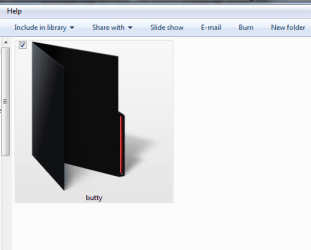
As you can see I managed to make the folder icon invisible. This is half-way towards what I want to be seeing.
Now all I need to do is get the thumbnail display to be flat and to take up the entire space of the folder, like in the picture.
So I think there must be some registry setting I can edit, or a file I can 'hack' with a resource editor to make this happen? Maybe I could trick windows into rendering folder thumbnails as if the folder was just a .jpg and not a folder?
I loved the old way thumbnails displayed on folders in windows xp. I hate the way they display in windows 7. I've made some progress towards fixing it:
As you can see I managed to make the folder icon invisible. This is half-way towards what I want to be seeing.
Now all I need to do is get the thumbnail display to be flat and to take up the entire space of the folder, like in the picture.
So I think there must be some registry setting I can edit, or a file I can 'hack' with a resource editor to make this happen? Maybe I could trick windows into rendering folder thumbnails as if the folder was just a .jpg and not a folder?
Last edited by a moderator:
My Computer
- OS
- Windows 7 Ultimate 64 Bit