

Category : Networking and Internet
Title : Disable Automatic Antivirus Scanning on Firefox
Note to Brink : Edit it as you wish
Tutorial :
 Disable Automatic Antivirus Scanning
Description : I've heard a lot of time that Windows Users want to disable the automatic antivirus scanning after any downloading.So, I've found a way to disable it.
Follow the steps :
 Go to Address Bar and type :
Press Enter

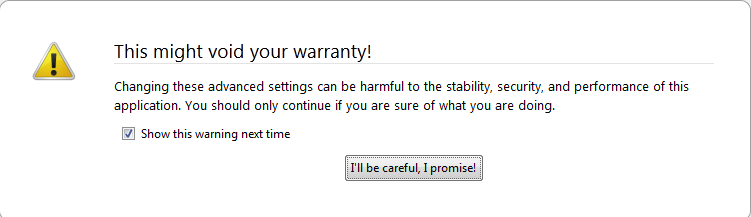
 Now click on "I'll be careful,I promise".
 On the search bar,type :

 Right click on the First Result

 Click on "Toggle"

Now the Value is "false" and you're done!

Title : Disable Automatic Antivirus Scanning on Firefox
Note to Brink : Edit it as you wish
Tutorial :
Description : I've heard a lot of time that Windows Users want to disable the automatic antivirus scanning after any downloading.So, I've found a way to disable it.
Follow the steps :
Code:
about:config
Code:
[B][I]browser.download.manager.scanWhenDone[/I][/B]Now the Value is "false" and you're done!
My Computer
- Computer Manufacturer/Model Number
- DG41WV
- OS
- Windows 7 Ultimate 64 Bit
- CPU
- 3.00 GHz
- Motherboard
- Don't know!
- Memory
- 4096 mb
- Graphics Card(s)
- Very low :P
- Sound Card
- Not sure yet
- Monitor(s) Displays
- Dell E170S
- Screen Resolution
- 1280 x 1024
- Hard Drives
- 1 TB
850 GB
- Keyboard
- Bijoy Keyboard
- Mouse
- Wireless Optical Mouse
- Internet Speed
- 256 KB/ps

