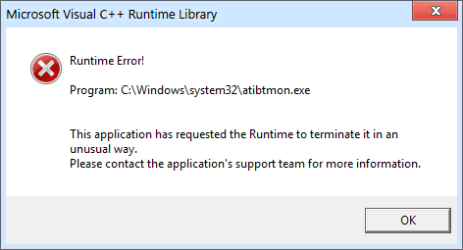
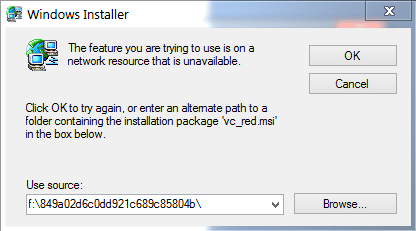
I'll be showing through pictures. The first one popped up out of no where. The second one happened while installing Illustrator CS6 and again in After Effects CS6.
Attachments
12-18-2012 5-57-23 PM.png
4.9 KB
· Views: 1
12-19-2012 6-41-37 AM.png
7.9 KB
· Views: 2
My Computer
Computer Manufacturer/Model Number
Acer / PEW76(B)
OS
Microsoft Windows 7 Home Premium 64-bit SP1
CPU
AMD K10 (45nm Technology)
Motherboard
Acer JE51_DN (Socket S1G4)
Memory
4.00 GB Dual-Channel DDR3 @ 536MHz (7-7-7-20)
Graphics Card(s)
ATI Mobility Radeon HD 4200 Series (Acer Incorporated [ALI])
Sound Card
AMD High Definition Audio Device
Monitor(s) Displays
Generic PnP Monitor on ATI Mobility Radeon HD 4200 Series
From what you have mentioned, it appears that the program atibtmon.exe is causing this issue. The program atibtmon.exe is related to ATI brightness monitor.I would suggest you to try these steps:
Method 1: Update driver
I would suggest you to update your display driver from the manufacturer’s website and check if it resolves the issue.
Method 2: Clean boot
If updating the driver didn’t help, then I would suggest you to perform a clean boot.
Method 3: Safety scanner
I would also suggest you to download and run the security scanner to check if there are any security threats.
I'll be showing through pictures. The first one popped up out of no where. The second one happened while installing Illustrator CS6 and again in After Effects CS6.
The Windows Installer appears to be attempting the install from drive "f"; is that the correct drive? Also, in the "Use source" it is pointing to a registry entry, not the "msi" file.
You can click the "Browse" button and manually find the location of the installation package.