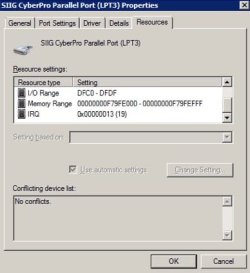
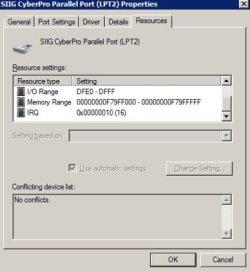
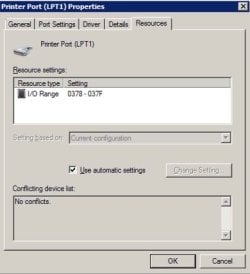
You have two LPT ports. The fist one I suppose is on the MB and the second from a add on PCIe card.
If it shows under device manager it should be working. The only strange thing is that there are two LPT1.
Did you install the printer software?
Hi!
(BTW: I'm doing all this in an ACER Veriton VM4630G-i7477X with 32GB RAM and Windows 7 Pro.)
Very perceptive of you!
The MB does have its factory LPT port.
And I did install an LPT PCIe card.
I have two (2) old Okidata 810's and one Okidata 800 that only run from LPT's. This card expanded my LPT's to three, just what I needed.
For the longest time, the Oki-800 on LPT-1 was working perfectly. For years.
Some years ago, it stopped.
The printer would work if attached to LPT-2 or -3.
LPT-1 seemed dead.
I had moved into more modern equipment, with a networked printer (Lexmark OptraImage T616n with four 500-sheet and one 2,000 sheet drawer, networked and with a twinax adapter card to communicate with my AS/400) so when LPT-1 went down, it wasn't a pressing issue.
As time went on I could not print various jobs to the Oki's more and more. Just don't have enough memory or whatever (even with their memory expansion cards).
Then the Oki-800, my first ever laser printer from 1986, finally said "enough" and . . . died.
After a period of mourning and recovery, I pressed on.
I decided to get another Lexmark as a spare. So now I had two of them. One in production and the other just there "in case".
Then I decided that instead of having the spare Lexmark sitting in its box, to put it to good use and replace the dead Oki-800 that was on LPT-1.
The Oki-810's are attached to LPT-2 and LPT-3 and they work albeit for very simple print jobs. Don't ask them to deal with a pdf!
I set up the (spare) Lexmark onto LPT-1: won't print.
Put it onto LPT-2 or -3 and it works.
So I decided to dig into why LPT-1 isn't working.
Digging around the 'net I got a tip to try uninstalling both LPT-1's, rebooting and seeing what happens:
Here's what happened:
https://i.imgur.com/L671e47.jpg
Ok, now I've got just one LPT-1 but there's an LPT-4 that was never there before!
Until I get back to the office (I remoted in and did the uninstall's) I won't know if the Lexmark works or not.
But what to do about LPT-4?
If I point the Lexmark to LPT-1, and it doesn't work, but it does work if pointed to LPT-4, can I uninstall LPT-1, reboot, rename LPT-4 to LPT-1 and re-point the Lexmark to LPT-1?
Or have I made an even bigger mess than before?
Thanks!



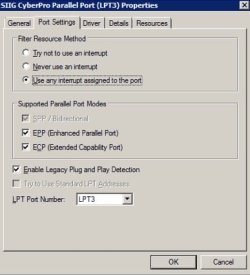
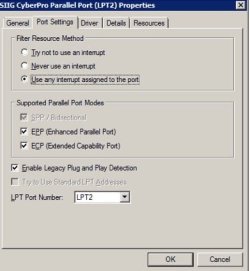
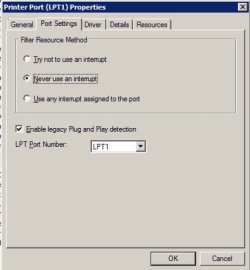
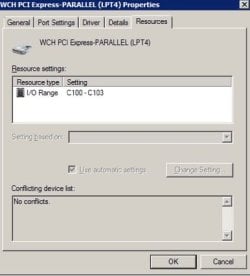

 )
)


