- Local time
- 4:49 PM
- Messages
- 661
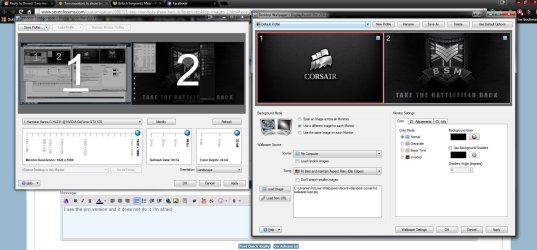
I have researched this before coming here (though not exhaustively!) and downloaded SourceForge's DualMonitorTools-1.8. I thought the DualWallpaper.exe tool would do what I want, but no..
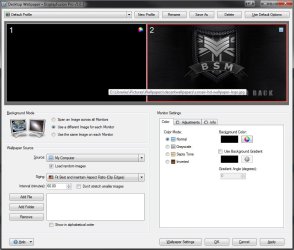
I have several dozen wallpaper pictures, which Windows 7 changes at random every 24hrs. I would much rather have my second monitor black however (as I have all my often-accessed shortcut icons on that one and they are not always as visible as they could be on top of a picture; it's also a different resolution from the main monitor, so pictures are cut off in any case). The DualWallpaper.exe tool, even though I select just the 2nd. monitor, turns both my monitors black however (I selected a Black.bmp file I made, the same size as the monitor resolution). I can't get the 1st. monitor to keep showing me my desktop pictures, as at present, whilst the 2nd. monitor is black, as per my bmp file.
Anyone know if I can do this with the software I have downloaded? Or otherwise?? (Don't really want to download anything other than freeware, 'small footprint' stuff, sledgehammer to crack a nut and all that..).
nVidia GTX660 GPU + nVidia Control panel, BTW ...
Thanks!
Martin
I have several dozen wallpaper pictures, which Windows 7 changes at random every 24hrs. I would much rather have my second monitor black however (as I have all my often-accessed shortcut icons on that one and they are not always as visible as they could be on top of a picture; it's also a different resolution from the main monitor, so pictures are cut off in any case). The DualWallpaper.exe tool, even though I select just the 2nd. monitor, turns both my monitors black however (I selected a Black.bmp file I made, the same size as the monitor resolution). I can't get the 1st. monitor to keep showing me my desktop pictures, as at present, whilst the 2nd. monitor is black, as per my bmp file.
Anyone know if I can do this with the software I have downloaded? Or otherwise?? (Don't really want to download anything other than freeware, 'small footprint' stuff, sledgehammer to crack a nut and all that..).
nVidia GTX660 GPU + nVidia Control panel, BTW ...
Thanks!
Martin
My Computer
At a glance
Windows 7 Home Premium SP1 64-bitIntel Core i7-4790K CPU @ 4.5GHz16GB KINGSTON HYPER-X FURY DUAL-DDR3 1600MHz8GB NVIDIA GEFORCE GTX 1070
- Computer type
- PC/Desktop
- Computer Manufacturer/Model Number
- Custom Build
- OS
- Windows 7 Home Premium SP1 64-bit
- CPU
- Intel Core i7-4790K CPU @ 4.5GHz
- Motherboard
- Asus H97I-PLUS
- Memory
- 16GB KINGSTON HYPER-X FURY DUAL-DDR3 1600MHz
- Graphics Card(s)
- 8GB NVIDIA GEFORCE GTX 1070
- Monitor(s) Displays
- HannsG 28" & Dell 24"
- Screen Resolution
- 1920x1200
- Hard Drives
- 1 x 2TB Samsung Evo 860 SSD
2 x 500GB Samsung Evo 850 SSD
- PSU
- CORSAIR 650W CS SERIES
- Case
- Thermaltake Core V1 Mini ITX Cube
- Cooling
- NOCTUA NH-L12
- Browser
- Firefox
- Other Info
- Custom PC used for X-Plane 11