
You are using an out of date browser. It may not display this or other websites correctly.
You should upgrade or use an alternative browser.
You should upgrade or use an alternative browser.
typing text directly on image
- Thread starter tofts
- Start date


Text on a Graphic
If I understand the question. Open the graphic in a graphics editing program such as Paint, Gimp and many others to numerous to mention. There will be a tool to add a text box. After adding the text you can save it to a new file conserving the original or just write over the original on the save.
If I understand the question. Open the graphic in a graphics editing program such as Paint, Gimp and many others to numerous to mention. There will be a tool to add a text box. After adding the text you can save it to a new file conserving the original or just write over the original on the save.
My Computer
- Computer Manufacturer/Model Number
- BGC (Bob's Garage Crew)
- OS
- win 7 X64 Ultimate SP1
- CPU
- I3770K
- Motherboard
- Asus P8Z77-V Deluxe
- Memory
- G Skill F3-14900CL9-4GBXL x 4
- Graphics Card(s)
- NVIDIA GeForce GTX670 + Intel 4000
- Sound Card
- Realtek HD 5.1 (MOB)
- Monitor(s) Displays
- Asus VW224T (1)
- Screen Resolution
- 1920 x 1080
- Hard Drives
- SATA Corsair Force GT 2.5" 180GB (System) Sata 3
OCZ Vertex3 120GB
OCZ Vertex 2 120GB 2.5" SATA II
ST31000524AS 1000.2GB
WD15EARS (External)
- PSU
- CoolerMaster 1000 Watt
- Case
- CoolerMaster HAF X
- Cooling
- CPU -- CoolerMaster 520N
- Keyboard
- MS Wireless 3000 V2
- Mouse
- MS Wireless 3000 V2
- Internet Speed
- Cable
- Antivirus
- Norton Internet Security
- Browser
- IE9
- Other Info
- AMI Bios 1805
OC'd 3%
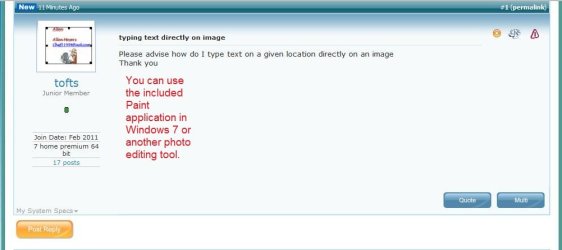
You can use any photo editing tool like Paint (included with Windows 7.)
Oops, Hammerhead beat me to it!
Oops, Hammerhead beat me to it!
My Computer
- Computer type
- Laptop
- Computer Manufacturer/Model Number
- Sony Vaio VPCEB47GM Laptop
- OS
- Win 7 Pro 64-bit
- CPU
- Intel i5 2.4 Ghz
- Memory
- 8GB DDR3
- Graphics Card(s)
- Intel HD 3000
- Sound Card
- IDT High Definition
- Monitor(s) Displays
- 15.6 WGXA Anti-Glare LED
- Screen Resolution
- 1280x800
- Hard Drives
- 640Gb 7200rpm
- Antivirus
- MSE
- Browser
- Opera (primary) with IE9 backup

Or, if you're referring to text and images in a Word page, you can do it several ways, i.e. by using the Watermark options in the Page Layout section of the Ribbon or by using the graphics options in the Insert section.
My Computer
- Computer Manufacturer/Model Number
- HP Pavillion dv5t (generation 1)
- OS
- Vista 64 bit and 32 bit (SP2)
- CPU
- Intel(R) Core(TM)2 Duo Processor T9400 (2.53 GHz
- Memory
- 4GB DDR2 System Memory (2 Dimm)
- Graphics Card(s)
- 512 MB NVIDIA GeForce 9600M GT
- Monitor(s) Displays
- 15.4" diagonal WSXGA+ High-Definition HP BrightView Widescre
- Screen Resolution
- 1680 x 1050
- Hard Drives
- 320GB 5400RPM SATA Hard Drive with HP ProtectSmart Hard Drive Protection
- Keyboard
- Built-in HP
- Mouse
- Built in - Synaptics TouchPad V6.5 on PS/2 Port
- Internet Speed
- Max
- Other Info
- ~ Intel Next-Gen Wireless-N Mini-card w/Bluetooth ~ Blu-Ray ROM DVD+/-R/RW ~ Integ. HDTV Hybrid Tuner ~ 12 Cell Battery ~ MS Office (Home Premium) 2007 ~

Use layers for non destructive editing.
My Computer
- Computer Manufacturer/Model Number
- Toshiba Satellite L500
- OS
- Windows 7 Home Premium x64 OEM --> RTM clean install
- CPU
- Intel T4400
- Motherboard
- ? - laptop inbuilt ?
- Memory
- 4Gb
- Graphics Card(s)
- ? - Mobile Intel(R) 4 Series Express Chipset Family ?
- Sound Card
- Realtek
- Monitor(s) Displays
- ? + extended to a 42" LG55PC plasma tele!
- Screen Resolution
- 1366 * 768
- Hard Drives
- 320Gb 5500rpm
- PSU
- ?
- Case
- ?
- Cooling
- ?
- Internet Speed
- 3Meg, when it works.
- Other Info
- A LOWLY LAPTOP!