UAC

But how does UAC decide when to kick in - for instance I have a tax return program which loads without UAC coming in but with a payroll program it asks for permisson each time.

It depends on what and how the applications are trying to access in the system. It is difficult to say without knowing the code behind the action.
 

My Computer

Computer Manufacturer/Model Number
Dell Inspiron 1520 (Laptop)/ Home (Desktop)
OS
Windows 7 x64 / Same
CPU
Intel Core 2 Duo T7250 / Intel Core i7 930
Motherboard
Intel 945 / Asus P6X58D-E
Memory
4GB / 6GB
Graphics Card(s)
NVIDIA GeForce 8400M GS / ASUS 1GB
Sound Card
Whatever Dell gave me :-( / Onboard
Monitor(s) Displays
15.4" LCD / Crappy CRT
Hard Drives
Seagate 500GB SATA; 7200 RPM / Seagate 1TB SATA; 7200 RPM
PSU
N/A / OCZ Fatal1ty 550W Modular
Case
N/A / Antec 900
Cooling
Air
Mouse
Microsoft Presenter (Bluetooth)
But how does UAC decide when to kick in - for instance I have a tax return program which loads without UAC coming in but with a payroll program it asks for permisson each time.

Well, years ago most Windows programs were designed to be run as an admin with admin level permissions. As time has gone on, apps have been rewritten to not require admin rights. Unfortunately, there are still some apps which haven't been implemented to not require admin level access and that is why UAC prompts really are hit or miss.

Your tax return program loads without needing any admin level credentials. But it seems that your payroll application does require some admin level permissions.
 

My Computer

Computer Manufacturer/Model Number
Self-Built in July 2009
OS
Windows 7 Ultimate x64
CPU
Intel Q9550 2.83Ghz OC'd to 3.40Ghz
Motherboard
Gigabyte GA-EP45-UD3R rev. 1.1, F12 BIOS
Memory
8GB G.Skill PI DDR2-800, 4-4-4-12 timings
Graphics Card(s)
EVGA 1280MB Nvidia GeForce GTX570
Sound Card
Realtek ALC899A 8 channel onboard audio
Monitor(s) Displays
23" Acer x233H
Screen Resolution
1920x1080
Hard Drives
Intel X25-M 80GB Gen 2 SSD
Western Digital 1TB Caviar Black, 32MB cache. WD1001FALS
PSU
Corsair 620HX modular
Case
Antec P182
Cooling
stock
Keyboard
ABS M1 Mechanical
Mouse
Logitech G9 Laser Mouse
Internet Speed
15/2 cable modem
Other Info
Windows and Linux enthusiast. Logitech G35 Headset.
Both programs are set up to run with admin rights via compatibility mode, so why does UAC wants permsission with one and not the other? Weird.
 

My Computer

OS
Win 7
I agree, and UAC was turned off immediately after my fresh install of Win 7. I do not need training wheels, and I am the only user of this PC.

UAC does not equate to training wheels. At it's default setting, UAC in Windows 7 tells you when applications themselves try to gain administrative elevation. It does not tell you anymore when you do things that require administrative access.

I cannot imagine why people don't want to know when an application tries to elevate itself to admin on the box. Even if you are the super power user and know everything there is to know about the box....I would say that you might still be interested to know that some application potentially unknown to you at the moment is attempting to gain administrative rights.

Knowing what is going on is the key to anything in computer software.
And remember it doesnt matter what level you have UAC running at, it all comes down to what the person sitting at the keyboard knows/cares about in the end.

I agree with pparks1 and DarkXeon. The UAC is a warning - a "Do you really want to do this?" question.

In addition, if it is turned off, you cannot use "In-Private" browsing, which you can turn on all the time with this little tweak - http://www.sevenforums.com/tutorials/6990-internet-explorer-inprivate-filtering-keep.html
 

My Computer

Computer Manufacturer/Model Number
Gateway, Toshiba Laptop, and Home Brew
OS
Windows 7 x64 HP, Windows 7 HP, Windows 7 Ult
CPU
Intel I3, Cerelon, Pentium 4 @ 3Ghz
Motherboard
Intel, Intel, Asus
Memory
8G, 3G, 3G
Graphics Card(s)
On-board Intel, On-board nVidia, nVIDIA card
Sound Card
on-board, on-board, SoundBlaster
Monitor(s) Displays
Hannspree HF237, Toshiba, SyncMaster 931B
Screen Resolution
default (all)
Hard Drives
1T internal, 320G internal, 160G internal, 1T networked
PSU
300w, unk, 650w
Case
black, black, grey
Cooling
air (all)
Keyboard
standard wired (all)
Mouse
standard wired (all)
Internet Speed
6M down, 768K up
Other Info
Home LAN through Linksys hub to 4 port and wireless switch/router. Networked HP 2600n. Wife's computer running Windows 7, and spare laptop running Ubuntu "Karmic Kola" (9.10).

My Computer

Computer Manufacturer/Model Number
Dell
OS
W7-Enterprise + WS-2008 (Converted to Workstation)
CPU
P4 2,4GHz (at 1,8GHz, "slow" RDRAM, only 400MHz FSB...)
Motherboard
Intel 850E
Memory
2GB
Graphics Card(s)
NVIDIA QUADRO2 PRO 64MB
Sound Card
Yes
Monitor(s) Displays
Dell 1702FP
Screen Resolution
1280x1024
Hard Drives
Yes
PSU
Yes
Case
Yes
Cooling
Yes
Keyboard
Yes
Mouse
Yes, and i also have Cats...
Internet Speed
University: 100 MBit/s, Home: UMTS 7,2 MBit/s
Other Info
W7 on a DINOSAUR: P2 with 266MHz CPU & 160MB RAM
I use Nitro PDF and running the program via the Task Manager shortcut as you suggest here works fine. But if I click on a pdf file UAC kicks in (even when Nitro is open). I need to open pdf files like this all the time so the method you suggest here won't work.

is there some other way round this?

Also,does TweakUAC work in Windows 7 as it did in Vista? If so, that would solve the problem.
 
Last edited by a moderator:

My Computer

OS
Win 7
Why do you need to run Nitro PDF as administrator? It should function without doing that!
 

My Computer

Computer type
PC/Desktop
Computer Manufacturer/Model Number
Alienware Aurora ALX R4
OS
Windows 10 Pro (x64)
CPU
Intel Core i7-3930K (3.2GHz - 4.5GHz)
Motherboard
Alienware Aurora-R4 x79
Memory
4x Samsung 4GB PC3-12800 DDR3 (16GB 1600MHz)
Graphics Card(s)
Nvidia Geforce GTX 690
Sound Card
SteelSeries Siberia Elite
Monitor(s) Displays
Dell UltraSharp U3011
Screen Resolution
2560x1600
Hard Drives
Samsung 850 Pro 256 GB, Seagate 1TB Desktop Hybrid HDD, 2x Western Digital 4TB Green HDD
PSU
875W Some Dell PSU <.<
Case
Alienware Aurora ALX
Cooling
Custom Liquid Cooling (EK CPU & GPU blocks) dual EK 480RAD
Keyboard
Logitech G710+ Mechanical
Mouse
Logitech G700s
Internet Speed
Verizon Fios (50 mbps average)
Other Info
Server: Intel NUC D54250WYK: i5-4250U, 16GB, 256 GB mSATA, Windows Server 2012 R2
Something tells me you might have an older copy of Nitro if you have to run it as admin, and pdfs cause UAC to ask. Try to find a newer copy and uninstall the one you have and then reinstall the new one after reboot.
 

My Computer

Computer Manufacturer/Model Number
Custom Build
OS
Windows 7 Ultimate x64 SP1
CPU
AMD Phenom II 1090 3.2 six core
Motherboard
MSI 890FXA-GD65
Memory
16 gig DDR3
Graphics Card(s)
MSI R6950 2gig
Sound Card
on board
Monitor(s) Displays
Acer 23inch led
Screen Resolution
1900x1080 widescreen
Hard Drives
Seagate 1tb SATA6
2x 1tb HITACHI Deskstar
PSU
CORSAIR Enthusiast Series TX750 V2 750W
Case
CoolMaster HAF 922
Cooling
Box AMD Heatsink/Fan
Internet Speed
Cable 12Mbps/3Mbps
Why do you need to run Nitro PDF as administrator? It should function without doing that!

And this right here is the reason that I like to leave UAC enabled. You find out things like this....like why your PDF reader needs admin rights. Use FoxIT PDF reader instead would be my suggestion, as it doesn't need to be administrator and thus you will no longer see the UAC prompts.
 

My Computer

Computer Manufacturer/Model Number
Self-Built in July 2009
OS
Windows 7 Ultimate x64
CPU
Intel Q9550 2.83Ghz OC'd to 3.40Ghz
Motherboard
Gigabyte GA-EP45-UD3R rev. 1.1, F12 BIOS
Memory
8GB G.Skill PI DDR2-800, 4-4-4-12 timings
Graphics Card(s)
EVGA 1280MB Nvidia GeForce GTX570
Sound Card
Realtek ALC899A 8 channel onboard audio
Monitor(s) Displays
23" Acer x233H
Screen Resolution
1920x1080
Hard Drives
Intel X25-M 80GB Gen 2 SSD
Western Digital 1TB Caviar Black, 32MB cache. WD1001FALS
PSU
Corsair 620HX modular
Case
Antec P182
Cooling
stock
Keyboard
ABS M1 Mechanical
Mouse
Logitech G9 Laser Mouse
Internet Speed
15/2 cable modem
Other Info
Windows and Linux enthusiast. Logitech G35 Headset.
Something tells me you might have an older copy of Nitro if you have to run it as admin, and pdfs cause UAC to ask. Try to find a newer copy and uninstall the one you have and then reinstall the new one after reboot.

This was downloaded from Nitro site just before installing it so I assume it is the latest version available.
 

My Computer

OS
Win 7
Why do you need to run Nitro PDF as administrator? It should function without doing that!

Hmmmm, I took out Run as Administrator and it loaded without UAC coming in!!
 

My Computer

OS
Win 7
Hi All,
I also have issues with UAC. I do keep it on when my wife is using the computer just in case she accidently hits somehting wrong on a website and it tries to install something.
Anyway I found this standalone program that adjust UAC easily but also has a quiet mode. Not sure if you would like it or not or neeed it but here it is.

TweakUAC cane be downlaoded FREE from the following website.
Disable annoying Vista UAC popups with TweakUAC (FREE)

I have been using in Win7 no issues.

Iggy in the cool part of Arizona :cool:
 

My Computer

Computer type
PC/Desktop
Computer Manufacturer/Model Number
Self Built
OS
Windows 10 Pro
CPU
Intel i5
Motherboard
I have a fatherboard
Memory
I'm old and lost a few chips
Graphics Card(s)
Yup
Sound Card
Yup
Monitor(s) Displays
Samsung 32" UHD
Screen Resolution
3840 x 2160
Hard Drives
Samsung 860 EVO drives
PSU
450 Watt and some fans that blow
Case
Small tower
Cooling
Yes I am cool. lol
Keyboard
Who needs a keyboard?
Mouse
Logitech Laser G7 wireless
Internet Speed
Zippy fast UP and DOWN
Antivirus
I got a shot
Browser
The new Improved EDGE 2020
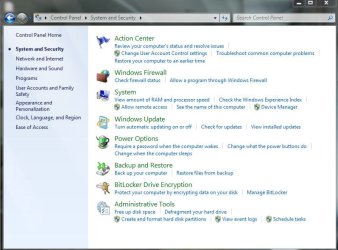
i cant get rid of shields(yellow-blue ones) even UAC is turned OFF, im using never notify settings which is lowest on scale(uac scale with 4levels) but those yellow-blue shields nearly everywhere in control panel, in taskbar, desktop etc

any chance of a solution to this?
 

My Computer

Computer type
PC/Desktop
OS
Windows 7 Ultimate x64
CPU
i5-4690K
i cant get rid of shields(yellow-blue ones) even UAC is turned OFF, im using never notify settings which is lowest on scale(uac scale with 4levels) but those yellow-blue shields nearly everywhere in control panel, in taskbar, desktop etc

any chance of a solution to this?

Can you use the built in snipping tool to make a screen shot of them and upload it to us?

snipping tool -- type snipping in search
attachment icon--- use this to attach the snip-- its the paperclip shaped icon in the reply form

See Pics

Thannks

Kenb J+
 
Last edited:

My Computer

Computer Manufacturer/Model Number
HP Pavillion dv-7 1005 Tx
OS
Win 8 Release candidate 8400
CPU
[email protected]
Memory
4 gigs
Graphics Card(s)
Nvidia 9600M
Sound Card
HD built-in
Monitor(s) Displays
17" Wxga
Screen Resolution
1440x900
Cooling
none
Internet Speed
45Mb down 5Mb up
here they are
 

Attachments

  • asd.JPG
    asd.JPG
    84.6 KB · Views: 7
  • asd2.JPG
    asd2.JPG
    13.1 KB · Views: 83

My Computer

Computer type
PC/Desktop
OS
Windows 7 Ultimate x64
CPU
i5-4690K
i cant get rid of shields(yellow-blue ones) even UAC is turned OFF, im using never notify settings which is lowest on scale(uac scale with 4levels) but those yellow-blue shields nearly everywhere in control panel, in taskbar, desktop etc

any chance of a solution to this?

The shields are there to notify you that elevated admin privledges are required for a specific operation. You'll notice that those shields are also normall overlaid on the icon for installer-type programs.

They remain as some kind of "visual cue" to highlight admin tasks, regardless of UAC settings.
 

My Computer

Computer type
PC/Desktop
Computer Manufacturer/Model Number
Virtual Machine
OS
Windows 7 Professional 32-bit SP1
CPU
AMD A4/A6
Motherboard
Intel Corporation 440BX Desktop Reference Platform
Memory
3.00GB EDO
Graphics Card(s)
VMware SVGA 3D
Sound Card
High Definition Audio Device
Monitor(s) Displays
Generic Non-PnP Monitor on VMware SVGA 3D
Screen Resolution
1440x900
Hard Drives
1 x 60GB VMware Virtual SATA Hard Drive ATA Device
Antivirus
Kaspersky Total Security
i had an installation of windows which formatted on 20th of July , and i was using that version (7600.16385) , also its UAC was turned off and i havent even faced once with those shields. Wish i backed up an image of it.

this morning i formatted from different win7 dvd (because bought new 1tb hdd) , i guess dvds are different version maybe thats my problem , im trying to solve it for the past 6hour but couldnt find any solution except changing transperency of some dll.
 

My Computer

Computer type
PC/Desktop
OS
Windows 7 Ultimate x64
CPU
i5-4690K
Back
Top