Solved Unable activate Microsoft update - error 0x80248015

TheOwner

New member
Local time
9:54 PM
Messages
18
Hello,
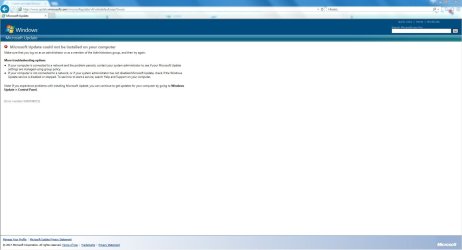
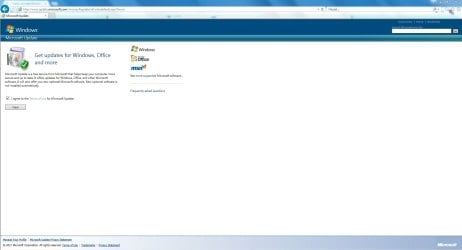
i am unable to activate Microsoft update for other MS products. In IE 11 i added microsoft.com to compatibility mode and then i agreed with terms of service but in next step i got error 0x80248015. I use account with adminstrator privileges (also tried run IE as administrator) so there should be no problem. Any ideas?

Why i need enable MS update now? I got error Windows update service not runing and i was unable search for new updates. So i was forced to stop WUservice, delete Softwaredistribution folder, after deleting this folder i enabled WUservice and folder Softwaredistribution was recreated and updates work again, but with disabled MS update.

Thank you for help
 

Attachments
  • Microsoft update.JPG
    Microsoft update.JPG
    75 KB · Views: 3
  • Microsoft update 2.JPG
    Microsoft update 2.JPG
    87 KB · Views: 6

My Computer

Computer type
PC/Desktop
OS
Windows 7 Home Premium 64bit
CPU
Intel Core i5-4690k
Motherboard
Asus Maximus VII Ranger
Memory
8 GB
Graphics Card(s)
Nvidia GTX 770
Monitor(s) Displays
Dell P2414H
Screen Resolution
1920x1080
Hard Drives
Crucial M550 128 GB
WD EZEX 1TB
PSU
Seasonic SS-660XP2 F3 Platinum 660W
Case
Fractal Design Define R4
Cooling
3x 140mm fans at 5V
Mouse
Logitech G5 Laser mouse
Antivirus
Avast Free Antivirus
Browser
Google Chrome
Same error with

I found this in my update history


Microsoft .NET Framework 4.6.1 for Windows 7 for x64 (KB3102433)
Installation date: ‎6/‎19/‎2097 12:54 AM
Installation status: Failed
Error details: Code 80200001
Update type: Recommended
The Microsoft .NET Framework 4.6.1 is a highly compatible, in-place update for the .NET Framework 4.5.2. fter install this update, you may have to restart your computer.
More information:
http://support.microsoft.com/kb/3102433
Help and Support:
http://support.microsoft.com
 

My Computer

Computer type
PC/Desktop
Computer Manufacturer/Model Number
hp
OS
windows 7 64 home
try change pc date to dec 2 2017 (making sure time sync is off)

worked for me, in windows xp

microsoft broken or outdated certificates perhaps...
 

My Computer

Computer Manufacturer/Model Number
Too many to list.
OS
XP, Seven, 2008R2
CPU
AMD, Intel, VIA
Motherboard
Various
Memory
Corsair, Kingston, etc.
Graphics Card(s)
ATI, NVIDIA
Monitor(s) Displays
Samsung
Hard Drives
Maxtor, Western Digital
Keyboard
qwerty
Internet Speed
22 Mb/s @ home, 1 Gb/s @ server
Other Info
All of my systems still run fastest on XP 32-bit for the most part. Win7 is fun to play with, but I still prefer XP for raw speed, security, and functionality.
try change pc date to dec 2 2017 (making sure time sync is off)

worked for me, in windows xp

microsoft broken or outdated certificates perhaps...

That worked! I managed to re-enable Microsoft Update!

Definitively it is a problem with microsoft. After re-enabling Microsoft Update, It started to check updates, but if I change the date back to today Dec. 4, Windows Update is unable to check updates, it throws the error 0x80248015.

So yes. Something on Microsoft's side related to Microsoft Update is having problems.
 

My Computer

Computer type
PC/Desktop
Computer Manufacturer/Model Number
Generic PC built by me
OS
Windows 7 Ultimate 32 bits
CPU
3 Ghz Core i5 4 Cores/4 Threads
Motherboard
Asus P8B75-M/CSM
Memory
4 GB Kingston
Graphics Card(s)
2 GB Radeon R7 240
Sound Card
Via High Definition Audio
Monitor(s) Displays
15" LG 505G and a 19" LG 19LG30 LCD TV/Monitor
Screen Resolution
1366x768
Hard Drives
7200 RPM Seagate Barracude 1TB SATA Disk (Main disk)
7200 RPM Seagate Barracude 500 GB SATA Disk (Backup disk)
PSU
Cable Management TR2 600 Watts
Case
Active Cool Black Case
Cooling
CPU's included fan
Keyboard
Microsoft Keyboard
Mouse
Arteck RX5 Laser Mouse
Internet Speed
20mbps download and 3mbps upload
Antivirus
AVG Free 2015
Browser
Firefox and Chrome
That worked! I managed to re-enable Microsoft Update!

Thanks for the confirmation.

On Windows XP I have to update my certificates manually ever so often. But since 7 is still supported officially, it's my opinion that Microsoft should fix this for you automatically.
 

My Computer

Computer Manufacturer/Model Number
Too many to list.
OS
XP, Seven, 2008R2
CPU
AMD, Intel, VIA
Motherboard
Various
Memory
Corsair, Kingston, etc.
Graphics Card(s)
ATI, NVIDIA
Monitor(s) Displays
Samsung
Hard Drives
Maxtor, Western Digital
Keyboard
qwerty
Internet Speed
22 Mb/s @ home, 1 Gb/s @ server
Other Info
All of my systems still run fastest on XP 32-bit for the most part. Win7 is fun to play with, but I still prefer XP for raw speed, security, and functionality.
bad date just a one time with no explanation

date ok now tried rollback to prior windows woking better but now update services not active
 

My Computer

Computer type
PC/Desktop
Computer Manufacturer/Model Number
hp
OS
windows 7 64 home
Worked for me as well, on an old Dell mini running Windows 7 I was trying to install. Then I checked my Windows 7 test virtual machine, and it couldn't get windows updates either....until I set the date back to 12/2/17. I wonder if every single Windows 7 installation is affected? That would be pretty bad......

edit: yes, it is : Windows 7 updates appear to be broken for some | Windows Central
 
Last edited:

My Computer

Computer type
PC/Desktop
Computer Manufacturer/Model Number
Custom Build
OS
Windows 10 Pro
CPU
Intel Core i7
Motherboard
Asus A62MIU3S3
Memory
16gb
Problem has been solved by Microsoft!

Just tried to enable Microsoft Update without changing the date and it worked!

windows update.png

All is back on track... except that I did lose my old update history on Windows Update when I deleted the old SoftwareDistribution folder after getting Windows Update to work downloading Windows Only Updates, but I still can see the installed updates on the programs and features Window so no problem there :3

By the way, here is the new expiry date on the authorization.xml

<ExpiryDate>2025-07-01T00:00:00.0000000-00:00</ExpiryDate>

2025 lol, 5 extra years of updates? how generous :v
 

My Computer

Computer type
PC/Desktop
Computer Manufacturer/Model Number
Generic PC built by me
OS
Windows 7 Ultimate 32 bits
CPU
3 Ghz Core i5 4 Cores/4 Threads
Motherboard
Asus P8B75-M/CSM
Memory
4 GB Kingston
Graphics Card(s)
2 GB Radeon R7 240
Sound Card
Via High Definition Audio
Monitor(s) Displays
15" LG 505G and a 19" LG 19LG30 LCD TV/Monitor
Screen Resolution
1366x768
Hard Drives
7200 RPM Seagate Barracude 1TB SATA Disk (Main disk)
7200 RPM Seagate Barracude 500 GB SATA Disk (Backup disk)
PSU
Cable Management TR2 600 Watts
Case
Active Cool Black Case
Cooling
CPU's included fan
Keyboard
Microsoft Keyboard
Mouse
Arteck RX5 Laser Mouse
Internet Speed
20mbps download and 3mbps upload
Antivirus
AVG Free 2015
Browser
Firefox and Chrome
Problem was on Microsoft side and was solved.
 

My Computer

Computer type
PC/Desktop
OS
Windows 7 Home Premium 64bit
CPU
Intel Core i5-4690k
Motherboard
Asus Maximus VII Ranger
Memory
8 GB
Graphics Card(s)
Nvidia GTX 770
Monitor(s) Displays
Dell P2414H
Screen Resolution
1920x1080
Hard Drives
Crucial M550 128 GB
WD EZEX 1TB
PSU
Seasonic SS-660XP2 F3 Platinum 660W
Case
Fractal Design Define R4
Cooling
3x 140mm fans at 5V
Mouse
Logitech G5 Laser mouse
Antivirus
Avast Free Antivirus
Browser
Google Chrome
Not working yet for everyone

Maybe it's fixed, but I still cannot run Windows Update.
--When I launch it, I get the big red shield with the X, and the text below shows "null" instead of the date of the most recent update check.
--If I try to check for updates, I get the dialog box saying it cannot check for updates because the service is not running, and I need to restart. I've lost count of the number of restarts I have done.

I already did all the troubleshooting steps recommended by the Windows Update MS support pages, including running the troubleshooter itself 3 times. It said all errors were successfully fixed. I also ran CHKDSK and SFC/verifyonly (no issues found).

Since learning that this is an MS problem, I have not yet tried any of the fixes listed in these threads - deleting the Softwaredistribution folder, for instance, or rolling back the date. If this has been fixed, what are the steps I need to take now to get the fix to apply to my machine? Or do I just need to wait awhile for MS to release its official fix? I think I'm current as of Nov. 30.

Thanks for any recommendations
 

My Computer

Computer type
Laptop
Computer Manufacturer/Model Number
ProStar Model P157SM-A
OS
Windows 7 Professional 64 bit SP 1
CPU
Intel Core i7-4710 MQ
Motherboard
No info
Memory
16 GB
Graphics Card(s)
NVIDIA GeForce GTX 870M
Hard Drives
256 GB Samsung SSD
1TB 7200 RPM Hard Drive
Antivirus
Norton Internet Security
Browser
Internet Explorer and Mozilla Firefox
Maybe it's fixed, but I still cannot run Windows Update.
--When I launch it, I get the big red shield with the X, and the text below shows "null" instead of the date of the most recent update check.


Thanks for any recommendations


The best solution to this issue if the MS solution didn't fix it is to go to C:\windows\softwaredistrubution
folder....go to the softwaredistrubution folder...hover over it. right click and select "rename file"
rename it softwaredistribution_OLD. Now reboot your PC and it will recreate a NEW fresh version of the correct file automatically "softwaredistribution" Wait a minute or two and then try and click on windows update,
it SHOULD work. However one tip, it will clear your windows update history LOG only. You still have all your installed updates and the PC will know what to look for with latest updates (see installed windows updates)
This doesn't affect the way WU works or compromise the system. Follow up with your outcome if possible so we can help others!:)
 

My Computer

Computer Manufacturer/Model Number
hp pavilion 6680t
OS
win 7 home premium 64 bit
CPU
core i5 760
Motherboard
iona (from MSI)
Memory
6 gb
Graphics Card(s)
ati 5450
Sound Card
real tek 888
The method I used does not delete all the Windows Update History.

The problem will not be fixed if you hope Windows will Update by leaving it alone. The reason it wont Update is the expiring of an MS AuthCab that authorises Windows to check for updates when the compute starts up, if this is not fixed the computer will never run an update check.

The method I used is fairly easy & is as follows:

I turned off auto time Synchronisation setting, back dated the computer to the 3 Dec 2017, rebooted & ran Windows Update, it updated to the 3rd.

I then rebooted, reset auto time setting, changed computer date to today's date, re ran Windows Update & it checked & came back with Windows is up to date, with the time check also being current.

So it seems to be working now. No Try Again messages, no Red failure warnings. Also all Update settings have been returned to their original settings & all Windows Update History is intact.

Incidentally there is no indication of any update on the cause of the problem.
 

My Computer

Computer type
PC/Desktop
Computer Manufacturer/Model Number
Self built using existing case
OS
Windows 7 Home Premium 64 bit sp1
CPU
Intel i5 3570 3.4Ghz Ivy Bridge SKT 1155 quad core
Motherboard
Gigabyte Z77-HD3 SKT 1155 2xSata 3, 4x USB 3.0
Memory
G-Skill Rip Jaws 16Gb (8x2) DDR3 -1600 PC3 12800 CL 10 red
Graphics Card(s)
Gigabyte NVIDIA GT610 1Gb DDR3 810/1200 PCI-E 2.0 Silent
Sound Card
NVIDIA High Definition & Realtech High Definition Audio
Monitor(s) Displays
2 x Philips 226V4L 16:9 aspect ratio
Screen Resolution
1920 x 1080 HD
Hard Drives
Samsung 840 Pro 256gb SSD, SATA 3.
Hitachi Touro Portable 1tb, USB 3.0 HDD used for image b/ups.
PSU
Corsair VS450
Case
Codeng
Cooling
PSU fan & CPU fan
Keyboard
Logitech
Mouse
Logitech Wireless trackball M570
Internet Speed
Wireless 3G. 3mg down & 550kb up.
Antivirus
Bitdefender Internet Security 2020
Browser
Opera (Current Version) & Firefox
Other Info
MS Office 2013 Pro. Davis weather station software. MGE Nova 600 avr UPS.
Solution:
1. Go to Administrative Tools/Services, and stop the Windows Update service.
2. Then delete folder C:/Windows/SoftwareDistribution
3. Then go back to Services and start the Windows Update service which will recreate this folder.
All will work but you lose your update history.
 

My Computer

Computer type
PC/Desktop
OS
Windows 7 Home Premium 64bit
CPU
Intel Core i5-4690k
Motherboard
Asus Maximus VII Ranger
Memory
8 GB
Graphics Card(s)
Nvidia GTX 770
Monitor(s) Displays
Dell P2414H
Screen Resolution
1920x1080
Hard Drives
Crucial M550 128 GB
WD EZEX 1TB
PSU
Seasonic SS-660XP2 F3 Platinum 660W
Case
Fractal Design Define R4
Cooling
3x 140mm fans at 5V
Mouse
Logitech G5 Laser mouse
Antivirus
Avast Free Antivirus
Browser
Google Chrome
Back
Top