
gnomenthusiast
New member
- Local time
- 5:19 PM
- Messages
- 4
Hello,
I returned from Vacation today to find that my work PC is not able to network at all. I usually use a cabled connection, this was not recognised by windows (however the lights on the network card were flashing as normal).
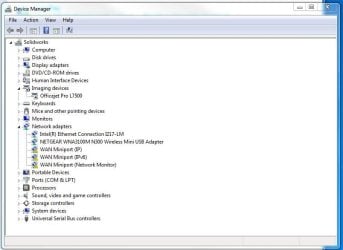
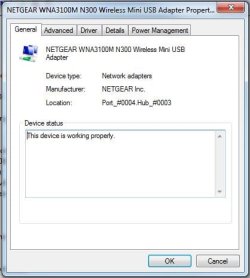
I then gave up and tried to install a wireless dongle (as I thought there was an issue with the networking port on the motherboard). The driver for the wireless dongle is installed correctly, and it is operating correctly according to device manager, however it's not possible to activate the menu to select a network from the taskbar.
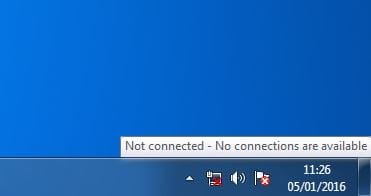
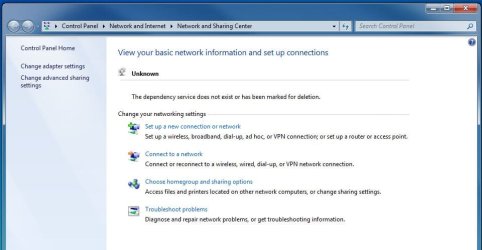
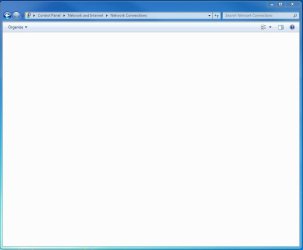
The icon showing on the taskbar is just the normal computer symbol with red-x. If you right click and go to network and sharing center, it's not possible to get to the adapter settings (the system tries but it times out). It ends up on the Network and Sharing center screen, with "Unknown" next to the networking symbol. There is also the message "The dependency service does not exist or has been marked for deletion". Neither the wired NIC or the wireless dongle are visible here at all.
I've tried the things I normally would (re-installing drivers for the wireless dongle, enabling and disabling the network adapters) but nothing seems to change.
Does anyone have any advice on some steps I could try?
Thanks
Vincent
I returned from Vacation today to find that my work PC is not able to network at all. I usually use a cabled connection, this was not recognised by windows (however the lights on the network card were flashing as normal).
I then gave up and tried to install a wireless dongle (as I thought there was an issue with the networking port on the motherboard). The driver for the wireless dongle is installed correctly, and it is operating correctly according to device manager, however it's not possible to activate the menu to select a network from the taskbar.
The icon showing on the taskbar is just the normal computer symbol with red-x. If you right click and go to network and sharing center, it's not possible to get to the adapter settings (the system tries but it times out). It ends up on the Network and Sharing center screen, with "Unknown" next to the networking symbol. There is also the message "The dependency service does not exist or has been marked for deletion". Neither the wired NIC or the wireless dongle are visible here at all.
I've tried the things I normally would (re-installing drivers for the wireless dongle, enabling and disabling the network adapters) but nothing seems to change.
Does anyone have any advice on some steps I could try?
Thanks
Vincent
Attachments
My Computer
At a glance
Windows 7 64 Bit ProfessionalIntel Xeon E3-1220v316GB
- Computer type
- PC/Desktop
- Computer Manufacturer/Model Number
- Dell
- OS
- Windows 7 64 Bit Professional
- CPU
- Intel Xeon E3-1220v3
- Memory
- 16GB


