Unable to change theme in Windows 7

ishailesh8

New member
Local time
11:38 AM
Messages
5
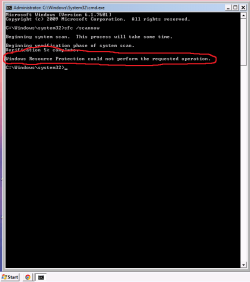
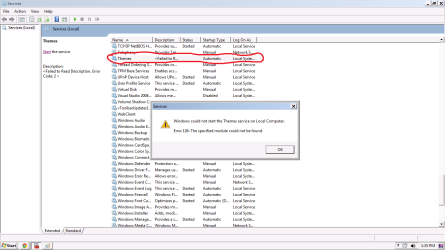
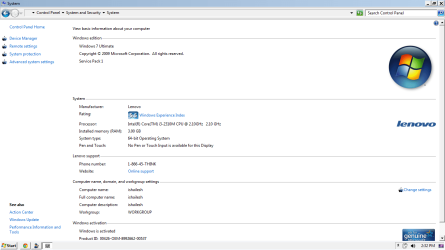
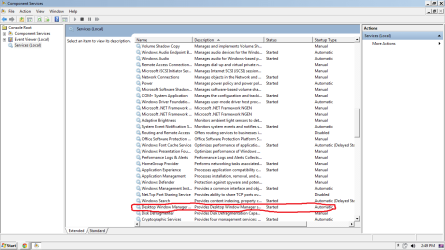
Unable to change Themes in Windows 7

Here are some snapshot.
 

Attachments

  • Command Prompt.png
    Command Prompt.png
    7.9 KB · Views: 109
  • Personalisation.png
    Personalisation.png
    47.1 KB · Views: 76
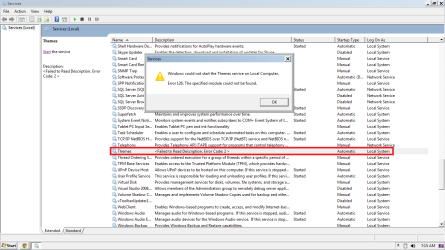
  • Services.png
    Services.png
    26.5 KB · Views: 105
  • System.png
    System.png
    33.6 KB · Views: 67
  • Troubleshoot.png
    Troubleshoot.png
    10.2 KB · Views: 61
  • Desktop Window Manager.png
    Desktop Window Manager.png
    36.2 KB · Views: 58
Last edited:

My Computer My Computer

OS
Delhi
You will get better help if you fill in your system specs!!

Thanks
 

My Computer My Computer

Computer type
PC/Desktop
Computer Manufacturer/Model Number
Self Build
OS
MS Windows 7 Professional 64-bit SP1
CPU
AMD FX(tm)-6100 Six-Core Processor Socket AM3+ (942)
Motherboard
ASUSTeK COMPUTER INC. SABERTOOTH 990FX (AM3r2)
Memory
8.00 GB Dual-Channel DDR3 @ 802MHz (11-11-11-36) 1.5Volts
Graphics Card(s)
NVIDIA GeForce GTX 560 Ti
Sound Card
Onboard Realtek HD
Monitor(s) Displays
shimian (1920x1080@60Hz)
Screen Resolution
1920*1080
Hard Drives
OCZ-AGIL ITY3 SATA Disk Device 120GB
PSU
Corsair TX 750
Case
Corsair
Cooling
WaterCooled
Keyboard
Microsoft Wired
Mouse
Logitech USB Optical TiltWheel Mouse
Internet Speed
Realtek PCIe GBE Family Controller 20MB*1MB
Antivirus
Avast
Browser
Firefox
Other Info
150GB Internal Hard Drive for Backing Up Important Files -
Hauppauge Nova-DT Dual DVB-T Tuner Device (+IR) -
USB PC Camera with Mic (SN9C105)

My Computer My Computer

Computer type
PC/Desktop
Computer Manufacturer/Model Number
Self built custom
OS
64-bit Windows 11 Pro for Workstations
CPU
Intel i7-8700K OC'd to 5 GHz
Motherboard
ASUS ROG Maximus XI Formula Z390
Memory
64 GB (4x16GB) G.SKILL TridentZ RGB DDR4 3600 MHz
Graphics Card(s)
ASUS ROG-STRIX-GTX1080TI-O11G-GAMING
Sound Card
Integrated
Monitor(s) Displays
2 x Samsung Odyssey G7 27"
Screen Resolution
2560x1440
Hard Drives
1TB Samsung 990 PRO M.2,
4TB Samsung 990 PRO PRO M.2,
TerraMaster F8 SSD Plus NAS
PSU
Seasonic Prime Titanium 850W
Case
Thermaltake Core P3
Cooling
Corsair Hydro H115i
Keyboard
Logitech wireless K800
Mouse
Logitech MX Master 4
Internet Speed
2 Gb/s Download and 100 Mb/s Upload
Antivirus
Malwarebyte Anti-Malware Premium
Browser
Google Chrome
Other Info
Logitech Z625 speaker system,
Logitech BRIO 4K Pro webcam,
HP Color LaserJet Pro MFP M477fdn,
APC SMART-UPS RT 1000 XL - SURT1000XLI,
Galaxy S23 Plus phone
>>>>downloaded the themes.reg>>>>>>merge it>>>>restarted>>>
But it didn't seems to work
Hello Ishailesh, and welcome to Seven Forums.

If you like, see if downloading and merging the .reg file for the Themes option in the tutorial below may be able to help after restarting the compputer when finished. It will restore the "Themes" service and it's default settings. :)

http://www.sevenforums.com/tutorials/236709-services-restore-default-services-windows-7-a.html

Hope this helps,
Shawn
 

My Computer My Computer

OS
Delhi
1. take screenshot of the desktop too please.
2. Is it genuine?
 

My Computer My Computer

Computer Manufacturer/Model Number
WINDOWS 7 ULTIMATE 64Bit
OS
windows 7 ultimate 64 bit
CPU
intel quad 9550
Motherboard
asus striker II
Memory
2x Corsair 4Gb blue edition
Graphics Card(s)
nvidia GTX260 asus
Sound Card
motherboard
Monitor(s) Displays
Benq
Screen Resolution
1280 x 1024
Hard Drives
2 x500Gb WD BLACK EDITION
PSU
thermaltake 800watt
Case
thermaltake Armor MX
Cooling
zalman
Keyboard
Logitech
Mouse
Microsoft 1000
Internet Speed
20Mb cables
Ishailesh,

You might see if you may be able to do a system restore using a restore point (if available) dated before you had this issue to hopefully undo and fix it.
 

My Computer My Computer

Computer type
PC/Desktop
Computer Manufacturer/Model Number
Self built custom
OS
64-bit Windows 11 Pro for Workstations
CPU
Intel i7-8700K OC'd to 5 GHz
Motherboard
ASUS ROG Maximus XI Formula Z390
Memory
64 GB (4x16GB) G.SKILL TridentZ RGB DDR4 3600 MHz
Graphics Card(s)
ASUS ROG-STRIX-GTX1080TI-O11G-GAMING
Sound Card
Integrated
Monitor(s) Displays
2 x Samsung Odyssey G7 27"
Screen Resolution
2560x1440
Hard Drives
1TB Samsung 990 PRO M.2,
4TB Samsung 990 PRO PRO M.2,
TerraMaster F8 SSD Plus NAS
PSU
Seasonic Prime Titanium 850W
Case
Thermaltake Core P3
Cooling
Corsair Hydro H115i
Keyboard
Logitech wireless K800
Mouse
Logitech MX Master 4
Internet Speed
2 Gb/s Download and 100 Mb/s Upload
Antivirus
Malwarebyte Anti-Malware Premium
Browser
Google Chrome
Other Info
Logitech Z625 speaker system,
Logitech BRIO 4K Pro webcam,
HP Color LaserJet Pro MFP M477fdn,
APC SMART-UPS RT 1000 XL - SURT1000XLI,
Galaxy S23 Plus phone
I manually installed a theme like 3 or 4 month back.
Now i have uninstalled the theme but mine system hasn't returned to its previous state (Prior to the installation of theme ).
None of my system restore point go before that date.
So i dont think system restore would be a viable option.


Ishailesh,

You might see if you may be able to do a system restore using a restore point (if available) dated before you had this issue to hopefully undo and fix it.
 
Last edited:

My Computer My Computer

OS
Delhi
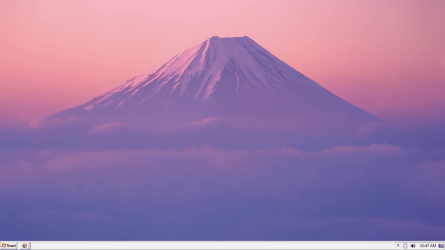
Here is screenshot of the desktop for you.
Yes Its a genuine version.

1. take screenshot of the desktop too please.
2. Is it genuine?
 

Attachments

  • Desktop.png
    Desktop.png
    229.5 KB · Views: 8

My Computer My Computer

OS
Delhi
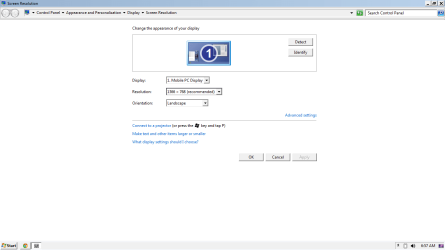
check your resulution and colors..
how it set?

Try this:

http://www.sevenforums.com/tutorials/2495-services-start-disable.html

>Start

>Search "msconfig"

>Right click

>Click "Run As Administrator"

>Services Tab

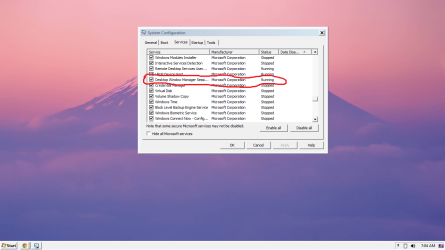
> Scroll down and make sure a checkbox is ticked next to "Themes" and "Desktop Window Manager Session Manager".
Then

>Start

>Search "services"

>Open Services result

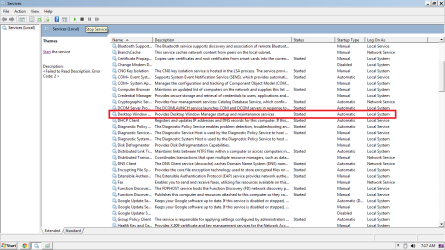
>Scroll down and make sure "Themes" and "Desktop Window Manager Session Manager" are started, if not, right
click
> Start.

If they are disabled,

>Right click

>Properties

>Startup Type set to "Automatic" then start them.

Do this for both.

Here is snap of how my Resolution and other services are set
 

Attachments

  • Resolution.png
    Resolution.png
    16.9 KB · Views: 15
  • Services_DWM.png
    Services_DWM.png
    199.5 KB · Views: 22
  • Services_Theme.png
    Services_Theme.png
    194.2 KB · Views: 20
  • DWM_Start_Automatic.png
    DWM_Start_Automatic.png
    39.5 KB · Views: 19
  • Theme_Start_Error.png
    Theme_Start_Error.png
    38.8 KB · Views: 22
Last edited by a moderator:

My Computer My Computer

OS
Delhi
Back
Top