
Unable to format C drive

Shivamudra

New member
Local time
6:03 AM
Messages
2
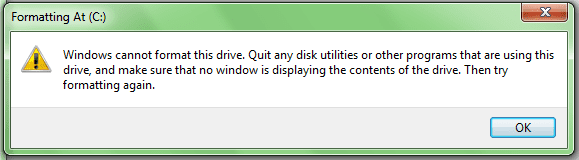
Actually previously I was having Win7 Starter on my laptop which was installed on C drive, but somehow it got infected by virus which I was unable to remove. So I tried to install new OS on C drive but I was unable to do so. Then I tried to install new OS on the drive other than C and installed. But now I'm unable to format the C drive in which previous OS was there. Whenever I try to format C drive it is showing message window like this, "Windows cannot format this drive. Quit any disk utilities or other programs that are using this drive, and make sure that no window is displaying the contents of the drive. Then try formatting again". I think old OS is still there. How can I remove the old OS from C drive? Please suggest!
 

Attachments
  • Untitled.png
    Untitled.png
    7.5 KB · Views: 36

My Computer

Computer Manufacturer/Model Number
HP/ HP Pavelion 2111TU
OS
Windows 7 Ultimate 32 bit
Memory
3 GB RAM/ 320 GB HDD
Monitor(s) Displays
14.1"
By convention, the C drive contains the currently running Windows OS. As such, it is not possible to format or delete this drive/partition from within Windows itself. It is typically formatted during the OS installation.

If you have managed to install the OS on another drive/partition (which you say you have), you should be able to delete/format this partition. Just check which letter has been assigned to it (which won't be C, as this is reserved for the currently running OS).
 

My Computer

Computer type
PC/Desktop
Computer Manufacturer/Model Number
Dwarf Dwf/11/2012 r09/2013
OS
Windows 8.1 Pro RTM x64
CPU
Intel Core-i5-3570K 4-core @ 3.4GHz (Ivy Bridge) (OC 4.4GHz)
Motherboard
ASRock Z77 Extreme4-M
Memory
4 x 4GB DDR3-1600 Corsair Vengeance CMZ8GX3M2A1600C9B (16GB)
Graphics Card(s)
MSI GeForce GTX770 Gaming OC 2GB
Sound Card
Realtek High Definition on board solution (ALC 898)
Monitor(s) Displays
ViewSonic VA1912w Widescreen (VGA)
Screen Resolution
1440x900
Hard Drives
OCZ Agility 3 SSD 120GB SATA III x2 (RAID 0)
Samsung HD501LJ 500GB SATA II x2
Hitachi HDS721010CLA332 1TB SATA II
Iomega 1.5TB Ext USB 2.0
WD 2.0TB Ext USB 3.0
PSU
XFX Pro Series 850W Semi-Modular
Case
Gigabyte IF233
Cooling
1 x 120mm Front Inlet 1 x 120mm Rear Exhaust
Keyboard
Microsoft Comfort Curve Keyboard 3000 (USB)
Mouse
Microsoft Comfort Mouse 3000 for Business (USB)
Internet Speed
NetGear DG834Gv3 ADSL Modem/Router (Ethernet) ~4.0 Mb/s (O2)
Antivirus
Avast! 8.0.1497
Browser
IE 11
Other Info
Optical Drive: HL-DT-ST BD-RE BH10LS30 SATA Bluray
Lexmark S305 Printer/Scanner/Copier (USB)
WEI Score: 8.1/8.1/8.5/8.5/8.25
Asus Eee PC 1011PX Netbook (Windows 7 x86 Starter)
A drive

Thank u Mr. Dwarf.
The newly installed OS is on "A" drive.
 

My Computer

Computer Manufacturer/Model Number
HP/ HP Pavelion 2111TU
OS
Windows 7 Ultimate 32 bit
Memory
3 GB RAM/ 320 GB HDD
Monitor(s) Displays
14.1"

My Computer

Computer type
PC/Desktop
Computer Manufacturer/Model Number
Self Assembled
OS
Microsoft Windows 10 Pro Insider Preview 64-bit
CPU
Intel(R) Core(TM) i3-4130 CPU @ 3.40GHz
Motherboard
Gigabyte Technology Co., Ltd. B85M-D3H
Memory
Corsair Vengence 4GB x2 (8.00GB Dual-Channel DDR3 @ 798MHz)
Graphics Card(s)
2047MB GeForce GTS 450 (ZOTAC International)
Sound Card
Onboard (Realtek High Definition Audio)
Monitor(s) Displays
LG Flatron E2040T
Screen Resolution
1600x900
Hard Drives
Western Digital 1 TB
Seagate 500 GB
PSU
Corsair VS550
Case
Cooler Master K380
Cooling
Cooler Master Seidon 120V Plus
Keyboard
Logitech MK260r
Mouse
Logitech MK260r
Internet Speed
PMPL Broadband
Antivirus
Windows Defender + MBAM
Browser
Firefox
Other Info
Dell Studio 15" Laptop
You should reinstall, delete all partitions then click next. Never name your partition A:

You are booting from the dvd yes ?

Gregrocker has a link for a perfect install.
 

My Computer

Computer type
PC/Desktop
Computer Manufacturer/Model Number
Skylake Special #666
OS
Windows 10 Pro x64
CPU
Intel Core i7 6700K
Motherboard
Asus Sabertooth Z170 Mark 1
Memory
GSkill TridentZ RGB 16GB 3600 16-16-16-36
Graphics Card(s)
EVGA GTX 980 Ti SC x2
Sound Card
Realtek High Definition
Monitor(s) Displays
AOC G2460PG
Screen Resolution
1920 x 1080 144Hz
Hard Drives
Samsung 860 Pro 256GB, Seagate Barracuda 4TB x2
PSU
EVGA 1000 P2, EVGA White Custom Braided Cables
Case
Corsair Vengeance C70 Gunmetal Black
Cooling
Corsair H100i v2, Corsair ML120 x2, Thermal Grizzly Kryonaut
Keyboard
Logitech G910 Orion Spectrum
Mouse
Logitech G700s
Internet Speed
Verizon Fios Quantum Gateway 75/75
Antivirus
Windows Defender, Malwarebytes Free 3.8.3
Browser
Chrome
Other Info
Corsair SP120 x4, LG Blu-ray Drive, Durabrand HT-395 100 Watt Dolby Digital Amp, Corsair H2100 Wireless 7.1 Headset
On many new HP's the Recovery partition will still run from it's hotkey even after a clean reinstall to C. You can try that now by tapping the F11 key at boot, or booting the Recovery Disks if you made them first.

If HP Recovery will not run then you don't need any partitions on the HD now. I would wipe the HD first to get the cleanest start, using Diskpart Clean Command from the DVD accessing DISKPART At PC Startup.

Then follow these steps to get a perfect Clean Reinstall - Factory OEM Windows 7.
 
Back
Top