Unable to log-in to RadarBox24 Forum

sirwayne001

New member
Local time
2:53 PM
Messages
4
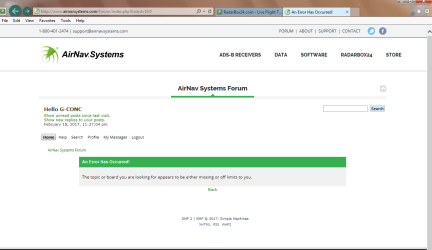
Started to happen 7/8 days ago Error message reads Field 'error' doesn't have a default value.Have only been able to log in 4 times in 8 days. For those of you who may think the software may need a reinstall... This happened 8 days ago and I did a freash install just 3 days ago and its still there... so thinking cap are needed please.
 
Last edited:

My Computer My Computer

At a glance

windows 7 home premium 64bitIntel Pentium Dual-core E6700 @ 3.20 GHz4GbNVIDIA Geforce 9500 GT
Computer type
PC/Desktop
Computer Manufacturer/Model Number
Custom build
OS
windows 7 home premium 64bit
CPU
Intel Pentium Dual-core E6700 @ 3.20 GHz
Motherboard
Gigabyte GA-EG41MFT-US2H
Memory
4Gb
Graphics Card(s)
NVIDIA Geforce 9500 GT
Hard Drives
W Digital 1.0TB + 320Gb +250Gb.
Antivirus
Norton Security latest version
Browser
IE 11- Chrome - Firefox
Welcome to the forum.
Can you explain the RadarBox24 log in?
Is a program you install and then to run you have to log in? Is it authenticate on the computer or on line?

OR

Is a web page that to have access you have to log in?
 

My Computers My Computers

  • At a glance

    Windows 7 HP 64i5 6600K - 800MHz to 4200MHz4+4G GSkill DDR4 3000IG - Intel 530
    Computer type
    PC/Desktop
    Computer Manufacturer/Model Number
    custom build
    OS
    Windows 7 HP 64
    CPU
    i5 6600K - 800MHz to 4200MHz
    Motherboard
    GA-Z170-HD3P
    Memory
    4+4G GSkill DDR4 3000
    Graphics Card(s)
    IG - Intel 530
    Monitor(s) Displays
    Samsung 226BW
    Screen Resolution
    1680x1050
    Hard Drives
    (1) -1 SM951 – 128GB M.2 AHCI PCIe SSD drive for Windows 7 and Lubuntu
    (2) -1 WD SATA 3 - 1T for Data
    (3) -1 WD SATA 3 - 1T for backup
    PSU
    Thermaltake 450W TR2 gold
    Keyboard
    Old and good Chicony mechanical keyboard
    Mouse
    Logitech mX performance - 9 buttons (had to disable some)
    Internet Speed
    500Mb/s
    Browser
    Firefox 64
    Other Info
    TinyWall firewall
  • At a glance

    Windows 7 Proi7-4500U 800MHz to 3.0GHz(4+4)G DDR3 1600IG intel 4400 + NVIDIA GeForce GT 745M
    Computer type
    Laptop
    System Manufacturer/Model Number
    Asus Q550LF
    OS
    Windows 7 Pro
    CPU
    i7-4500U 800MHz to 3.0GHz
    Motherboard
    Asus Q550LF
    Memory
    (4+4)G DDR3 1600
    Graphics Card(s)
    IG intel 4400 + NVIDIA GeForce GT 745M
    Sound Card
    Realtek
    Monitor(s) Displays
    LG Display LP156WF4-SPH1
    Screen Resolution
    1920 x 1080
    Hard Drives
    BX500 120G SSD for Windows and programs +
    1T HDD for data
    Internet Speed
    500 Mb/s
    Browser
    Firefox
    Other Info
    TinyWall firewall
Hi. The AirNav System RadarBox24 is a device that you install on a PC/Laptop it's powered by USB and has an antenna. you are now ready to receive signals from overflying aircrsft within your antennas range and thease are put on the RadarBox24 website all around the world. Once you have logged in your box your PC/laptop remembers the login each time you switch on. Access to the forum page is from the radarbox24 program or a web page, and has its own log on and password aside from that of the Radarbox24 equipment, when logged on to the forum page you can choose the time to remain logged on 1,3,4,5,8 hours or choose "stay logged on" even if you shut down and restart you will remain logged on. Each time I try to enter the forum page from the RadarBox24 equipment or the RadarBox24 web page I get this Field 'Error' does not have a value. I hope I have made things clear for you?
 

My Computer My Computer

At a glance

windows 7 home premium 64bitIntel Pentium Dual-core E6700 @ 3.20 GHz4GbNVIDIA Geforce 9500 GT
Computer type
PC/Desktop
Computer Manufacturer/Model Number
Custom build
OS
windows 7 home premium 64bit
CPU
Intel Pentium Dual-core E6700 @ 3.20 GHz
Motherboard
Gigabyte GA-EG41MFT-US2H
Memory
4Gb
Graphics Card(s)
NVIDIA Geforce 9500 GT
Hard Drives
W Digital 1.0TB + 320Gb +250Gb.
Antivirus
Norton Security latest version
Browser
IE 11- Chrome - Firefox
Lets see if I understood.
On a normal operation:
- You have one saved password on the RadarBox24. Once it's connected to the computer it begins to collect data from the surrounding planes and send the info upload to a server. You don't have to take any action, just plug in the device. You don't have to launch any program and login.
- To see the world info on the server, you launch a web browser and on the RadarBox24 site, you have to log in. Normally your browser logs in automatically.

If the above is correct, witch password isn't working automatically?
 

My Computers My Computers

  • At a glance

    Windows 7 HP 64i5 6600K - 800MHz to 4200MHz4+4G GSkill DDR4 3000IG - Intel 530
    Computer type
    PC/Desktop
    Computer Manufacturer/Model Number
    custom build
    OS
    Windows 7 HP 64
    CPU
    i5 6600K - 800MHz to 4200MHz
    Motherboard
    GA-Z170-HD3P
    Memory
    4+4G GSkill DDR4 3000
    Graphics Card(s)
    IG - Intel 530
    Monitor(s) Displays
    Samsung 226BW
    Screen Resolution
    1680x1050
    Hard Drives
    (1) -1 SM951 – 128GB M.2 AHCI PCIe SSD drive for Windows 7 and Lubuntu
    (2) -1 WD SATA 3 - 1T for Data
    (3) -1 WD SATA 3 - 1T for backup
    PSU
    Thermaltake 450W TR2 gold
    Keyboard
    Old and good Chicony mechanical keyboard
    Mouse
    Logitech mX performance - 9 buttons (had to disable some)
    Internet Speed
    500Mb/s
    Browser
    Firefox 64
    Other Info
    TinyWall firewall
  • At a glance

    Windows 7 Proi7-4500U 800MHz to 3.0GHz(4+4)G DDR3 1600IG intel 4400 + NVIDIA GeForce GT 745M
    Computer type
    Laptop
    System Manufacturer/Model Number
    Asus Q550LF
    OS
    Windows 7 Pro
    CPU
    i7-4500U 800MHz to 3.0GHz
    Motherboard
    Asus Q550LF
    Memory
    (4+4)G DDR3 1600
    Graphics Card(s)
    IG intel 4400 + NVIDIA GeForce GT 745M
    Sound Card
    Realtek
    Monitor(s) Displays
    LG Display LP156WF4-SPH1
    Screen Resolution
    1920 x 1080
    Hard Drives
    BX500 120G SSD for Windows and programs +
    1T HDD for data
    Internet Speed
    500 Mb/s
    Browser
    Firefox
    Other Info
    TinyWall firewall
Hi You are right up to the point (to see the world info on the server) once you have your radarbox installed and the program is opened data is collected by your antenna and then put into the web page for all to see via the AirNav servers. Incorperated in the program is a link to the forum page run by AirNav Systems each member has another log-in name and password. I joined up to this forum some 3 weeks ago but I cant always access the link this is when the error message page keeps coming up. Now being a very in depth person when it comes to finding things out I seem to have found either a soloution or a way of getting to the forum without problems through doing something totaly different. Just 2 days ago I woke early and came to the PC tried the forum page and got the same error message, sod it I thought, went to the Pirate Bay and started to download a couple of films, I always use a VPN and add blocker to protect my IP address from being scanned. during the next couple of hours when I was getting board I tried the forum again...... wow it worked now I had to think of whats changed and after a period of time and the 2 films finishing to downloading closing the VPN the forum went also. 2+2 does equal 4. So why would my browser let me into the forum with a IP address from Hong Kong and not from the Philippines. If you know an answer please let me know....
 

My Computer My Computer

At a glance

windows 7 home premium 64bitIntel Pentium Dual-core E6700 @ 3.20 GHz4GbNVIDIA Geforce 9500 GT
Computer type
PC/Desktop
Computer Manufacturer/Model Number
Custom build
OS
windows 7 home premium 64bit
CPU
Intel Pentium Dual-core E6700 @ 3.20 GHz
Motherboard
Gigabyte GA-EG41MFT-US2H
Memory
4Gb
Graphics Card(s)
NVIDIA Geforce 9500 GT
Hard Drives
W Digital 1.0TB + 320Gb +250Gb.
Antivirus
Norton Security latest version
Browser
IE 11- Chrome - Firefox
Hi SirWayne,
Do know that the Philippines blocks certain sites, based on the IP's, maybe that 1 of yours has been wrongly classified.


Roy
 

My Computer My Computer

At a glance

W7 home premium 32bit/W7HP 64bit/w10 tp insid...E5300 dual core3gbNvidia Geforce 7100 Nforce 630i
Computer type
PC/Desktop
Computer Manufacturer/Model Number
medionl/Aspire 6930G/acer x55a
OS
W7 home premium 32bit/W7HP 64bit/w10 tp insider ring
CPU
E5300 dual core
Motherboard
medion MS7366
Memory
3gb
Graphics Card(s)
Nvidia Geforce 7100 Nforce 630i
Monitor(s) Displays
avixc
Internet Speed
n (isp resticted to 72)
Antivirus
mse/pands
Browser
palemoon
Other Info
Belkin Fd7050 n USB using Railink RT2870 drivers, more upto date
Well Roy this has just confirmed my suspitions as it has affected all my other machines inc. Ipad and Iphone. So how does one go about lifting a block? and is it my IP that is blocked or AirNav Systems? as I can receive all other AirNav web pages, just the forum that's blocked.
 

Attachments

  • error screen1.png
    error screen1.png
    30.7 KB · Views: 1

My Computer My Computer

At a glance

windows 7 home premium 64bitIntel Pentium Dual-core E6700 @ 3.20 GHz4GbNVIDIA Geforce 9500 GT
Computer type
PC/Desktop
Computer Manufacturer/Model Number
Custom build
OS
windows 7 home premium 64bit
CPU
Intel Pentium Dual-core E6700 @ 3.20 GHz
Motherboard
Gigabyte GA-EG41MFT-US2H
Memory
4Gb
Graphics Card(s)
NVIDIA Geforce 9500 GT
Hard Drives
W Digital 1.0TB + 320Gb +250Gb.
Antivirus
Norton Security latest version
Browser
IE 11- Chrome - Firefox
Back
Top