
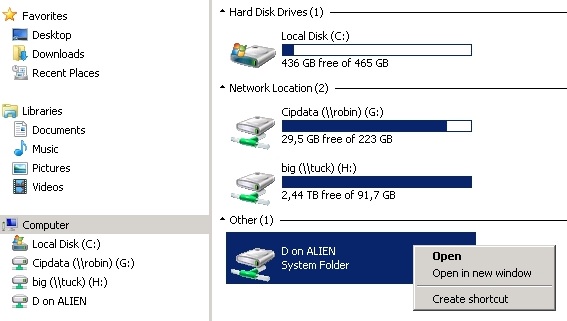
Some time ago I shared the D drive on my computer so I could access it from another in the office network. I don't remember how I shared it, I'd assume it was normal file sharing but apparently it isn't. Now I can not prevent the other computer from accessing my drive. It's not showing up as a mapped network drive, it shows up like this (included right click options):
I've tried:
Disabled sharing in advanced network options.
Disabled IPC$ sharing.
Changed local and domain password.
Cleared cached credentials on the other computer.
The only thing that works is if I change the drive letter D to something else. Note that typing \\Alien on the other computer on just results in "Windows cannot access \\Alien" yet this darn "D on Alien" continues to work.
It's probably a simple thing, but no search results have worked. How can I prevent this computer from accessing my D drive without changing the drive letter?
I've tried:
Disabled sharing in advanced network options.
Disabled IPC$ sharing.
Changed local and domain password.
Cleared cached credentials on the other computer.
The only thing that works is if I change the drive letter D to something else. Note that typing \\Alien on the other computer on just results in "Windows cannot access \\Alien" yet this darn "D on Alien" continues to work.
It's probably a simple thing, but no search results have worked. How can I prevent this computer from accessing my D drive without changing the drive letter?
My Computer
At a glance
Windows 7 x64
- Computer type
- PC/Desktop
- OS
- Windows 7 x64

 .
.