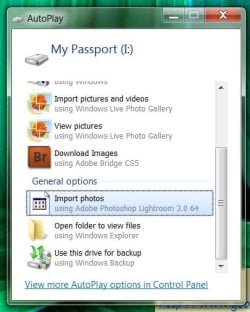
As I understand it, Windows 7 uses AutoPlay Handlers to identify devices (like cameras) and Event Handlers to identify the device software. In order to remove these items from the AutoPlay dialog box, it's necessary to edit the registry. The usual cautions apply: if a mistake is made while editing the registry, your computer could become an expensive paperweight. So backup your registry by creating a restore point or exporting the registry.
In the alternative, you could search for "AutoPlay Repair Tool" or "AutoPlay Cleanup Utility" and find 3rd party software to accomplish the same registry modifications. Same caution: backup your registry before using any utility. This utility is one example of a 3rd party software:
I apologize for the very late reply. I uninstalled the entire program but the problem was still persistent. Therefore, I did a system restore and do not have plans to install Adobe Lightroom pending a resolution from Adobe.