I am sure someone will have the answer. Browsing failed.
A recent query came up on another site, regarding how to uninstall IE9 and return to 8. I plunged in and it seems that, for some reason, I stand alone!
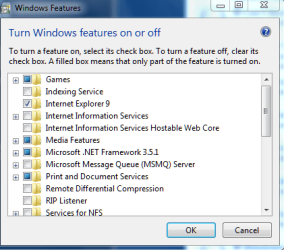
I go into Programs And Features and, in "Turn Windows Features on or off", I can deselect 9. This automatically returns me to 8. I can do this ad infinitum.
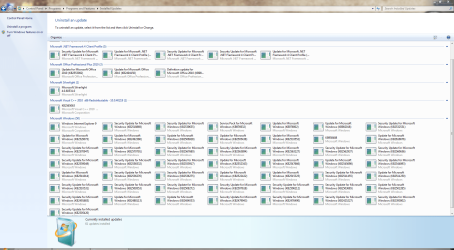
It seems that the conventional way is via Windows Updates. I do not have IE9 listed there!.
Let me add. I am a Technet subscriber. I spend literally hours, customising and generally exploring options. Because of this I sometimes forget how much I did change. It is quite possible that, currently, I have the official "slipstreamed" SP1 edition installed. Could this be the reason?
Oddly, as I said, I can find absolutely nothing on the Web to confirm this thought!!
Later. Just remembered Winver - lol. Yes. Windows 7 Ultimate with SP1.
A recent query came up on another site, regarding how to uninstall IE9 and return to 8. I plunged in and it seems that, for some reason, I stand alone!
I go into Programs And Features and, in "Turn Windows Features on or off", I can deselect 9. This automatically returns me to 8. I can do this ad infinitum.
It seems that the conventional way is via Windows Updates. I do not have IE9 listed there!.
Let me add. I am a Technet subscriber. I spend literally hours, customising and generally exploring options. Because of this I sometimes forget how much I did change. It is quite possible that, currently, I have the official "slipstreamed" SP1 edition installed. Could this be the reason?
Oddly, as I said, I can find absolutely nothing on the Web to confirm this thought!!
Later. Just remembered Winver - lol. Yes. Windows 7 Ultimate with SP1.
My Computer
- Computer Manufacturer/Model Number
- Three desktops and one laptop with good specs..
- OS
- Vista and now 7 in 32 and 64 bit.