Hello Gus and welcome to Seven Forums.
The only thing I could find about GNET that makes any sense is that it's a a simple network library used under the Gnome Project.
https://live.gnome.org/GNetLibrary
GNOME
You said you backed up your files to a WD MyBook external hard drive. Did this drive come with backup software already installed or did you use some other backup utility like Macrium, Acronis, or even the native Windows 7 backup?
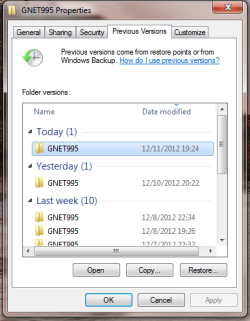
No gnet995 is my computer name. This is what the external drive software shows as my computer. I was trying to retrieve all files from the external drive to the computer and it loaded this file to the desktop. I have no idea what I'm doing with the external drive and it really seems very complex. All I wanted to do is restore the files it had backed up but it just aint happening.
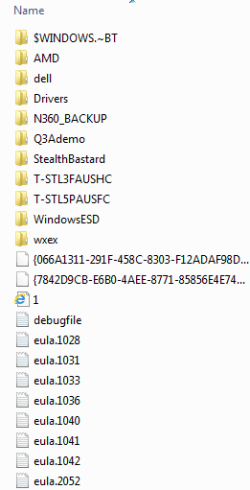
It dropped this file to the desktop and didn't restore any files to the original locations on my computer. I don't have any idea what to do with this file. It keeps making new copies of itself every day.
Oh, yes the external drive comes with software called WD Smartware that is supposed to handle all the backup chores but I'm not able to understand it at all.
Perhaps the native Windows 7 backup software would be easier for me to understand?
I'm buying a new Windows 8 gaming desktop from CyberPower PC in a few months and I'm trying to learn everything I can with this old Dell I have now before it goes to the recycler's.
Here's my current system:
System Manufacturer/Model Number Dell Studio XPS 8000 (Most components upgraded)
OS: Windows 7 Home Premium SP1 64 bit
CPU: Intel Core i7 870 2.93Ghz
Motherboard: Stock Dell 0X231R
Memory: 8Gb Generic 4X 2Gb DDR3
Graphics Card: Saphire ATI Radeon HD6870 1Gb DDR5
Sound Card: Intel HD audio controller, ATI Barts HD audio controller.
Monitor(s) Displays: Dell S2409W, screen resolution 1920x 1080P
Mouse: Logitech MX518
PSU: 750W OCZ Modular
Case: Stock Dell Studio XPS 8000
Cooling: Intel Copper Base Heat Sink Fan on CPU
Hard Drives: Samsung SATA 1000Gb stock drive, Hitachi Ultrastar 15000 RPM 300Gb
Internet Speed Comast cable broadband, 20- 30Mps
Anyway, I need to learn how to retrieve backuped files from an external drive. I will be using this external drive to transfer my settings and files and apps to my new computer.