- Local time
- 2:36 AM
- Messages
- 71
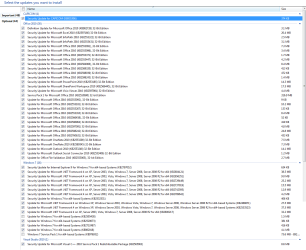
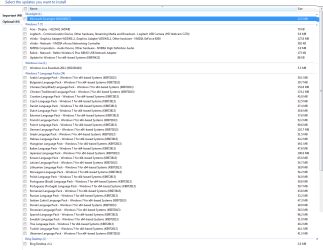
Ok so at start of the week I asked for help on error I got whilst trying to update my PC.
I got a awful response (NOT from here, from my PC)
I believe the explore.exe (i believe) had currupted, I've attached a picture below showing it.
Also this is the main post (not to do with this error, just providing information)
Ok so now I have a 1TB hard drive but when I go to My Computer it says 453 GB free of 931 GB.
Documents: 2.23 GB
Music: 42.0 GB
Pictures: 13.3 GB
Videos: 389 GB
C:\ (users) 451 GB
C:\ (Program Files) 1.01 GB
C:\ (Program Files x86) 1.54 GB
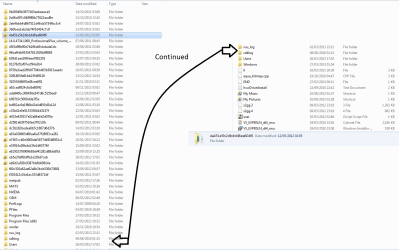
I know I only have about 30 GB missing but here's what I want to know.. I have loads of files on my C drive that I don't know what they are !?
I've applied a screen shot below but each time I go into one of the long folder names it gives me a 'MRT' application. Do I need these? What are these? Can I delete them??
I have Team Viewer so if a trusted well know member would like to take a look please let me know but you must have good rep/posts on the forum and been here a while.
I've spent the last two days recovering my PC and don't want anybody to harm it.
I re-installed windows and when I did it created a 'WindowsOld' file so I copied all my pictures, music, videos & documents then deleted that file.
Hope somebody can share some light on this !
Thanks, Jacko.
I got a awful response (NOT from here, from my PC)
I believe the explore.exe (i believe) had currupted, I've attached a picture below showing it.
Also this is the main post (not to do with this error, just providing information)
Ok so now I have a 1TB hard drive but when I go to My Computer it says 453 GB free of 931 GB.
Documents: 2.23 GB
Music: 42.0 GB
Pictures: 13.3 GB
Videos: 389 GB
C:\ (users) 451 GB
C:\ (Program Files) 1.01 GB
C:\ (Program Files x86) 1.54 GB
I know I only have about 30 GB missing but here's what I want to know.. I have loads of files on my C drive that I don't know what they are !?
I've applied a screen shot below but each time I go into one of the long folder names it gives me a 'MRT' application. Do I need these? What are these? Can I delete them??
I have Team Viewer so if a trusted well know member would like to take a look please let me know but you must have good rep/posts on the forum and been here a while.
I've spent the last two days recovering my PC and don't want anybody to harm it.
I re-installed windows and when I did it created a 'WindowsOld' file so I copied all my pictures, music, videos & documents then deleted that file.
Hope somebody can share some light on this !
Thanks, Jacko.
Attachments

My Computer
At a glance
Windows 7 Home Premium 64 bitAMD Athlon(tm) II X4 620 Processor (4 CPUs) 2...4GB 2X2GBNDIDIA GeForce 9200
- Computer type
- PC/Desktop
- Computer Manufacturer/Model Number
- Acer - Aspire X 1301
- OS
- Windows 7 Home Premium 64 bit
- CPU
- AMD Athlon(tm) II X4 620 Processor (4 CPUs) 2.6GHz
- Motherboard
- Aspire X1301
- Memory
- 4GB 2X2GB
- Graphics Card(s)
- NDIDIA GeForce 9200
- Sound Card
- Unknown
- Monitor(s) Displays
- 2x 22" Acer 1080p
- Screen Resolution
- 1920 x 1080
- Hard Drives
- Seagate Barracuda 7200
- PSU
- Acer Aspire Liteon PE-5221-08 - 210 Watt
- Keyboard
- Acer SK-9620
- Internet Speed
- Down: 30MB/s - Up: 16MB/s - Sky Fiber
- Antivirus
- AVG 2013
- Browser
- Chrome 31.x