Unpinning Windows Explorer from Default User

TheThemePark

Banned
Local time
5:25 AM
Messages
9
I wanted to change some settings for the Default User and I came across this link.

How to customize the default local user profile when you prepare an image of Windows Vista, Windows Server 2008, Windows 7, and Windows Server 2008 R2

So I made the changes on an account and then ran the command mentioned. Windows updates and asked me to input some information again, like the clock and making a user.

So when I logged in again, everything looked as I expected it to, with one exception. There's a pinned link to Windows Explorer in the taskbar. And it's there on any new account I create. I tried removing it from an account and then running the command again but I ended up with the same result.

I then looked up where to find these pinned shortcuts, and oddly enough there was none to be found in the location for the Default User. So I'm wondering if anybody knows how to unpin Windows Explorer from the taskbar of the Default User, when the shortcut can't be found in the folder it should be at.
 

My Computer

OS
Windows 7 Professional 64 bit.

My Computer

Computer Manufacturer/Model Number
Hewlett packard/p6512uk
OS
Microsoft Windows 7 Home Premium 64-bit 7600
CPU
IIx4 amd athelon 635 processor
Motherboard
FOXCONN 2AA9
Memory
2x2gb
Graphics Card(s)
ati radeon HD 5450
Sound Card
(1) Realtek High Definition Audio (2) AMD High Definition
Monitor(s) Displays
samsung lcd tv 32"
Screen Resolution
1360x 768
Hard Drives
(1) WDC WD10 01FAES-60Z2A0 SATA Disk Device (2) Maxtor OneTouch USB Device (3) ST310003 33AS USB Device (4) WD My Book 1111 USB Device
PSU
?
Cooling
air!
Keyboard
wireless hp
Mouse
wireless Hp,optical
Internet Speed
1.10mb/s
Antivirus
MSE
Browser
Firefox
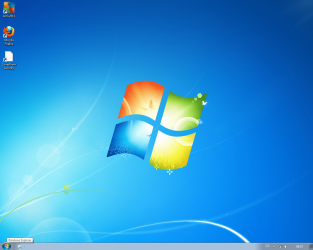
Sure, here you go.
 

Attachments

  • Desktop.png
    Desktop.png
    364.9 KB · Views: 25

My Computer

OS
Windows 7 Professional 64 bit.
Right click the Explorer icon, then click Unpin from taskbar while logged on to each account you don't want it on.
I notice you have both Zone Alarm and AVG installed. You should disable real-time protection for one of them to avoid trouble in the future.
 

My Computer

Computer type
PC/Desktop
Computer Manufacturer/Model Number
Home Built Desktop By DataTech
OS
Windows 7 Ultimate X64 SP1
CPU
Intel i5-2550K, Differing ~4.4-4.8GHz No built in GPU
Motherboard
ASUS P8Z68-V PRO/GEN3
Memory
16GB G.Skill Sniper 1866MHz @ 2133MHz 2x8GB
Graphics Card(s)
ASUS GTX650TIB-DC2OC-2GD5, (650TI Boost)
Sound Card
Onboard Realtek 5-1
Monitor(s) Displays
Samsung P2570HD
Screen Resolution
1920x1080
Hard Drives
Samsung 840 Pro 256GB SSD for OS, 500GB Seagate Constellation (Enterprise drive) for Data
PSU
Corsair HX650W
Case
Inwin Dragon Rider
Cooling
Hyper 212 EVO w/two Noctua fans, push-pull, @1300 RPM
Keyboard
E-Z Eyes, bright yellow keys with large characters
Mouse
steelseries SENSEI Laser Pro Gaming
Internet Speed
48-51Mbs Mbs down, 11 Mbs up Xfinity Cable
Antivirus
Norton Internet Security 2013
Browser
IE 10, Opera, Pale Moon if needed
Other Info
4 case fans, LG BluRay-RE, ASUS DVD-RW, Mr. Fusion power supply, 1.21 gigawatts.
That won't help, because that's not the problem. The problem is that the shortcut is there on every new account I make, and I want to remove it from the Default User account from which all new accounts are made.
 

My Computer

OS
Windows 7 Professional 64 bit.
I found this:
If you remove any of the default icons as part of creating a sysprep image they will be recreated when a new user logs in even if you use CopyProfile=true. There is no supported method to prevent this from occurring
Here:
How To: Customize the Windows 7 Start Menu and Taskbar Using unattend.xml - Ask the Core Team - Site Home - TechNet Blogs

Also from the link in your first post.
Note Customizing the Start menu and the Taskbar is limited in Windows 7.
Apparently all new accounts will revert to the default windows 7 profile.
 

My Computer

Computer type
PC/Desktop
Computer Manufacturer/Model Number
Home Built Desktop By DataTech
OS
Windows 7 Ultimate X64 SP1
CPU
Intel i5-2550K, Differing ~4.4-4.8GHz No built in GPU
Motherboard
ASUS P8Z68-V PRO/GEN3
Memory
16GB G.Skill Sniper 1866MHz @ 2133MHz 2x8GB
Graphics Card(s)
ASUS GTX650TIB-DC2OC-2GD5, (650TI Boost)
Sound Card
Onboard Realtek 5-1
Monitor(s) Displays
Samsung P2570HD
Screen Resolution
1920x1080
Hard Drives
Samsung 840 Pro 256GB SSD for OS, 500GB Seagate Constellation (Enterprise drive) for Data
PSU
Corsair HX650W
Case
Inwin Dragon Rider
Cooling
Hyper 212 EVO w/two Noctua fans, push-pull, @1300 RPM
Keyboard
E-Z Eyes, bright yellow keys with large characters
Mouse
steelseries SENSEI Laser Pro Gaming
Internet Speed
48-51Mbs Mbs down, 11 Mbs up Xfinity Cable
Antivirus
Norton Internet Security 2013
Browser
IE 10, Opera, Pale Moon if needed
Other Info
4 case fans, LG BluRay-RE, ASUS DVD-RW, Mr. Fusion power supply, 1.21 gigawatts.
Back
Top