Solved updated from 7 to 10, then a few days later, no boot & blinking cursor

berbes

New member
Local time
12:17 PM
Messages
15
updated from 7 to 10, then a few days later, no boot & blinking cursor

a client updated to 10 on his lenovo t530 and a few days later, it won't boot and shows just a blinking cursor. i've searched the heck out of this and tired to fix the mbr through cmd. bootrec did seem to work in deleting and renaming the error logs, but same booting result.

further searching showed a possible graphic driver conflict. i then used the ESD commander, but when loading, it doesn't show any other earlier installs than 10. i can use the recovery tools, but it doesn't show any earlier restore points (client says there were). i then go into ESD and it can't find any problems with dumps that might identify exactly which driver is causing this booting issue. any ideas what graphic drivers to disable? also, if they need updating how do i do that from these rescue disks i use?

also, i've read this might be something as simple as tweaking the bios, but i haven't gotten that far yet.

to back out of this win 10 'upgrade', do i need the OEM disc that came with the laptop? the client doesn't have it any longer.

finally, what makes this so frustrating is the machine itself is working verrrrrrrrry slooooooooooowly, a click to the next page takes minutes instead of a second or two. something that would take a minute after clicking now takes an hour.

sorry for such a long story. back to the coffee and THANKS for any ideas!
 

My Computer My Computer

At a glance

7 pro
Computer type
PC/Desktop
OS
7 pro
Is the hard-drive's OS partition still Primary and still marked Active?
 

My Computer My Computer

At a glance

Windows 7 Professional 64-bitDesktop i5; Acers i5 & i7desktop 16GB; 1 Acer 8GB & 1 Acer 16GB
Computer type
PC/Desktop
Computer Manufacturer/Model Number
Antec desktop; Acer Aspire laptops
OS
Windows 7 Professional 64-bit
CPU
Desktop i5; Acers i5 & i7
Memory
desktop 16GB; 1 Acer 8GB & 1 Acer 16GB
Hard Drives
1TB split into 2 equal partitions [OS and data] usable by RJS
Internet Speed
AT&T DSL
Browser
FF, GChrome, msIE
Other Info
Windows 7 Firewall, Emsisoft AM/AV, MSE [scan-only], SpywareBlaster, Ruiware/BillP combine
thanks for the help, Roland. yes, i think. interesting how it still 'feels' like a windows 7 machine.

20151024_123215.jpg
 

My Computer My Computer

At a glance

7 pro
Computer type
PC/Desktop
OS
7 pro
System_drv, if it is like my System Reserved partition - should not be having a drive letter assigned to it.
Your main OS partition should really be drive letter C -- if I'm wrong, somebody here will chime in :)
IF System_Drv is another form of System Reserved -- it should be the only partition marked as Active.
I think it's aok and preferable that your Windows OS partition be Primary. Everything below that C can be converted into Logical.
 

My Computer My Computer

At a glance

Windows 7 Professional 64-bitDesktop i5; Acers i5 & i7desktop 16GB; 1 Acer 8GB & 1 Acer 16GB
Computer type
PC/Desktop
Computer Manufacturer/Model Number
Antec desktop; Acer Aspire laptops
OS
Windows 7 Professional 64-bit
CPU
Desktop i5; Acers i5 & i7
Memory
desktop 16GB; 1 Acer 8GB & 1 Acer 16GB
Hard Drives
1TB split into 2 equal partitions [OS and data] usable by RJS
Internet Speed
AT&T DSL
Browser
FF, GChrome, msIE
Other Info
Windows 7 Firewall, Emsisoft AM/AV, MSE [scan-only], SpywareBlaster, Ruiware/BillP combine
You said the PC won't boot, yet you have a screen print of Disk Management.
How did you boot the PC to get to Disk Management ?
Did you use the "rescue disks" you referred to in post #1?
If so, what are they and where did you get them ?

Your Disk Management is not like what I'm use to seeing.
The columns are different and not all information is displayed.
Here is a tutorial showing the proper way to post a Disk Management screen print:
http://www.sevenforums.com/tutorials/274797-disk-management-post-screen-capture-image.html

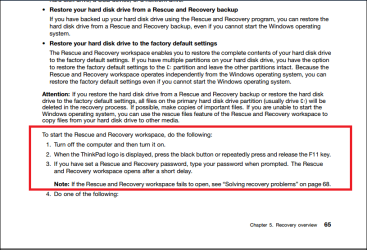
You might still be able to do a factory recovery, if the Lenovo_Recovery partition is not corrupt and still works.
The screen print below is from the User Guides / English User Guide downloaded from:
Laptops and netbooks :: ThinkPad T Series laptops :: ThinkPad T530 - Lenovo Support (US)

Lenovo_Recovery.PNG

If the PC owner wants Win 10, a clean install of Win 10 might work, but that would mean more questions.
 

My Computer My Computer

At a glance

Multi-Boot W7_Pro_x64 W8.1_Pro_x64 W10_Pro_x6...AMD Athlon II x4 6206GB GSkill DDR2 800AMD 4670 GPU + AMD 4200 IGP
Computer type
PC/Desktop
Computer Manufacturer/Model Number
home built
OS
Multi-Boot W7_Pro_x64 W8.1_Pro_x64 W10_Pro_x64 +Linux_VMs +Chromium_VM
CPU
AMD Athlon II x4 620
Motherboard
Gigabyte GA-MA785G-UD3H
Memory
6GB GSkill DDR2 800
Graphics Card(s)
AMD 4670 GPU + AMD 4200 IGP
Sound Card
on board Realtek ALC889A
Monitor(s) Displays
RCA 40" LCD TV, Insignia 32" LCD TV, HP 15" LCD monitor
Screen Resolution
1680 x 1050
Hard Drives
OCZ Vertex 3 120GB,
Samsung F3 1TB (3),
Several others - WD, Seagate, Hitachi, ...
PSU
Corsair 500 W
Case
Rosewill mid tower
Cooling
CM 90mm rifle
Keyboard
Gyration wireless, Logitech wireless, Dell USB wired
Mouse
Gyration wireless, Logitech wireless, V7 USB wired
Internet Speed
Spectrum - 100Mbps D / 10Mbps U
Antivirus
Avast, MBAM3, EMET, WinPatrol
Browser
Pale Moon, Firefox, IE
Other Info
2 multi-boot PC's
Mainly HTPC/Office/Gen purpose (no gaming).
Trendnet USB KVM.
LG DVD burner/Blue Ray Player.
Tray system for removable SATA backup drives.

Not currently OCd, under-volted.
I use Hybrid sleep, rarely re-boot or shutdown.

Hauppauge HD-PVR, Avermedia PCIe TV Tuner, Hauppauge PCI TV Tuner.
Hello David and thanks for all your info. Yes, I booted through the MSDaRT disc, used the 'computer management' utility to get to the screenprint you see.

at this point the client would like to uninstall the upgrade. i read somewhere in my travels that there is a windows.old file someplace that is retained for 30 days after the upgrade, then deleted.

any kind of direction would be great, guys. the only other clues i can give you is how slow the PC seems to 'boot' & run while loading screens. finally, the blinking cursor comes up almost immediately after my chance to get into the bios ends.
 

My Computer My Computer

At a glance

7 pro
Computer type
PC/Desktop
OS
7 pro

My Computer My Computer

At a glance

Multi-Boot W7_Pro_x64 W8.1_Pro_x64 W10_Pro_x6...AMD Athlon II x4 6206GB GSkill DDR2 800AMD 4670 GPU + AMD 4200 IGP
Computer type
PC/Desktop
Computer Manufacturer/Model Number
home built
OS
Multi-Boot W7_Pro_x64 W8.1_Pro_x64 W10_Pro_x64 +Linux_VMs +Chromium_VM
CPU
AMD Athlon II x4 620
Motherboard
Gigabyte GA-MA785G-UD3H
Memory
6GB GSkill DDR2 800
Graphics Card(s)
AMD 4670 GPU + AMD 4200 IGP
Sound Card
on board Realtek ALC889A
Monitor(s) Displays
RCA 40" LCD TV, Insignia 32" LCD TV, HP 15" LCD monitor
Screen Resolution
1680 x 1050
Hard Drives
OCZ Vertex 3 120GB,
Samsung F3 1TB (3),
Several others - WD, Seagate, Hitachi, ...
PSU
Corsair 500 W
Case
Rosewill mid tower
Cooling
CM 90mm rifle
Keyboard
Gyration wireless, Logitech wireless, Dell USB wired
Mouse
Gyration wireless, Logitech wireless, V7 USB wired
Internet Speed
Spectrum - 100Mbps D / 10Mbps U
Antivirus
Avast, MBAM3, EMET, WinPatrol
Browser
Pale Moon, Firefox, IE
Other Info
2 multi-boot PC's
Mainly HTPC/Office/Gen purpose (no gaming).
Trendnet USB KVM.
LG DVD burner/Blue Ray Player.
Tray system for removable SATA backup drives.

Not currently OCd, under-volted.
I use Hybrid sleep, rarely re-boot or shutdown.

Hauppauge HD-PVR, Avermedia PCIe TV Tuner, Hauppauge PCI TV Tuner.
excellent! now, how do i get to those screens for uninstalling, considering my booting issues of only getting a blinking cursor? can i boot off any windows 10 OEM disc? the windows 7 disc that came with this laptop is MIA.

again, thanks for the wisdom, especially on a sunday.
 

My Computer My Computer

At a glance

7 pro
Computer type
PC/Desktop
OS
7 pro

My Computer My Computer

At a glance

Multi-Boot W7_Pro_x64 W8.1_Pro_x64 W10_Pro_x6...AMD Athlon II x4 6206GB GSkill DDR2 800AMD 4670 GPU + AMD 4200 IGP
Computer type
PC/Desktop
Computer Manufacturer/Model Number
home built
OS
Multi-Boot W7_Pro_x64 W8.1_Pro_x64 W10_Pro_x64 +Linux_VMs +Chromium_VM
CPU
AMD Athlon II x4 620
Motherboard
Gigabyte GA-MA785G-UD3H
Memory
6GB GSkill DDR2 800
Graphics Card(s)
AMD 4670 GPU + AMD 4200 IGP
Sound Card
on board Realtek ALC889A
Monitor(s) Displays
RCA 40" LCD TV, Insignia 32" LCD TV, HP 15" LCD monitor
Screen Resolution
1680 x 1050
Hard Drives
OCZ Vertex 3 120GB,
Samsung F3 1TB (3),
Several others - WD, Seagate, Hitachi, ...
PSU
Corsair 500 W
Case
Rosewill mid tower
Cooling
CM 90mm rifle
Keyboard
Gyration wireless, Logitech wireless, Dell USB wired
Mouse
Gyration wireless, Logitech wireless, V7 USB wired
Internet Speed
Spectrum - 100Mbps D / 10Mbps U
Antivirus
Avast, MBAM3, EMET, WinPatrol
Browser
Pale Moon, Firefox, IE
Other Info
2 multi-boot PC's
Mainly HTPC/Office/Gen purpose (no gaming).
Trendnet USB KVM.
LG DVD burner/Blue Ray Player.
Tray system for removable SATA backup drives.

Not currently OCd, under-volted.
I use Hybrid sleep, rarely re-boot or shutdown.

Hauppauge HD-PVR, Avermedia PCIe TV Tuner, Hauppauge PCI TV Tuner.
well, i couldn't get it to hard reboot (option 6), but i got it to boot into a win10 disc, where i got it to advanced options and 'go back to previous build', but it stalled on the first step (restarting). then, i saw the reset option, where it keeps your files, and it seems to re-layer the OS. is that my next option or is there a better one? at this point, all i want is this pc to boot and keep the files.

what a brain-splitter!
 

My Computer My Computer

At a glance

7 pro
Computer type
PC/Desktop
OS
7 pro
I know this is no help at the moment and I apologise for that but for others who are reading this interesting thread PLEASE, PLEASE use Macrium Reflect to create a backup of your Windows 7 set up before doing the upgrade to Windows 10 then if things go wrong you can be back with your original Win 7 in no time at all and without any hassle.
 

My Computer My Computer

At a glance

Microsoft Windows 7 Home Premium 64-bit 7601 ...Intel(R) Core(TM) i7-3770 CPU @ 3.40GHz8.00 GBIntel(R) HD Graphics 4000
Computer type
PC/Desktop
OS
Microsoft Windows 7 Home Premium 64-bit 7601 Multiprocessor Free Service Pack 1
CPU
Intel(R) Core(TM) i7-3770 CPU @ 3.40GHz
Motherboard
ASUSTeK COMPUTER INC. P8H77-M
Memory
8.00 GB
Graphics Card(s)
Intel(R) HD Graphics 4000
Sound Card
On Board
Monitor(s) Displays
Dell 24"
Screen Resolution
1920 x 1080
Hard Drives
(1) INTEL SSDSC2CT180A3 ATA Device (2) ST500DM002-1BD142 ATA Device (3) WDC WD3200AAKS-75L9A0 ATA Device (4) Generic- Compact Flash USB Device (5) Generic- MS/MS-Pro USB Device (6) Generic- SD/MMC USB Device (7) Generic- SM/xD-Picture USB
PSU
500w Corsair
Case
Cooler Master
Cooling
3 Fans
Keyboard
Logitech MK300
Mouse
Logitech WOM
Internet Speed
75Mb
Antivirus
Norton 360
Browser
Firefox, Opera, IE
...and as someone staring at this problem for days, i concur with mitchell :). i guess it wouldn't be as bad if this machine wasn't running so slowly as it currently is.
 

My Computer My Computer

At a glance

7 pro
Computer type
PC/Desktop
OS
7 pro
well, i couldn't get it to hard reboot (option 6), but i got it to boot into a win10 disc, where i got it to advanced options and 'go back to previous build', but it stalled on the first step (restarting). then, i saw the reset option, where it keeps your files, and it seems to re-layer the OS. is that my next option or is there a better one? at this point, all i want is this pc to boot and keep the files.

what a brain-splitter!

I don't know what you should do, I've never used the Win 10 option to go back to the previous version.
You might want to ask on the sister site Windows 10 Forums
Someone there might have seen the issues you have and be able to help.
I totally agree with mitchell65 and use Macrium System Backup images.
 

My Computer My Computer

At a glance

Multi-Boot W7_Pro_x64 W8.1_Pro_x64 W10_Pro_x6...AMD Athlon II x4 6206GB GSkill DDR2 800AMD 4670 GPU + AMD 4200 IGP
Computer type
PC/Desktop
Computer Manufacturer/Model Number
home built
OS
Multi-Boot W7_Pro_x64 W8.1_Pro_x64 W10_Pro_x64 +Linux_VMs +Chromium_VM
CPU
AMD Athlon II x4 620
Motherboard
Gigabyte GA-MA785G-UD3H
Memory
6GB GSkill DDR2 800
Graphics Card(s)
AMD 4670 GPU + AMD 4200 IGP
Sound Card
on board Realtek ALC889A
Monitor(s) Displays
RCA 40" LCD TV, Insignia 32" LCD TV, HP 15" LCD monitor
Screen Resolution
1680 x 1050
Hard Drives
OCZ Vertex 3 120GB,
Samsung F3 1TB (3),
Several others - WD, Seagate, Hitachi, ...
PSU
Corsair 500 W
Case
Rosewill mid tower
Cooling
CM 90mm rifle
Keyboard
Gyration wireless, Logitech wireless, Dell USB wired
Mouse
Gyration wireless, Logitech wireless, V7 USB wired
Internet Speed
Spectrum - 100Mbps D / 10Mbps U
Antivirus
Avast, MBAM3, EMET, WinPatrol
Browser
Pale Moon, Firefox, IE
Other Info
2 multi-boot PC's
Mainly HTPC/Office/Gen purpose (no gaming).
Trendnet USB KVM.
LG DVD burner/Blue Ray Player.
Tray system for removable SATA backup drives.

Not currently OCd, under-volted.
I use Hybrid sleep, rarely re-boot or shutdown.

Hauppauge HD-PVR, Avermedia PCIe TV Tuner, Hauppauge PCI TV Tuner.
Well let's try something positive assuming the worst scenario.
Using a different PC I would download Linux Ubuntu from here:
Download Ubuntu Desktop | Download | Ubuntu
Create a Disc. Then in the troublesome PC Use your bios to select boot up from a CD, takes a bit of time but when you get there choose "Try Ubuntu" Do not choose install! You will then be able to get access to your hard drive/s and save you data files preferably onto an external hard drive or second best to a USB stick. Don't forget the email messages and contacts. Then if you have to do a clean install of Windows 7 follow this tutorial carefully and fully and you will have the best install of Windows 7 you can get:
http://www.sevenforums.com/tutorials/1649-clean-install-windows-7-a.html
Then after installing the anti virus software make the next install the latest edition of Free Macrium Reflect.
 

My Computer My Computer

At a glance

Microsoft Windows 7 Home Premium 64-bit 7601 ...Intel(R) Core(TM) i7-3770 CPU @ 3.40GHz8.00 GBIntel(R) HD Graphics 4000
Computer type
PC/Desktop
OS
Microsoft Windows 7 Home Premium 64-bit 7601 Multiprocessor Free Service Pack 1
CPU
Intel(R) Core(TM) i7-3770 CPU @ 3.40GHz
Motherboard
ASUSTeK COMPUTER INC. P8H77-M
Memory
8.00 GB
Graphics Card(s)
Intel(R) HD Graphics 4000
Sound Card
On Board
Monitor(s) Displays
Dell 24"
Screen Resolution
1920 x 1080
Hard Drives
(1) INTEL SSDSC2CT180A3 ATA Device (2) ST500DM002-1BD142 ATA Device (3) WDC WD3200AAKS-75L9A0 ATA Device (4) Generic- Compact Flash USB Device (5) Generic- MS/MS-Pro USB Device (6) Generic- SD/MMC USB Device (7) Generic- SM/xD-Picture USB
PSU
500w Corsair
Case
Cooler Master
Cooling
3 Fans
Keyboard
Logitech MK300
Mouse
Logitech WOM
Internet Speed
75Mb
Antivirus
Norton 360
Browser
Firefox, Opera, IE
thank you thank you thank you...i'm on it!
 

My Computer My Computer

At a glance

7 pro
Computer type
PC/Desktop
OS
7 pro
just to put a wrapping on this post, i ran some hiren tools and found that extra partition roland mentioned was messing with the mbr, the best fix was to 'reset' the OS, which basically wipes the programs, but keeps the files intact. wow, what a clusterf**k. every direction i went, it closed closed off for some inane reasoning or generic windows message. even when gathering the key for an attempt to install a fresh copy of win 7, windows online verification indicated it was an 'updated' key and i needed to go somewhere else in cyberspace to get it verified for a windows 7 re-install. i guess the lesson here is, if it ain't broke...

anyway, thank you for sharing / helping with my digi-hell job :).
 

My Computer My Computer

At a glance

7 pro
Computer type
PC/Desktop
OS
7 pro
Back
Top