USB 2.O Integrated Webcam

Tommy11152

New member
Local time
11:15 PM
Messages
4
Windows cannot verify the digital signature for the drivers required for this device. A recent hardware or software change might have installed a file that is signed incorrectly or damaged, or that might be malicious software from an unknown source. (Code 52)

I am getting this message for a USB Video Imaging device manufactured by Sonix. It is an integrated webcam in an OCZ notebook.

I had similar problems with Vista and was able to fix the problem by entering “bcdedit /set loadoptions DDISABLE_INTEGRITY_CHECKS” (without quotations) into a command prompt.

The fix is not working for Windows 7. Any ideas?
 

My Computer

OS
Windows 7

My Computer

Computer Manufacturer/Model Number
Dilithium Computers/Engineering (Myself) Star date 42.739285.5432.9
OS
Win7 Ultimate x64 on Desktop / Win7 Ultimate x86 on laptop / Win7 x86 Starter on Netbook
CPU
AMD Phenom 965 X4 3.4Ghz cpu Black Edition
Motherboard
Gigabyte 790XT
Memory
12 Gb DDR3
Graphics Card(s)
Nvidea Gforce GTX 470
Sound Card
Onboard Realtek hi-fi
Monitor(s) Displays
Lg 3D led 23"
Screen Resolution
1920x1080
Hard Drives
Loads maxstore sata 1 & 2/ loads of partitions + 1Tb Hitachi sata 2. 256Gb Crucial ssd.
PSU
OCZ 700W GameXstream
Case
Artec 10000
Cooling
On board + many case fans
Keyboard
Logitech wireless K350
Mouse
Inferno gaming mouse
Internet Speed
Talk talk. 10Mb
Other Info
My PC was hand built with matchsticks. xbox 360 controller. Printers,fax.........
No problem. Glad I could help. :)
 

My Computer

Computer Manufacturer/Model Number
Dilithium Computers/Engineering (Myself) Star date 42.739285.5432.9
OS
Win7 Ultimate x64 on Desktop / Win7 Ultimate x86 on laptop / Win7 x86 Starter on Netbook
CPU
AMD Phenom 965 X4 3.4Ghz cpu Black Edition
Motherboard
Gigabyte 790XT
Memory
12 Gb DDR3
Graphics Card(s)
Nvidea Gforce GTX 470
Sound Card
Onboard Realtek hi-fi
Monitor(s) Displays
Lg 3D led 23"
Screen Resolution
1920x1080
Hard Drives
Loads maxstore sata 1 & 2/ loads of partitions + 1Tb Hitachi sata 2. 256Gb Crucial ssd.
PSU
OCZ 700W GameXstream
Case
Artec 10000
Cooling
On board + many case fans
Keyboard
Logitech wireless K350
Mouse
Inferno gaming mouse
Internet Speed
Talk talk. 10Mb
Other Info
My PC was hand built with matchsticks. xbox 360 controller. Printers,fax.........
Anything more permanent?

Hi Romulinx2,

If you happent to think of anything more permanent, would you let me know? I would certainly appreciate it.

Thanks again!
 

My Computer

OS
Windows 7
i have the same web cam but windows 7 doesn't see it and when i push the webcam button the search window comes up which it does if you don't have a webcam how did you get it to see it
 

My Computer

Computer Manufacturer/Model Number
MSI M662 duo core lappy ,MDG p4 3.3 gig
OS
windows 7 build 7600 385x86
CPU
intel t2350 duo core
Motherboard
ms1034
Memory
3 gb
Graphics Card(s)
intel 945 chipset
Sound Card
realtek HD audio
Monitor(s) Displays
15.4 LCD
Screen Resolution
1280X800
Hard Drives
Western digital 160 GB
Case
Laptop
Keyboard
us keyboard with separate numeric key pad
Mouse
touchpad
Internet Speed
5000 KBs AVG
x86 or x64?

32dave,

I apologize for taking so long to reply. I sat on my laptop and destroyed the screen! Comical, right?

Anyway, I hope the issue with your webcam has been resolved by now. Are you running the 64-bit or 32-bit version of Windows 7?

Here is what I have found. Either of the links provided by Romulan and YupYup in this thread should fix your problem.

Also, I reimaged my notebook, reinstalled Windows 7 x64 and did not run the the driver installation disk that was included with my laptop. Since then, I have had no problems with my WebCam drivers.
 

My Computer

OS
Windows 7
i have the same web cam but windows 7 doesn't see it and when i push the webcam button the search window comes up which it does if you don't have a webcam how did you get it to see it

You put a mirror in front of the camera! :roflmao:

Can you correct that grammatically, please? I'm having trouble understanding what your asking. Sorry if that came across rude, but I'm kind of an idiot and could use some help myself (another joke :roflmao:). Is this the driver search window, or the start menu search?
 

My Computer

Computer Manufacturer/Model Number
Acer Aspire 5610
OS
Windows 7 Professional, Windows Longhorn 4074
CPU
Intel Centrino Duo T2350 @ 1.87 GHz
Motherboard
Acer Grapevine
Memory
1GB (2x 512MB DDR2 400Mz)
Graphics Card(s)
Intel Integrated 945GM Chipset
Sound Card
On-Board RealTek HD Audio
Monitor(s) Displays
Generic PnP Monitor
Screen Resolution
1280x800
Hard Drives
160GB SATA HD
PSU
Generic PSU
Case
Acer Aspire 5610 Standard Case (U.S. Version)
Cooling
Air
Keyboard
Built-In / Random Logitech wireless keyboard
Mouse
Synaptics Touchpad / Logitech Click! optical mouse.
Internet Speed
2.57 Mbps Download / 0.29 Mbps Upload / 57ms Ping
Other Info
I call it the craptop.
i have the same web cam but windows 7 doesn't see it and when i push the webcam button the search window comes up which it does if you don't have a webcam how did you get it to see it

Hi there
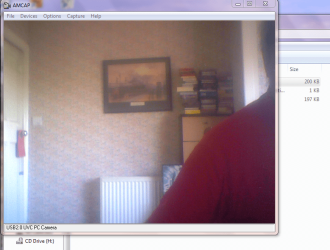
I've got a webcam usb2 driver and application which seems to work for pretty well most built webcams. The application is called AMcap.exe

PM me and I'll forward the ZIP file -- It's 8 MB so I hope the PM system will allow a file of that size.

Enc snippet of shot
I've hidden my hideous face and "Vulcan" type ears BTW :D

Cheers
jimbo
 

Attachments

  • amcap.png
    amcap.png
    163.9 KB · Views: 631

My Computer

Computer type
PC/Desktop
Computer Manufacturer/Model Number
Custom built, several laptops HP/ASUS
OS
Linux CENTOS 7 / various Windows OS'es and servers
CPU
Intel i7 Intel i5
Memory
8GB, 16GB
Graphics Card(s)
On Motherboard
Sound Card
Realtek HD audio
Monitor(s) Displays
Apple Cinema display, Samsung LCD
Screen Resolution
1920 X 1080
Hard Drives
4 X 1TB SATA
Mouse
Toshiba wireless laser
Internet Speed
> 20MB up
I can see them.:D
 

My Computer

Computer Manufacturer/Model Number
Self Build 64bit
OS
Vista Ult64, Win7600
CPU
Intel Core 2 Quad Q6600 @ 2400 MHz 64bit OS
Motherboard
Asus P5E3 Deluxe WiFi @p 64 bit OS
Memory
4096 MB DDR3-SDRAM
Graphics Card(s)
ATI Radeon HD 3870 Series x2 Crossfired
Sound Card
Realtek on board
Monitor(s) Displays
Samsung SyncMaster - 23 inches
Screen Resolution
1680x1050 pixels at 60 Hz in True Colors
Hard Drives
Hitachi (250 GB)/Samsung 750 GB. /Barracuda 160 GB.
My Book 1 TB external..
PSU
Cooler Master 1000w
Case
Cooler Master Cosmos 1000.
Cooling
Fans and fresh air,
Keyboard
Wireless
Mouse
Wireless
Internet Speed
Never fast enough
Other Info
I use a Magnum.

My Computer

Computer type
PC/Desktop
Computer Manufacturer/Model Number
Custom built, several laptops HP/ASUS
OS
Linux CENTOS 7 / various Windows OS'es and servers
CPU
Intel i7 Intel i5
Memory
8GB, 16GB
Graphics Card(s)
On Motherboard
Sound Card
Realtek HD audio
Monitor(s) Displays
Apple Cinema display, Samsung LCD
Screen Resolution
1920 X 1080
Hard Drives
4 X 1TB SATA
Mouse
Toshiba wireless laser
Internet Speed
> 20MB up
Hi sorry for my english,

I'm using PackardBell MX51-205 laptop and since i installed Win7 x64 everything is working great except for my webcam. It's an integrated one and I tried so many drivers but always in vain. Even those from PB which should be ok (for Vistax64) don't work. It's been days that i'm trying to solve this problem.

In fact, i'm able to find drivers ad they install themselves correctly but the LED near the webcam never light anymore as it used to do with WinXP and obviously when i try to preview i got messages like : "This graph cannot preview" or "Check if the webcam is plugged"

If anybody has informations to give, Thank you !! :(

PS : Nice forum guys, very useful :D


More specs : identification of my webcam ==> USB\VID_0402&PID_5602&REV_0100
 
Last edited:

My Computer

Computer Manufacturer/Model Number
PB EASYNOTE MX51-205
OS
Windows 7
CPU
AMD TURION 64X2
Motherboard
nVidia MCP430 Southbridge
Memory
3GO
Graphics Card(s)
NVIDIA GFORCE GO 6100
Sound Card
Realtek ALC660 HD Audio
Monitor(s) Displays
LCD 15,4 pouces TFT WXGA 1280x800
Back
Top