USB device not recognised message while nothing is connected

Graham

New member
Local time
12:09 AM
Messages
2
Hi everyone, I'm not very computer technical, so be gentle with me!

I bought a new laptop two months ago, in France and it has developed a weird fault that I have not managed to solve. With nothing connected to the computer, I get the message "USB device not recognised". Any USB device that I have used is accepted by the computer and works perfectly. I have searched for updates, done all the usual windows updates, virus updates & checks and also used "Advance systems Care" to diagnose and optimise the system but this message keeps flashing on screen.

System details.
Packard Bell Easynote TR87
Processor Intel Pentium T4400
Windows 7 Home Premium edition
500 GB hard drive

Any suggestions greatly appreciated.

Thanks

Graham:confused:
 

My Computer

Computer Manufacturer/Model Number
Packard Bell Easynote TR87
OS
Windows 7 Home Premium
CPU
Pentium Dual Core T4400
Motherboard
?
Memory
?
Graphics Card(s)
?
Sound Card
?
Monitor(s) Displays
?
Hard Drives
500GB
Case
Laptop
Just to clarify, any usb device new or old is not working correct?? It sounds like an error I encountered a few weeks ago. Try to do a system restore to right before you can remember this starting to happen, and see if that fixes your problem :)
 

My Computer

Computer Manufacturer/Model Number
SMN-Productions
OS
Windows 7 x86/x64, Server 2008r2, Web Server 2008
CPU
i7 v2 3930K Steping stone 2
Motherboard
ASUS Rampage IV Extreme
Memory
G.SKILL Ripjaws Z Series 32GB
Graphics Card(s)
AMD HD 5770
Monitor(s) Displays
Acer 21" and Samsung 20"
Hard Drives
Patriot Pyro 80GB
PSU
1000 Watt
Case
HAF-X
Cooling
4 Fans
Keyboard
Black Widow Ultimate
Hi Graham, welcome to the forums :)

You'll find that certain internal devices can behave in a similar fashion as USB devices. 1 such device is the WIFI adapter. I would advise downloading ALL the latest drivers for your machine from the manufacturer website and seeing if installing them helps solve the issue.

Hope it helps :)


OS
 

My Computer

Computer Manufacturer/Model Number
Compaq Desktop
OS
Windows 7 Ultimate x64
CPU
AMD Sempron Dual Core
Memory
3GB
Graphics Card(s)
NVIDIA GeForce 6150SE nForce 430
Screen Resolution
1024x768
Hard Drives
150GB Sata
Thanks guys.

Firstly, mckillwashere, yes, all USB devices are working fine. The error message is displaying only when I have no device connected. For some reason the system restore is only offerring me up to a week ago, which is not far back enough.

Orbital Shark: I think you are on to something there. The laptop has a wi-fi card, but I bought and installed a mobile internet "toggle", so they may be conflicting. I will see what other driver downloads I can find.

Much appreciated . Thanks
 

My Computer

Computer Manufacturer/Model Number
Packard Bell Easynote TR87
OS
Windows 7 Home Premium
CPU
Pentium Dual Core T4400
Motherboard
?
Memory
?
Graphics Card(s)
?
Sound Card
?
Monitor(s) Displays
?
Hard Drives
500GB
Case
Laptop
I've heard (and experienced) some major issues with Internet Dongles just not working at all with Windows 7 so it could be that whish is causing it.

Let us know how you get on :)
 

My Computer

Computer Manufacturer/Model Number
Compaq Desktop
OS
Windows 7 Ultimate x64
CPU
AMD Sempron Dual Core
Memory
3GB
Graphics Card(s)
NVIDIA GeForce 6150SE nForce 430
Screen Resolution
1024x768
Hard Drives
150GB Sata
With nothing connected to the computer, I get the message "USB device not recognised". Any USB device that I have used is accepted by the computer and works perfectly.

Have you checked Device Manager when you get these messages? Are you seeing any warnings (yellow triangle with black exclamation mark or red X?) If you can make a system image of your computer (just in case something breaks) you could use Device Manager to disable and re-enable all the USB controllers.


To disable and re-enable the USB controllers, follow these steps:
  1. Click Start, and then use the Start Search box.
  2. Type devmgmt.msc, and then click devmgmt under Programs. Device Manager opens.
  3. Expand Universal Serial Bus controllers.
    Note You might have to scroll down the list to find this item.
  4. Right-click the first USB controller under Universal Serial Bus controllers, and then click Uninstall to remove it.
  5. Repeat step 4 for each USB controller that is listed under Universal Serial Bus controllers.
  6. Restart the computer. After the computer starts, Windows will automatically scan for hardware changes and reinstall all the USB controllers that you uninstalled.
 

My Computer

Computer type
Laptop
Computer Manufacturer/Model Number
Sony Vaio VPCEB47GM Laptop
OS
Win 7 Pro 64-bit
CPU
Intel i5 2.4 Ghz
Memory
8GB DDR3
Graphics Card(s)
Intel HD 3000
Sound Card
IDT High Definition
Monitor(s) Displays
15.6 WGXA Anti-Glare LED
Screen Resolution
1280x800
Hard Drives
640Gb 7200rpm
Antivirus
MSE
Browser
Opera (primary) with IE9 backup

Attachments

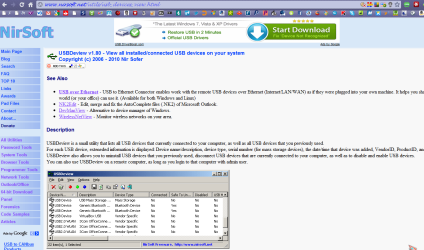
  • nirsoft usbdview.PNG
    nirsoft usbdview.PNG
    67.4 KB · Views: 77

My Computer

Computer Manufacturer/Model Number
packard bell IXTREME M5722
OS
Operating System : Windows 7 Home Premium Edition 6.01.7600 SP1 (x64)
CPU
Processor : Intel Core 2 Quad Q8300 @ 2500 MHz
Motherboard
Mainboard : Packard Bell (Acer EG43M )
Memory
Physical Memory :8GB Corsair4x 2GB 800MHz C5 DDR2
Graphics Card(s)
Video Card : XFX 6700 AMD
Monitor(s) Displays
Maestro 234DL - BenQ V2220 - BenQ VW2420H
Screen Resolution
Current Display :1920x1080p pixels at 60 Hz in HD LED
Hard Drives
Hard Disks : WDC (1000 GB)
Drive C: (Hard Disk) : 428 GB available on 491 GB
Drive D: (Hard Disk) : 426 GB available on 492 GB
SAMSUNG spinpoint HD103SJ 1000.2 GB
(X 2) KINGSTON SSD NOW V 30GB
PSU
XFX ProSeries 550W PSU
Case
PACKARD BELL IXTREME
Cooling
System Blower Current: 150mA Air Flow16CFM ;Akasa 90mm rear
Keyboard
Gigabyte Aivia K8100
Mouse
TRUST-Wireless Laser Mouse - Carbon edition MI-7770C
Internet Speed
TP-LINK > TL-WN951N / AV500 Gigabit Powerline Adapters
Browser
chrome dev
Other Info
EXTRA COOLING>(FAN CONTROLLER) PC Bay Cooler 3 x 40mm fans; Akasa AK-HD-BL Blue hard drive cooler 2 x 40 mm fan 4500 rpm 29.7 dBA
Bios> American Megatrends Inc.
Version : P01-A1
Date : 08/31/2009
Back
Top