Hi,
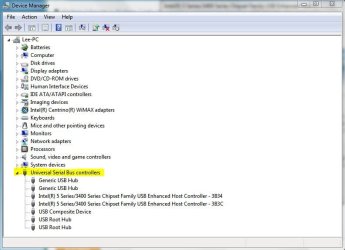
I am running windows 7 ultimate x64, acer aspire laptop 5742. I have 1 USB port that works with whatever i plug into it, the other 2 i have on my computer do not work, one is un responsive and does nothing when you plug anything into it and the other continually recognises and unrecognises devices and flickers between the two about every 5 seconds.
Things ive tried;
- uninstalling all of them and restarting and letting windows reinstall it all
- going into regedit finding the key for the usb and changing the value to '1' for unresponsive usb ports (fail to wake usb power thing)
- updating all my drivers
any ideas?
Thanking anyone in advance.
I am running windows 7 ultimate x64, acer aspire laptop 5742. I have 1 USB port that works with whatever i plug into it, the other 2 i have on my computer do not work, one is un responsive and does nothing when you plug anything into it and the other continually recognises and unrecognises devices and flickers between the two about every 5 seconds.
Things ive tried;
- uninstalling all of them and restarting and letting windows reinstall it all
- going into regedit finding the key for the usb and changing the value to '1' for unresponsive usb ports (fail to wake usb power thing)
- updating all my drivers
any ideas?
Thanking anyone in advance.
My Computer
At a glance
windows ultimate x86
- OS
- windows ultimate x86