
USB headset doesn't work anymore

Solanine

New member
Local time
9:30 PM
Messages
12
I recently bought a new graphics card for my computer, and since then I've updated windows and installed it's drivers.
The problem I have had since buying the video card, is that no USB headset's now work with my computer.

I've tried updating my audio drivers (which doesn't give me any sound at all). To uninstalling and reinstalling drivers for both the headset and the audio itself.
So far nothing has worked, I have full speaker functionality, but no headsets will work, nor will the microphone on my webcam anymore either.
Is there perhaps more I can do?

I have system spec's in my profile, but if there is anything else I should post please let me know.
Thanks!
 

My Computer

OS
Microsoft Windows 7 Home Premium 64-bit 7601 Multiprocessor Free Service Pack 1
CPU
Intel(R) Core(TM) i7 CPU 920 @ 2.67GHz
Motherboard
DELL Inc. 0X501H
Memory
12.00 GB
Graphics Card(s)
AMD Radeon HD 7700 Series
Sound Card
(1) Logitech Mic (QuickCam E2500) (2) AMD High Definition
Screen Resolution
1920 x 1080 x 32 bits (4294967296 colors) @ 60 Hz
Hard Drives
(1) WDC WD1001FAES-75W7A0 (2) WDC WD5000AAKS-75V0A0 (3) Seagate FreeAgent USB Device
USB Headset

If your USB ports are working. I would try the easy fix first.

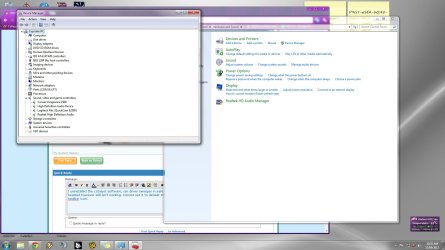
Check your device manager and make sure the headset and driver is loaded and functioning.

In the start search box type "sound" (no quotes) and select sound. Your headset should show up as a device. It should be selected as default. For some apps you have to change this default back and forth because the code in the app is not written for a head set. I'll post a clip of my sound panel but it does not show a headset. I have none on this machine. But if yours is loaded correctly you will have it.

View attachment 231337
 
Last edited:

My Computer

Computer Manufacturer/Model Number
BGC (Bob's Garage Crew)
OS
win 7 X64 Ultimate SP1
CPU
I3770K
Motherboard
Asus P8Z77-V Deluxe
Memory
G Skill F3-14900CL9-4GBXL x 4
Graphics Card(s)
NVIDIA GeForce GTX670 + Intel 4000
Sound Card
Realtek HD 5.1 (MOB)
Monitor(s) Displays
Asus VW224T (1)
Screen Resolution
1920 x 1080
Hard Drives
SATA Corsair Force GT 2.5" 180GB (System) Sata 3
OCZ Vertex3 120GB
OCZ Vertex 2 120GB 2.5" SATA II
ST31000524AS 1000.2GB
WD15EARS (External)
PSU
CoolerMaster 1000 Watt
Case
CoolerMaster HAF X
Cooling
CPU -- CoolerMaster 520N
Keyboard
MS Wireless 3000 V2
Mouse
MS Wireless 3000 V2
Internet Speed
Cable
Antivirus
Norton Internet Security
Browser
IE9
Other Info
AMI Bios 1805
OC'd 3%
It is showing up in the sound panel, however it will not allow me to make it a default device, and when I click the recording tab, the screen freezes completely.
If I try to click the Headset from the sound icon in my taskbar, it says "No audio device is installed" but it appears perfectly fine on Device Manager.
 

My Computer

OS
Microsoft Windows 7 Home Premium 64-bit 7601 Multiprocessor Free Service Pack 1
CPU
Intel(R) Core(TM) i7 CPU 920 @ 2.67GHz
Motherboard
DELL Inc. 0X501H
Memory
12.00 GB
Graphics Card(s)
AMD Radeon HD 7700 Series
Sound Card
(1) Logitech Mic (QuickCam E2500) (2) AMD High Definition
Screen Resolution
1920 x 1080 x 32 bits (4294967296 colors) @ 60 Hz
Hard Drives
(1) WDC WD1001FAES-75W7A0 (2) WDC WD5000AAKS-75V0A0 (3) Seagate FreeAgent USB Device
USB Ports

Is your USB ports working?

What brand of head set and what driver do you have loaded?
 

My Computer

Computer Manufacturer/Model Number
BGC (Bob's Garage Crew)
OS
win 7 X64 Ultimate SP1
CPU
I3770K
Motherboard
Asus P8Z77-V Deluxe
Memory
G Skill F3-14900CL9-4GBXL x 4
Graphics Card(s)
NVIDIA GeForce GTX670 + Intel 4000
Sound Card
Realtek HD 5.1 (MOB)
Monitor(s) Displays
Asus VW224T (1)
Screen Resolution
1920 x 1080
Hard Drives
SATA Corsair Force GT 2.5" 180GB (System) Sata 3
OCZ Vertex3 120GB
OCZ Vertex 2 120GB 2.5" SATA II
ST31000524AS 1000.2GB
WD15EARS (External)
PSU
CoolerMaster 1000 Watt
Case
CoolerMaster HAF X
Cooling
CPU -- CoolerMaster 520N
Keyboard
MS Wireless 3000 V2
Mouse
MS Wireless 3000 V2
Internet Speed
Cable
Antivirus
Norton Internet Security
Browser
IE9
Other Info
AMI Bios 1805
OC'd 3%
Yeah the USB ports work fine, I am able to plug in a USB drive, or my external HDD or charge my cell phone via USB without an issue at all.

I just bought a Corsair Vengeance 1500 and downloaded the most recent drivers off the website today once it arrived. Before that I was using a Microsoft LifeChat LX3000 and that was when the issue first presented itself. I at the time assumed it was the headset itself, but I believe it is more than that now.
 

My Computer

OS
Microsoft Windows 7 Home Premium 64-bit 7601 Multiprocessor Free Service Pack 1
CPU
Intel(R) Core(TM) i7 CPU 920 @ 2.67GHz
Motherboard
DELL Inc. 0X501H
Memory
12.00 GB
Graphics Card(s)
AMD Radeon HD 7700 Series
Sound Card
(1) Logitech Mic (QuickCam E2500) (2) AMD High Definition
Screen Resolution
1920 x 1080 x 32 bits (4294967296 colors) @ 60 Hz
Hard Drives
(1) WDC WD1001FAES-75W7A0 (2) WDC WD5000AAKS-75V0A0 (3) Seagate FreeAgent USB Device
Graphics Driver

AMD Radeon 7700 series.

I am looking for a driver for this card. So far I haven't found a 64 bit win 7 driver. What driver do you have loaded?
 

My Computer

Computer Manufacturer/Model Number
BGC (Bob's Garage Crew)
OS
win 7 X64 Ultimate SP1
CPU
I3770K
Motherboard
Asus P8Z77-V Deluxe
Memory
G Skill F3-14900CL9-4GBXL x 4
Graphics Card(s)
NVIDIA GeForce GTX670 + Intel 4000
Sound Card
Realtek HD 5.1 (MOB)
Monitor(s) Displays
Asus VW224T (1)
Screen Resolution
1920 x 1080
Hard Drives
SATA Corsair Force GT 2.5" 180GB (System) Sata 3
OCZ Vertex3 120GB
OCZ Vertex 2 120GB 2.5" SATA II
ST31000524AS 1000.2GB
WD15EARS (External)
PSU
CoolerMaster 1000 Watt
Case
CoolerMaster HAF X
Cooling
CPU -- CoolerMaster 520N
Keyboard
MS Wireless 3000 V2
Mouse
MS Wireless 3000 V2
Internet Speed
Cable
Antivirus
Norton Internet Security
Browser
IE9
Other Info
AMI Bios 1805
OC'd 3%
I have the catalyst software installed. Version 8.0.881.0 i think, thats what my program list says. I've also used the disc that came with the video card itself as well. Should I try another video card driver update?
 

My Computer

OS
Microsoft Windows 7 Home Premium 64-bit 7601 Multiprocessor Free Service Pack 1
CPU
Intel(R) Core(TM) i7 CPU 920 @ 2.67GHz
Motherboard
DELL Inc. 0X501H
Memory
12.00 GB
Graphics Card(s)
AMD Radeon HD 7700 Series
Sound Card
(1) Logitech Mic (QuickCam E2500) (2) AMD High Definition
Screen Resolution
1920 x 1080 x 32 bits (4294967296 colors) @ 60 Hz
Hard Drives
(1) WDC WD1001FAES-75W7A0 (2) WDC WD5000AAKS-75V0A0 (3) Seagate FreeAgent USB Device
Check This Out

I think I found a newer driver.

AMD Radeon

It says Vista in the file name. The page refers to Win 7 also.

Do you use driver sweeper when changing graphics drivers?
 

My Computer

Computer Manufacturer/Model Number
BGC (Bob's Garage Crew)
OS
win 7 X64 Ultimate SP1
CPU
I3770K
Motherboard
Asus P8Z77-V Deluxe
Memory
G Skill F3-14900CL9-4GBXL x 4
Graphics Card(s)
NVIDIA GeForce GTX670 + Intel 4000
Sound Card
Realtek HD 5.1 (MOB)
Monitor(s) Displays
Asus VW224T (1)
Screen Resolution
1920 x 1080
Hard Drives
SATA Corsair Force GT 2.5" 180GB (System) Sata 3
OCZ Vertex3 120GB
OCZ Vertex 2 120GB 2.5" SATA II
ST31000524AS 1000.2GB
WD15EARS (External)
PSU
CoolerMaster 1000 Watt
Case
CoolerMaster HAF X
Cooling
CPU -- CoolerMaster 520N
Keyboard
MS Wireless 3000 V2
Mouse
MS Wireless 3000 V2
Internet Speed
Cable
Antivirus
Norton Internet Security
Browser
IE9
Other Info
AMI Bios 1805
OC'd 3%
I have never heard of that program, I usually just uninstall if it tells me to, then install the new one.
 

My Computer

OS
Microsoft Windows 7 Home Premium 64-bit 7601 Multiprocessor Free Service Pack 1
CPU
Intel(R) Core(TM) i7 CPU 920 @ 2.67GHz
Motherboard
DELL Inc. 0X501H
Memory
12.00 GB
Graphics Card(s)
AMD Radeon HD 7700 Series
Sound Card
(1) Logitech Mic (QuickCam E2500) (2) AMD High Definition
Screen Resolution
1920 x 1080 x 32 bits (4294967296 colors) @ 60 Hz
Hard Drives
(1) WDC WD1001FAES-75W7A0 (2) WDC WD5000AAKS-75V0A0 (3) Seagate FreeAgent USB Device
That Will Work But

I use driver sweeper. It takes out all of the old driver files and reduces the chance of the wrong file being used. Plus you get some space as a bonus.

Read about here.

Guru3D - Driver Sweeper
 

My Computer

Computer Manufacturer/Model Number
BGC (Bob's Garage Crew)
OS
win 7 X64 Ultimate SP1
CPU
I3770K
Motherboard
Asus P8Z77-V Deluxe
Memory
G Skill F3-14900CL9-4GBXL x 4
Graphics Card(s)
NVIDIA GeForce GTX670 + Intel 4000
Sound Card
Realtek HD 5.1 (MOB)
Monitor(s) Displays
Asus VW224T (1)
Screen Resolution
1920 x 1080
Hard Drives
SATA Corsair Force GT 2.5" 180GB (System) Sata 3
OCZ Vertex3 120GB
OCZ Vertex 2 120GB 2.5" SATA II
ST31000524AS 1000.2GB
WD15EARS (External)
PSU
CoolerMaster 1000 Watt
Case
CoolerMaster HAF X
Cooling
CPU -- CoolerMaster 520N
Keyboard
MS Wireless 3000 V2
Mouse
MS Wireless 3000 V2
Internet Speed
Cable
Antivirus
Norton Internet Security
Browser
IE9
Other Info
AMI Bios 1805
OC'd 3%
I uninstalled the catalyst software, ran driver sweeper in safe mode, then installed the newly downloaded drivers. USB headset however still isn't working. Cannot set it to default still, and still says "No audio device is installed" from the taskbar icon.

I've made sure through Device Manager that the software for all the sound stuff is updated as well.
 

Attachments

  • Untitled-1.jpg
    Untitled-1.jpg
    153 KB · Views: 15

My Computer

OS
Microsoft Windows 7 Home Premium 64-bit 7601 Multiprocessor Free Service Pack 1
CPU
Intel(R) Core(TM) i7 CPU 920 @ 2.67GHz
Motherboard
DELL Inc. 0X501H
Memory
12.00 GB
Graphics Card(s)
AMD Radeon HD 7700 Series
Sound Card
(1) Logitech Mic (QuickCam E2500) (2) AMD High Definition
Screen Resolution
1920 x 1080 x 32 bits (4294967296 colors) @ 60 Hz
Hard Drives
(1) WDC WD1001FAES-75W7A0 (2) WDC WD5000AAKS-75V0A0 (3) Seagate FreeAgent USB Device
Not To Worry

You'll get it solved. Hang in there.
Here is a link to MS Fix It. Navigate around this web site and pick out what you want to run. It has worked for me in the past.

Microsoft Fix it Solution Center: troubleshooting software issues

I have some errands to run so I will check back in later today. Maybe if we are lucky Mr Fix It will find the problem.

Also one other task is run sfc to check out the integrity of you OS files.

http://www.sevenforums.com/tutorials/1538-sfc-scannow-command-system-file-checker.html
 

My Computer

Computer Manufacturer/Model Number
BGC (Bob's Garage Crew)
OS
win 7 X64 Ultimate SP1
CPU
I3770K
Motherboard
Asus P8Z77-V Deluxe
Memory
G Skill F3-14900CL9-4GBXL x 4
Graphics Card(s)
NVIDIA GeForce GTX670 + Intel 4000
Sound Card
Realtek HD 5.1 (MOB)
Monitor(s) Displays
Asus VW224T (1)
Screen Resolution
1920 x 1080
Hard Drives
SATA Corsair Force GT 2.5" 180GB (System) Sata 3
OCZ Vertex3 120GB
OCZ Vertex 2 120GB 2.5" SATA II
ST31000524AS 1000.2GB
WD15EARS (External)
PSU
CoolerMaster 1000 Watt
Case
CoolerMaster HAF X
Cooling
CPU -- CoolerMaster 520N
Keyboard
MS Wireless 3000 V2
Mouse
MS Wireless 3000 V2
Internet Speed
Cable
Antivirus
Norton Internet Security
Browser
IE9
Other Info
AMI Bios 1805
OC'd 3%
Ran the SFC, didn't notice any errors and completed in very little time. Closed before I could see the results, but I did upload the .txt files. Attempting Mr Fix It, around connectivity issues. Will update you.
 

Attachments

My Computer

OS
Microsoft Windows 7 Home Premium 64-bit 7601 Multiprocessor Free Service Pack 1
CPU
Intel(R) Core(TM) i7 CPU 920 @ 2.67GHz
Motherboard
DELL Inc. 0X501H
Memory
12.00 GB
Graphics Card(s)
AMD Radeon HD 7700 Series
Sound Card
(1) Logitech Mic (QuickCam E2500) (2) AMD High Definition
Screen Resolution
1920 x 1080 x 32 bits (4294967296 colors) @ 60 Hz
Hard Drives
(1) WDC WD1001FAES-75W7A0 (2) WDC WD5000AAKS-75V0A0 (3) Seagate FreeAgent USB Device
Mr Fix It did not solve the problems either. Attempted to re-update Catalyst software, and reinstalled the audio program with a few different older versions, still no fix :/
 

My Computer

OS
Microsoft Windows 7 Home Premium 64-bit 7601 Multiprocessor Free Service Pack 1
CPU
Intel(R) Core(TM) i7 CPU 920 @ 2.67GHz
Motherboard
DELL Inc. 0X501H
Memory
12.00 GB
Graphics Card(s)
AMD Radeon HD 7700 Series
Sound Card
(1) Logitech Mic (QuickCam E2500) (2) AMD High Definition
Screen Resolution
1920 x 1080 x 32 bits (4294967296 colors) @ 60 Hz
Hard Drives
(1) WDC WD1001FAES-75W7A0 (2) WDC WD5000AAKS-75V0A0 (3) Seagate FreeAgent USB Device
Compatability?

Okay, I am running out of ideas and grabbing at straws. The problem may be hardware vs software compatability related.
I could not find any related problems vs your listed motherboard. An off the wall suggestion might be to uninstall the headset software and reinstall using this compatability method. You could pick a compat of say Vista or something else.

http://www.sevenforums.com/tutorials/316-compatibility-mode.html

After reading that you might be able to find the correct .exe file with out uninstalling and set the compat. I am using the same headset. I will post a clip of the drivers in use. Mine works fine on an Asus P8 Z77 board with a I7 3770K cpu. Post back and let us know of any progress. Someone with fresh ideas might post and give some help.

View attachment 231838
 
Last edited:

My Computer

Computer Manufacturer/Model Number
BGC (Bob's Garage Crew)
OS
win 7 X64 Ultimate SP1
CPU
I3770K
Motherboard
Asus P8Z77-V Deluxe
Memory
G Skill F3-14900CL9-4GBXL x 4
Graphics Card(s)
NVIDIA GeForce GTX670 + Intel 4000
Sound Card
Realtek HD 5.1 (MOB)
Monitor(s) Displays
Asus VW224T (1)
Screen Resolution
1920 x 1080
Hard Drives
SATA Corsair Force GT 2.5" 180GB (System) Sata 3
OCZ Vertex3 120GB
OCZ Vertex 2 120GB 2.5" SATA II
ST31000524AS 1000.2GB
WD15EARS (External)
PSU
CoolerMaster 1000 Watt
Case
CoolerMaster HAF X
Cooling
CPU -- CoolerMaster 520N
Keyboard
MS Wireless 3000 V2
Mouse
MS Wireless 3000 V2
Internet Speed
Cable
Antivirus
Norton Internet Security
Browser
IE9
Other Info
AMI Bios 1805
OC'd 3%
Corsair Panel

I noticed in the panel I have 7.1 selected. Don't know how much difference that makes.

View attachment 231839
 
Last edited:

My Computer

Computer Manufacturer/Model Number
BGC (Bob's Garage Crew)
OS
win 7 X64 Ultimate SP1
CPU
I3770K
Motherboard
Asus P8Z77-V Deluxe
Memory
G Skill F3-14900CL9-4GBXL x 4
Graphics Card(s)
NVIDIA GeForce GTX670 + Intel 4000
Sound Card
Realtek HD 5.1 (MOB)
Monitor(s) Displays
Asus VW224T (1)
Screen Resolution
1920 x 1080
Hard Drives
SATA Corsair Force GT 2.5" 180GB (System) Sata 3
OCZ Vertex3 120GB
OCZ Vertex 2 120GB 2.5" SATA II
ST31000524AS 1000.2GB
WD15EARS (External)
PSU
CoolerMaster 1000 Watt
Case
CoolerMaster HAF X
Cooling
CPU -- CoolerMaster 520N
Keyboard
MS Wireless 3000 V2
Mouse
MS Wireless 3000 V2
Internet Speed
Cable
Antivirus
Norton Internet Security
Browser
IE9
Other Info
AMI Bios 1805
OC'd 3%
Catalyst cause issues sometimes. It's not need usually and you can install only drivers. You will need to re-run Driver sweeper again first for the graphics drivers and CCC.
Try these steps to install only the graphics driver.

1.Download the preferred driver and save it to the desktop.
2.Double click the installer and you will see a screen where it will be extracted to, change that to your desktop.
3.Open Device Manager through Control Panel.
4.Expand Display adapters and right click the name for yours and choose Update Driver\Browse my Computer. Select the driver folder you just saved on the desktop. Click Next.
5. Your system should say "Windows has successfully updated your driver software".

If you get a window saying you already have the most current driver, go back to step 4 and choose Uninstall Driver software instead. Then restart from step 3.
View attachment 228491 View attachment 228492


Also check in your BIOS that onboard audio is disabled since you have an add-in sound card.
 

My Computer

Computer type
PC/Desktop
Computer Manufacturer/Model Number
Home Built Desktop By DataTech
OS
Windows 7 Ultimate X64 SP1
CPU
Intel i5-2550K, Differing ~4.4-4.8GHz No built in GPU
Motherboard
ASUS P8Z68-V PRO/GEN3
Memory
16GB G.Skill Sniper 1866MHz @ 2133MHz 2x8GB
Graphics Card(s)
ASUS GTX650TIB-DC2OC-2GD5, (650TI Boost)
Sound Card
Onboard Realtek 5-1
Monitor(s) Displays
Samsung P2570HD
Screen Resolution
1920x1080
Hard Drives
Samsung 840 Pro 256GB SSD for OS, 500GB Seagate Constellation (Enterprise drive) for Data
PSU
Corsair HX650W
Case
Inwin Dragon Rider
Cooling
Hyper 212 EVO w/two Noctua fans, push-pull, @1300 RPM
Keyboard
E-Z Eyes, bright yellow keys with large characters
Mouse
steelseries SENSEI Laser Pro Gaming
Internet Speed
48-51Mbs Mbs down, 11 Mbs up Xfinity Cable
Antivirus
Norton Internet Security 2013
Browser
IE 10, Opera, Pale Moon if needed
Other Info
4 case fans, LG BluRay-RE, ASUS DVD-RW, Mr. Fusion power supply, 1.21 gigawatts.
I don't have a sound card, its the onboard one. Disabling and re-enabling it from BIOS has given me no sound at all, and all my drivers say "missing or corrupted" now. Redownloading the Realtek drivers from dell... yet again.

I'm leaning towards a full reformat, or buying an actual sound card to remedy this problem. Neither of which I prefer to do if it can be helped.
 

My Computer

OS
Microsoft Windows 7 Home Premium 64-bit 7601 Multiprocessor Free Service Pack 1
CPU
Intel(R) Core(TM) i7 CPU 920 @ 2.67GHz
Motherboard
DELL Inc. 0X501H
Memory
12.00 GB
Graphics Card(s)
AMD Radeon HD 7700 Series
Sound Card
(1) Logitech Mic (QuickCam E2500) (2) AMD High Definition
Screen Resolution
1920 x 1080 x 32 bits (4294967296 colors) @ 60 Hz
Hard Drives
(1) WDC WD1001FAES-75W7A0 (2) WDC WD5000AAKS-75V0A0 (3) Seagate FreeAgent USB Device
OK, you had "(1) Logitech Mic (QuickCam E2500) (2) AMD High Definition" in your sound card specs.
You can go to the Dell site and download new chipset drivers if available. they should have the USB drivers inside.
 

My Computer

Computer type
PC/Desktop
Computer Manufacturer/Model Number
Home Built Desktop By DataTech
OS
Windows 7 Ultimate X64 SP1
CPU
Intel i5-2550K, Differing ~4.4-4.8GHz No built in GPU
Motherboard
ASUS P8Z68-V PRO/GEN3
Memory
16GB G.Skill Sniper 1866MHz @ 2133MHz 2x8GB
Graphics Card(s)
ASUS GTX650TIB-DC2OC-2GD5, (650TI Boost)
Sound Card
Onboard Realtek 5-1
Monitor(s) Displays
Samsung P2570HD
Screen Resolution
1920x1080
Hard Drives
Samsung 840 Pro 256GB SSD for OS, 500GB Seagate Constellation (Enterprise drive) for Data
PSU
Corsair HX650W
Case
Inwin Dragon Rider
Cooling
Hyper 212 EVO w/two Noctua fans, push-pull, @1300 RPM
Keyboard
E-Z Eyes, bright yellow keys with large characters
Mouse
steelseries SENSEI Laser Pro Gaming
Internet Speed
48-51Mbs Mbs down, 11 Mbs up Xfinity Cable
Antivirus
Norton Internet Security 2013
Browser
IE 10, Opera, Pale Moon if needed
Other Info
4 case fans, LG BluRay-RE, ASUS DVD-RW, Mr. Fusion power supply, 1.21 gigawatts.
Back
Top