Closebyu33
New member
- Local time
- 2:48 AM
- Messages
- 8
OK, so I have been burning my eyes out of my head starring at this screen reading forum after forum about Windows 7 and USB Wireless problems. :shock: The thing is that I still haven't found anything that matches the problem I have. Let me explain in detail...
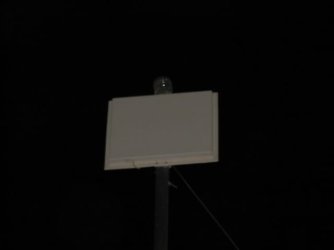
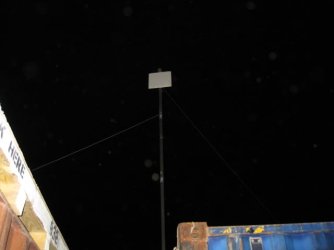
Ok, to start off with, I am in Afghanistan as a civilian contractor....So running to Walmart or Radio-shack is out of the question. I have my work computer, a piece of crap Dell PP18L running XP and I have my not so piece of crap Toshiba L505D running W7. Hears the skinny. I bought a USB wireless adapter to be able to pick up wireless in Kuwait while I was at camp. Great, works fine on the Dell. Later, I get to Afghan and decide to buy my own computer (Toshiba). Well the little tiny antenna that I bought (Realtek RTL8187 USB Adapter) cant pick up the signal from the wireless because I'm basically in a big metal can for my office. GREAT! So I go online and buy through Ebay a freaking giant directional wireless antenna (Ralink RT2500) that pics up everything I point it at within a mile! AWESOME!!!! So now I have the small adapter, and the Macdaddy adapter... Hmmmm... I can use the big one to pick up the signal from outside the can, and use my dell and the small antenna and use it as an access point. Works almost like a charm. Crappy network signal drops a lot, but does good enough for what we need it for. Soooo. Now they decide, hey, were going to upgrade the wireless for much better reception and connectivity. YAY says I! But oh wait... and I quote "Wi -Fi Access Points. Wi-Fi access points have been placed in LSA I , 2, and 3. It is strictly prohibited for any user to configure their personal machine to act as a Wi-Fi access point. Doing this is viewed as malicious activity and will result in denied Wi-Fi access along with legal actions if necessary." WTF? So. Now I am trying to connect the Macdaddy adapter directly to my Toshiba. Yeah, not happening. I do the install and yes! It's working...... For all of 30 seconds. Then it kicks the adapter and tells me to go F^%k off. Hhhhh, Ok drivers are probably out of date. Update the driver and still nothing. Now I cant even get the computer to show the adapter on the wireless CURRENTLY CONNECTED TO. But shows that the device is working and up to date. Unplug it and plug it back in and it goes into a fit of turning it off and on and off and on for about 20 seconds and then off for good. This is really getting on my last nerve and I'm tired of reading. So this is what I have done so far to remedy the problem.
* Installed updated drivers, however the only one I can find is for Vista.
* It has a third party utility that comes with the adapter. Have tried with and without that, and even downloaded the updated version of the software!
* Tried hooking up the small antenna and I get the same exact problem.
* Tried running program in every compatibility mode, but I'm guessing that only has to do with running the software, not the driver. Dont have any problems with the software.
* Tried uninstalling and re-installing drivers and software. Works for a minute....
Any help on this would make my year since that's how long I'm here for! PLEASE HELP ME!!!
Ok, to start off with, I am in Afghanistan as a civilian contractor....So running to Walmart or Radio-shack is out of the question. I have my work computer, a piece of crap Dell PP18L running XP and I have my not so piece of crap Toshiba L505D running W7. Hears the skinny. I bought a USB wireless adapter to be able to pick up wireless in Kuwait while I was at camp. Great, works fine on the Dell. Later, I get to Afghan and decide to buy my own computer (Toshiba). Well the little tiny antenna that I bought (Realtek RTL8187 USB Adapter) cant pick up the signal from the wireless because I'm basically in a big metal can for my office. GREAT! So I go online and buy through Ebay a freaking giant directional wireless antenna (Ralink RT2500) that pics up everything I point it at within a mile! AWESOME!!!! So now I have the small adapter, and the Macdaddy adapter... Hmmmm... I can use the big one to pick up the signal from outside the can, and use my dell and the small antenna and use it as an access point. Works almost like a charm. Crappy network signal drops a lot, but does good enough for what we need it for. Soooo. Now they decide, hey, were going to upgrade the wireless for much better reception and connectivity. YAY says I! But oh wait... and I quote "Wi -Fi Access Points. Wi-Fi access points have been placed in LSA I , 2, and 3. It is strictly prohibited for any user to configure their personal machine to act as a Wi-Fi access point. Doing this is viewed as malicious activity and will result in denied Wi-Fi access along with legal actions if necessary." WTF? So. Now I am trying to connect the Macdaddy adapter directly to my Toshiba. Yeah, not happening. I do the install and yes! It's working...... For all of 30 seconds. Then it kicks the adapter and tells me to go F^%k off. Hhhhh, Ok drivers are probably out of date. Update the driver and still nothing. Now I cant even get the computer to show the adapter on the wireless CURRENTLY CONNECTED TO. But shows that the device is working and up to date. Unplug it and plug it back in and it goes into a fit of turning it off and on and off and on for about 20 seconds and then off for good. This is really getting on my last nerve and I'm tired of reading. So this is what I have done so far to remedy the problem.
* Installed updated drivers, however the only one I can find is for Vista.
* It has a third party utility that comes with the adapter. Have tried with and without that, and even downloaded the updated version of the software!
* Tried hooking up the small antenna and I get the same exact problem.
* Tried running program in every compatibility mode, but I'm guessing that only has to do with running the software, not the driver. Dont have any problems with the software.
* Tried uninstalling and re-installing drivers and software. Works for a minute....
Any help on this would make my year since that's how long I'm here for! PLEASE HELP ME!!!
My Computer
- Computer Manufacturer/Model Number
- Toshiba L505d-S5992
- OS
- Windows 7 Prof 32bit
- CPU
- AMD Turion II Dual-Core Mobile M500 2.20 GHz
- Memory
- 3 GB