
I recently migrated a bunch of files and folders from my NAS to an internal (2nd) hard drive on my laptop. At first, all those folders had a gold padlock overlay. I removed those locks by following the instructions at:
http://www.sevenforums.com/tutorials/320930-lock-icon-files-folders-remove-windows-7-a.html
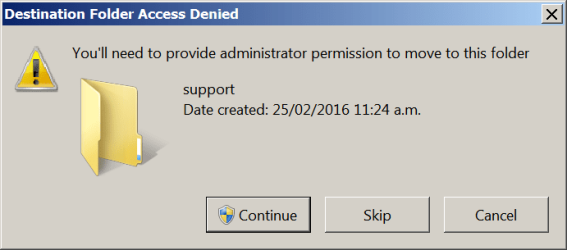
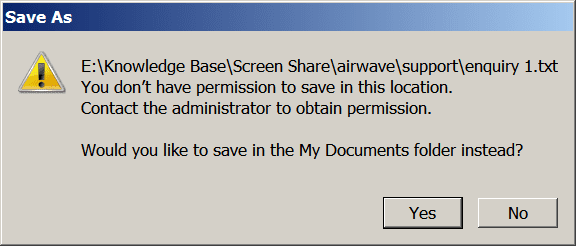
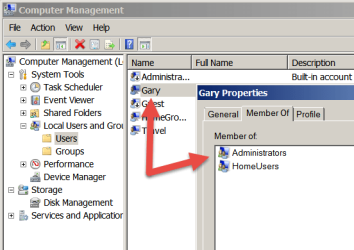
However, I'm still encountering access issues when I try to save files into those migrated folders or move any of those folders (see the attached screenshots), even though I'm logged in as a user with admin rights.
I guess I haven't completely taken ownership of these files/folders? I believe I know how to do that on an individual basis, but there are hundreds of folders involved and I'd like to do a bulk edit that removes these security restrictions in one action.
Is that possible?
Thanks in anticipation.
Gary
http://www.sevenforums.com/tutorials/320930-lock-icon-files-folders-remove-windows-7-a.html
However, I'm still encountering access issues when I try to save files into those migrated folders or move any of those folders (see the attached screenshots), even though I'm logged in as a user with admin rights.
I guess I haven't completely taken ownership of these files/folders? I believe I know how to do that on an individual basis, but there are hundreds of folders involved and I'd like to do a bulk edit that removes these security restrictions in one action.
Is that possible?
Thanks in anticipation.
Gary
Attachments
My Computer
At a glance
Windows 7 Home x64
- OS
- Windows 7 Home x64
