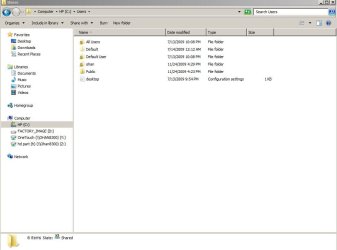
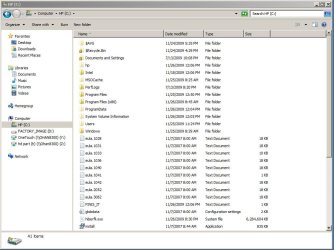
This is really weird. I just got my new Win7Pro pc and proceeded to copy most of my data from a shared external drive that is connected to my XP ProSP3 PC. Everything is flawless. I installed Office 2003 Professional and imported outlook.pst from the XP machine and everything is fine.
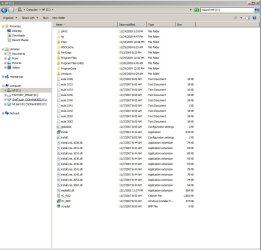
However, if I click start-computer-c:, the user folder is not displayed. I know it is there because I can navigate directly to it in the explorer bar. I’ve turned on hidden files so that is not the issue. All of my data is fine, I just cannot access the folder path via start-computer-c:
If I navigate directly to c: and click properties previous versions, I do see the user folder displayed on previous versions. I really do not want to undue what I have configured, plus the restore option is greyed out.
I’m concerned there is permission or other issue. Thank you in advance if anyone has a suggestion to fix this annoyance.
However, if I click start-computer-c:, the user folder is not displayed. I know it is there because I can navigate directly to it in the explorer bar. I’ve turned on hidden files so that is not the issue. All of my data is fine, I just cannot access the folder path via start-computer-c:
If I navigate directly to c: and click properties previous versions, I do see the user folder displayed on previous versions. I really do not want to undue what I have configured, plus the restore option is greyed out.
I’m concerned there is permission or other issue. Thank you in advance if anyone has a suggestion to fix this annoyance.
Attachments
My Computer
- Computer Manufacturer/Model Number
- HP
- OS
- 7 prof
- CPU
- Core i7 860
- Motherboard
- ?
- Memory
- 8gb
- Graphics Card(s)
- ati hd4850

 ) .
) .