Hi all.
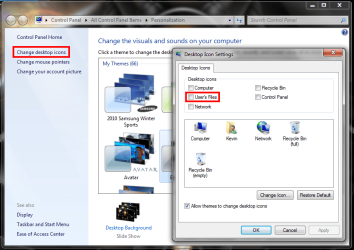
I have Win7 64bit and after the last update I did today, my user folder icon on the desktop looks like a regular icon folder.
How do I revert it back to the special icon?
Thanks
I have Win7 64bit and after the last update I did today, my user folder icon on the desktop looks like a regular icon folder.
How do I revert it back to the special icon?
Thanks
My Computer
- Computer type
- PC/Desktop
- OS
- Windows 7 x64
- CPU
- Core i7 3770K @ 4.5Ghz
- Motherboard
- Asus P8Z77-V-Deluxe
- Memory
- 4x4 Corsair Vengence 1600
- Graphics Card(s)
- Sepphire HD 6970
- Hard Drives
- Intel 520 SSD 240GB
- PSU
- Thermaltake 750W
- Case
- Antec P2
- Cooling
- Corsair H100i
- Keyboard
- Razer blackwidow 2012
- Mouse
- Roccat Kone XTD
- Antivirus
- Bitdefender
- Browser
- Chrome