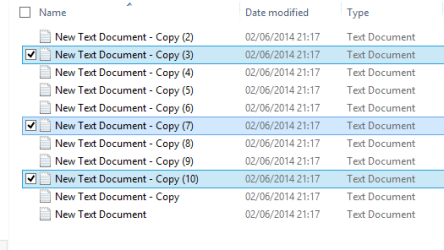
I have been using the Check Box option in XP, Win7 and now Win8 and up until today when I needed to move a bunch of file it has always worked for me. I've thought about posting a question as to how to select multiple files using the check boxes, but have never gotten around to it.
So, how does one using the check boxes select multiple files all at once like you can not using the check boxes. I have tried holding the shift and ctrl keys separately and together and a lot of other key combos but nothing seems to work. Come on you geniuses ....... LOL thanks Guys and Gals.
So, how does one using the check boxes select multiple files all at once like you can not using the check boxes. I have tried holding the shift and ctrl keys separately and together and a lot of other key combos but nothing seems to work. Come on you geniuses ....... LOL thanks Guys and Gals.
My Computer
- OS
- Windows 7 Ultimate 32bit