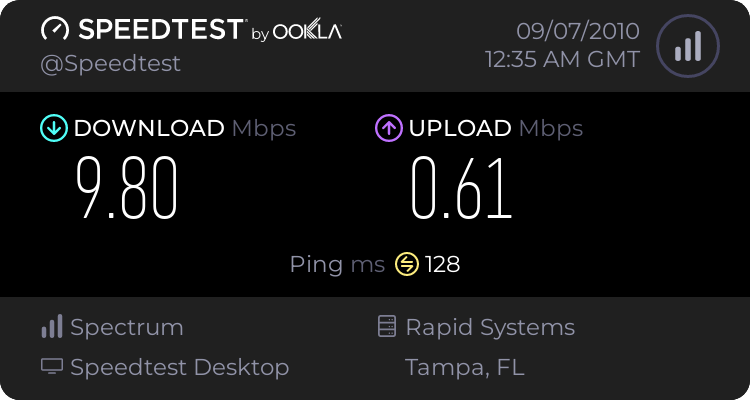
Ok, so I've been searching and as of right now have come up empty handed as to configuring my computer to do what I want it to do. My MB has built in duel NIC interfaces and I'm trying to do something that I am not sure how to explain but here goes.
I want to run (well have run) two lines to my PC from my router. Win7 shows me both networks and when one fails it immediately defaults to the other which is something that I like, but I want to change it up a little bit. For my examples I'm going to be as blunt as possible.
I game, and I surf quite a bit and what I've been running into is that I run into problems when trying to watch a video and game at the same time. So this is what I want to do and am wondering if it would solve any issues or just be a waste of time.
I want NIC #1 to be dedicated to my game (Everquest 2)
I want NIC #2 to be dedicated to my other internet needs.
Is there anyway that I can set this up in Windows or with third party programs that allow me to choose what network connection each program uses? I know that both run through the same router, but I'm wondering if I would see any kind of increase (or lack of decrease) in my internet speeds since one program would be on one NIC and the rest on the others.
I do not notice any kind of decrease in network response when watching videos or something similar on my laptop which is what has lead me to wonder if there is just too much data passing through my line at one time.
For reference, there is approximately 6 foot of Cat5 cable between the router and my PC, and a 8 inch piece of Cat5 cable from the cable modem to the router. Only putting this in here because I read somewhere that distance on the Cat5 cable run could be a reason for the sluggishness.
Again, I do not know if this is possible, I'm just wondering if it would help any. Thanks in advance!
I want to run (well have run) two lines to my PC from my router. Win7 shows me both networks and when one fails it immediately defaults to the other which is something that I like, but I want to change it up a little bit. For my examples I'm going to be as blunt as possible.
I game, and I surf quite a bit and what I've been running into is that I run into problems when trying to watch a video and game at the same time. So this is what I want to do and am wondering if it would solve any issues or just be a waste of time.
I want NIC #1 to be dedicated to my game (Everquest 2)
I want NIC #2 to be dedicated to my other internet needs.
Is there anyway that I can set this up in Windows or with third party programs that allow me to choose what network connection each program uses? I know that both run through the same router, but I'm wondering if I would see any kind of increase (or lack of decrease) in my internet speeds since one program would be on one NIC and the rest on the others.
I do not notice any kind of decrease in network response when watching videos or something similar on my laptop which is what has lead me to wonder if there is just too much data passing through my line at one time.
For reference, there is approximately 6 foot of Cat5 cable between the router and my PC, and a 8 inch piece of Cat5 cable from the cable modem to the router. Only putting this in here because I read somewhere that distance on the Cat5 cable run could be a reason for the sluggishness.
Again, I do not know if this is possible, I'm just wondering if it would help any. Thanks in advance!
My Computer
At a glance
Win 7 Ultimate x64Intel C2D 2.44gb OCZ2 XFX GeForce 8600 GT XXX
- Computer Manufacturer/Model Number
- White Box
- OS
- Win 7 Ultimate x64
- CPU
- Intel C2D 2.4
- Motherboard
- EVGA 680i SLI
- Memory
- 4gb OCZ
- Graphics Card(s)
- 2 XFX GeForce 8600 GT XXX
- Monitor(s) Displays
- Soyo 22" x2
- PSU
- Corsair 850w