
So I just installed this driver, to update my NVidia Video Driver
And I went with the recommended settings by NVidia, now my Aero won't work after updating the driver.
I've tried the Troubleshooter but it keeps telling Desktop Window Manager is disabled even though it's enabled. I've already tried going to the Services, Stopping/Restarting don't do anything no matter how many times I try
This is the laptop
and yes it is supported according to NVidia since it's NVidia GeFore 8200M G series.
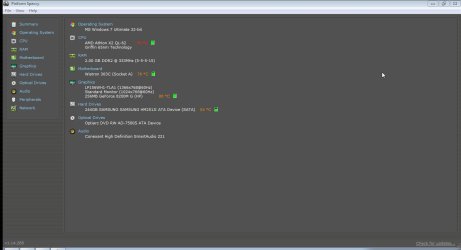
I've attached screenshots of Speccy specs and NVidia Control Panel
Code:
http://www.nvidia.com/object/notebook-win7-winvista-285.62-whql-driver.htmlAnd I went with the recommended settings by NVidia, now my Aero won't work after updating the driver.
I've tried the Troubleshooter but it keeps telling Desktop Window Manager is disabled even though it's enabled. I've already tried going to the Services, Stopping/Restarting don't do anything no matter how many times I try
This is the laptop
Code:
http://h10025.www1.hp.com/ewfrf/wc/softwareCategory?os=4062&lc=en&cc=us&dlc=en&sw_lang=&product=3860070#N206and yes it is supported according to NVidia since it's NVidia GeFore 8200M G series.
I've attached screenshots of Speccy specs and NVidia Control Panel
Attachments

My Computer
- Computer Manufacturer/Model Number
- Compaq Presario CQ60 Notebook PC
- OS
- Windows 7 Ultimate
- CPU
- Processor AMD Athlon Dual-Core QL-62, 2000 Mhz, 2 Core(s), 2
- Motherboard
- Wistron 303C (Socket A)
- Memory
- 2.0GB DDR2
- Graphics Card(s)
- NVIDIA GeForce 8200M G
- Sound Card
- Conexant High Definition SmartAudio 221
- Screen Resolution
- 1366 x 768
- Hard Drives
- 232GB SAMSUNG HM251JI ATA Device
- Keyboard
- tandard PS/2 Keyboard
- Mouse
- Synaptics PS/2 Port TouchPad


