Video Thumbnails cut off

Darsiant

New member
Local time
8:05 PM
Messages
19
I've been having this problem since I upgraded from Vista to 7: The video border for the thumbnails is showing up strangely, as you can see in the picture. I can still tell what the files are but it's starting to get annoying. I looked all over google and found no answers. can anyone help?

Picture:
http://farm5.static.flickr.com/4070/4483053758_242c3142d2_o.png
 

My Computer My Computer

Computer Manufacturer/Model Number
Custom
OS
Windows 7 ultimate x86
CPU
AMD athlon 64 3700+ 764 pin
Motherboard
nVidia nforce3
Memory
1.5 ddr
Graphics Card(s)
ATI Radeon X1650 pro
Sound Card
Soundblaster Audigy
Monitor(s) Displays
ViewSonic VG2230wm SERIES
Screen Resolution
1680x1050
Hard Drives
115gb sata
500gb sata
I've been having this problem since I upgraded from Vista to 7: The video border for the thumbnails is showing up strangely, as you can see in the picture. I can still tell what the files are but it's starting to get annoying. I looked all over google and found no answers. can anyone help?

Picture:
http://farm5.static.flickr.com/4070/4483053758_242c3142d2_o.png

Unique ! never seen such a thing before.

You may (I connot guarantee) use Shark007.net - Windows 7 Codecs - WMP12 Codecs and configure the codecs ... and see if it fixes the issue.
 

My Computer My Computer

Computer type
PC/Desktop
Computer Manufacturer/Model Number
Self Assembled
OS
Microsoft Windows 10 Pro Insider Preview 64-bit
CPU
Intel(R) Core(TM) i3-4130 CPU @ 3.40GHz
Motherboard
Gigabyte Technology Co., Ltd. B85M-D3H
Memory
Corsair Vengence 4GB x2 (8.00GB Dual-Channel DDR3 @ 798MHz)
Graphics Card(s)
2047MB GeForce GTS 450 (ZOTAC International)
Sound Card
Onboard (Realtek High Definition Audio)
Monitor(s) Displays
LG Flatron E2040T
Screen Resolution
1600x900
Hard Drives
Western Digital 1 TB
Seagate 500 GB
PSU
Corsair VS550
Case
Cooler Master K380
Cooling
Cooler Master Seidon 120V Plus
Keyboard
Logitech MK260r
Mouse
Logitech MK260r
Internet Speed
PMPL Broadband
Antivirus
Windows Defender + MBAM
Browser
Firefox
Other Info
Dell Studio 15" Laptop
Thanks, Iv'e tried that but with no luck. Is there ant way to manually change the video border or resize the thumbnail using the registry editor or something?
 

My Computer My Computer

Computer Manufacturer/Model Number
Custom
OS
Windows 7 ultimate x86
CPU
AMD athlon 64 3700+ 764 pin
Motherboard
nVidia nforce3
Memory
1.5 ddr
Graphics Card(s)
ATI Radeon X1650 pro
Sound Card
Soundblaster Audigy
Monitor(s) Displays
ViewSonic VG2230wm SERIES
Screen Resolution
1680x1050
Hard Drives
115gb sata
500gb sata
Try this.

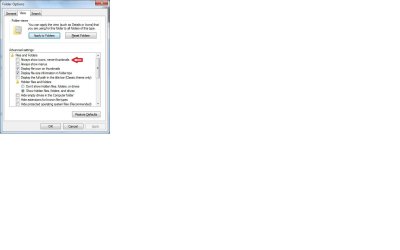
In file and folders view tick the block that says: Always show icons, never thumbnails.

Now the default icon will cover the whole surface for all media files.

Then untick the block as it was originally.

All your media files will then show the thumbnail again.

Hopefully, this will reset the thumbnail to be normal again.
 

Attachments

  • Capture.jpg
    Capture.jpg
    52.5 KB · Views: 328

My Computer My Computer

OS
Windows 7
No, that doesn't work either. It might help to add that the problem started as soon as i upgraded to windows 7, so it might be a problem with the OS?????
 

My Computer My Computer

Computer Manufacturer/Model Number
Custom
OS
Windows 7 ultimate x86
CPU
AMD athlon 64 3700+ 764 pin
Motherboard
nVidia nforce3
Memory
1.5 ddr
Graphics Card(s)
ATI Radeon X1650 pro
Sound Card
Soundblaster Audigy
Monitor(s) Displays
ViewSonic VG2230wm SERIES
Screen Resolution
1680x1050
Hard Drives
115gb sata
500gb sata
Back
Top