
View Problems

SpiderMan

New member
Local time
2:50 PM
Messages
24
Location
Alba,Romania
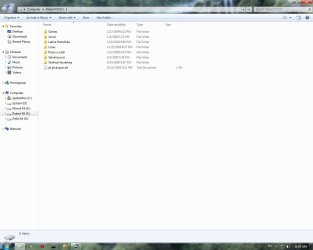
Hey today when i started my Pc, i saw the colors washy, don't know how to say, the white is "green", you will se more in my picture.Can you tell me what's wrong, grapich card or monitor?
 

Attachments

  • Untitled.jpg
    Untitled.jpg
    54.4 KB · Views: 56

My Computer

OS
Windows 7 x64 Ultimate
CPU
Intel Core2 Quad Q9300 2.50 GHz Yorkfield Box
Motherboard
ASUS P5Q PRO
Memory
A-DATA 4GB DDR2 1066MHz Gaming Series CL6 Dual Channel Kit
Graphics Card(s)
Palit GeForce 8800GT Sonic 512MB DDR3 256-bit
Monitor(s) Displays
LG L1953TR
Hard Drives
2x Western Digital 640GB SATA-II 7200 rpm 16MB Caviar SE16 [ WD6400AAKS ]
PSU
Fortron Blue Storm II 500
Cooling
Arctic Cooling Freezer XTREME
I don't know, but I would start by installing the latest Nvidia driver...if you haven't already.
 

My Computer

Computer Manufacturer/Model Number
DIY
OS
W7x64 Pro, SuSe 12.1/** W7 x64 Pro, XP MCE
CPU
Phenom II 1090T w/Noctua NH-D14 /**4400+ X2 w/CM Hyper TX 3
Motherboard
ASRock 890FX Deluxe 4/**A8N-SLI
Memory
2 x 2GB Patriot PGS34g1600LLKA/**4x1GB Corsair VS
Graphics Card(s)
EVGA GTX460 SC/**EVGA 8800GTS
Sound Card
Asus Xonar D2X/**Xonar D1
Monitor(s) Displays
Acer X233H, Dell E152FPc /**LG M237-WD
Screen Resolution
1920x1080 & 1024x768/**1980x1080
Hard Drives
WDC 2TB, 1.5TB, 1TB, 500GB,Seagate 500GB , Maxtor 80GB /**500GB Seagate & WDC 1TB Black
PSU
CM RS600 w/ APC BX1000G/**Antec 500 TP w/ APC BX1000
Case
HAF922/**Antec 1040IIB
Cooling
3x200mm, 1x140 and 1x120mm/**5x80mm fans
Keyboard
Logitech Media USB/**Saitek Eclipse
Mouse
Cordless Trackman Wheel/**Ditto
Internet Speed
3.3Mbps
Other Info
SB 560 5.1 w/ Sennheiser RS140/**Creative T20 speakers, Dvico FusionHDTV7 Gold RT, Cisco E3000, HP 5510V AIO, Linksys E3000, Belkin F5U237 hub and **F5D8055 adapter
(** = 2nd rig)
I see no problem in the graphic...
 

My Computer

Computer Manufacturer/Model Number
Home Grown
OS
Windows 7 Ultimate (64)
CPU
i7-2600K
Motherboard
Asus P8P67-M Pro
Memory
G.SKILL Ripjaws X Series 8GB (2 x 4GB)
Graphics Card(s)
ATI 5750
Sound Card
On-Board
Monitor(s) Displays
LG W2486L
Screen Resolution
1920X1080
Hard Drives
Intel X-25M 80 Gig SSD | Intel X-25M 160 Gig SSD | WD Black 500MB - External eSata
PSU
Zalman ZM770-XT 770 Watts
Case
Antec 180 mini
Cooling
Cooler Master V8
Internet Speed
15MB - Cable
Other Info
Sissy OC - 4.6 @ 1.3175 24/7 | 18' Idle - 55' Load
Hey today when i started my Pc, i saw the colors washy, don't know how to say, the white is "green", you will se more in my picture.Can you tell me what's wrong, grapich card or monitor?

Go to device manager click on monitor, display adaptors and anything else related to video. Look for any warning notices. Look for the notice that each one is working properly.
 

My Computer

Computer type
PC/Desktop
Computer Manufacturer/Model Number
Dell XPS 420
OS
Windows 10, Home Clean Install
CPU
Intel Core2 processsor Q8200(2.33Ghz 1333FSB) Quad Core Tech
Motherboard
Dell
Memory
6 gb
Graphics Card(s)
ATI Radeon 256MB HD3650
Sound Card
Intergrated 7.1 Channel Audio
Monitor(s) Displays
Dell SP2009W 20"
Hard Drives
640 GB Serial ATA Hard drive
Cooling
Fan
Keyboard
Dell USB Keyboard
Mouse
Dell Premium Optical USB
Internet Speed
DSL 2.85
You might also open the Nvidia Control Panel. It has settings where you can adjust colors there. I tried to find a download for your monitor on LG's website, but when I choose their link, it said that the address didn't exist...weird! I did find another site with a monitor driver available, but wouldn't know how good it is:

LG Electronics LG L1953TR(Analog) Driver Download
 

My Computer

Computer Manufacturer/Model Number
DIY
OS
W7x64 Pro, SuSe 12.1/** W7 x64 Pro, XP MCE
CPU
Phenom II 1090T w/Noctua NH-D14 /**4400+ X2 w/CM Hyper TX 3
Motherboard
ASRock 890FX Deluxe 4/**A8N-SLI
Memory
2 x 2GB Patriot PGS34g1600LLKA/**4x1GB Corsair VS
Graphics Card(s)
EVGA GTX460 SC/**EVGA 8800GTS
Sound Card
Asus Xonar D2X/**Xonar D1
Monitor(s) Displays
Acer X233H, Dell E152FPc /**LG M237-WD
Screen Resolution
1920x1080 & 1024x768/**1980x1080
Hard Drives
WDC 2TB, 1.5TB, 1TB, 500GB,Seagate 500GB , Maxtor 80GB /**500GB Seagate & WDC 1TB Black
PSU
CM RS600 w/ APC BX1000G/**Antec 500 TP w/ APC BX1000
Case
HAF922/**Antec 1040IIB
Cooling
3x200mm, 1x140 and 1x120mm/**5x80mm fans
Keyboard
Logitech Media USB/**Saitek Eclipse
Mouse
Cordless Trackman Wheel/**Ditto
Internet Speed
3.3Mbps
Other Info
SB 560 5.1 w/ Sennheiser RS140/**Creative T20 speakers, Dvico FusionHDTV7 Gold RT, Cisco E3000, HP 5510V AIO, Linksys E3000, Belkin F5U237 hub and **F5D8055 adapter
(** = 2nd rig)

My Computer

OS
Windows 7 x64 Ultimate
CPU
Intel Core2 Quad Q9300 2.50 GHz Yorkfield Box
Motherboard
ASUS P5Q PRO
Memory
A-DATA 4GB DDR2 1066MHz Gaming Series CL6 Dual Channel Kit
Graphics Card(s)
Palit GeForce 8800GT Sonic 512MB DDR3 256-bit
Monitor(s) Displays
LG L1953TR
Hard Drives
2x Western Digital 640GB SATA-II 7200 rpm 16MB Caviar SE16 [ WD6400AAKS ]
PSU
Fortron Blue Storm II 500
Cooling
Arctic Cooling Freezer XTREME
I'd say monitor, seeing as the picture uve posted is perfectly fine. Think it may be time for a new one, but check the connections, sometimes a "greeness" will show when the video cables becomes loose, and doesn't display the image properly.
 

My Computer

Computer Manufacturer/Model Number
Custom Build
OS
W7 RTM Ultimate x64
CPU
Intel Q8400 @ 2.66GHZ
Motherboard
Gigabyte GA-EG45M-UD2H
Memory
4GB DDR2-800
Graphics Card(s)
Gainward GTS 450 GLH 1GB Edition
Sound Card
Integrated 8 Channel
Monitor(s) Displays
AOC 23.6 Inch Widescreen LCD
Screen Resolution
1920x1080
Hard Drives
Seagate 500GB Internal
Western Digital 1TB Internal

Hitachi 1TB External
PSU
Apevia Java Power 500W
Case
Cooler Master HAF 922 Black
Cooling
Stock Intel CPU Fan
Keyboard
HP SK-2960 Multimedia Keyboard
Mouse
Logitech M350 Wireless Gaming Mouse
Internet Speed
1.5MB
Look here another picture
 

Attachments

  • Untitled.jpg
    Untitled.jpg
    101.7 KB · Views: 27

My Computer

OS
Windows 7 x64 Ultimate
CPU
Intel Core2 Quad Q9300 2.50 GHz Yorkfield Box
Motherboard
ASUS P5Q PRO
Memory
A-DATA 4GB DDR2 1066MHz Gaming Series CL6 Dual Channel Kit
Graphics Card(s)
Palit GeForce 8800GT Sonic 512MB DDR3 256-bit
Monitor(s) Displays
LG L1953TR
Hard Drives
2x Western Digital 640GB SATA-II 7200 rpm 16MB Caviar SE16 [ WD6400AAKS ]
PSU
Fortron Blue Storm II 500
Cooling
Arctic Cooling Freezer XTREME
I think that I can see the problems that the OP is speaking of...assuming that he is using Aero Slate, like I do. The colors in the bands at the top and bottom of the shot are off colored. As far as the text quality, I also see it less distinct than it should be...assuming that the screenshot is displaying it accurately.

EDIT: Referring to the original screenshot.
 

My Computer

Computer Manufacturer/Model Number
DIY
OS
W7x64 Pro, SuSe 12.1/** W7 x64 Pro, XP MCE
CPU
Phenom II 1090T w/Noctua NH-D14 /**4400+ X2 w/CM Hyper TX 3
Motherboard
ASRock 890FX Deluxe 4/**A8N-SLI
Memory
2 x 2GB Patriot PGS34g1600LLKA/**4x1GB Corsair VS
Graphics Card(s)
EVGA GTX460 SC/**EVGA 8800GTS
Sound Card
Asus Xonar D2X/**Xonar D1
Monitor(s) Displays
Acer X233H, Dell E152FPc /**LG M237-WD
Screen Resolution
1920x1080 & 1024x768/**1980x1080
Hard Drives
WDC 2TB, 1.5TB, 1TB, 500GB,Seagate 500GB , Maxtor 80GB /**500GB Seagate & WDC 1TB Black
PSU
CM RS600 w/ APC BX1000G/**Antec 500 TP w/ APC BX1000
Case
HAF922/**Antec 1040IIB
Cooling
3x200mm, 1x140 and 1x120mm/**5x80mm fans
Keyboard
Logitech Media USB/**Saitek Eclipse
Mouse
Cordless Trackman Wheel/**Ditto
Internet Speed
3.3Mbps
Other Info
SB 560 5.1 w/ Sennheiser RS140/**Creative T20 speakers, Dvico FusionHDTV7 Gold RT, Cisco E3000, HP 5510V AIO, Linksys E3000, Belkin F5U237 hub and **F5D8055 adapter
(** = 2nd rig)
And what i suppose to do?
 

My Computer

OS
Windows 7 x64 Ultimate
CPU
Intel Core2 Quad Q9300 2.50 GHz Yorkfield Box
Motherboard
ASUS P5Q PRO
Memory
A-DATA 4GB DDR2 1066MHz Gaming Series CL6 Dual Channel Kit
Graphics Card(s)
Palit GeForce 8800GT Sonic 512MB DDR3 256-bit
Monitor(s) Displays
LG L1953TR
Hard Drives
2x Western Digital 640GB SATA-II 7200 rpm 16MB Caviar SE16 [ WD6400AAKS ]
PSU
Fortron Blue Storm II 500
Cooling
Arctic Cooling Freezer XTREME
I only see the green text in my sig is alot brighter then usual. Have you tried reseting the RGB settings in the Nvidia control panel?
 

My Computer

Computer Manufacturer/Model Number
Custom Build
OS
W7 RTM Ultimate x64
CPU
Intel Q8400 @ 2.66GHZ
Motherboard
Gigabyte GA-EG45M-UD2H
Memory
4GB DDR2-800
Graphics Card(s)
Gainward GTS 450 GLH 1GB Edition
Sound Card
Integrated 8 Channel
Monitor(s) Displays
AOC 23.6 Inch Widescreen LCD
Screen Resolution
1920x1080
Hard Drives
Seagate 500GB Internal
Western Digital 1TB Internal

Hitachi 1TB External
PSU
Apevia Java Power 500W
Case
Cooler Master HAF 922 Black
Cooling
Stock Intel CPU Fan
Keyboard
HP SK-2960 Multimedia Keyboard
Mouse
Logitech M350 Wireless Gaming Mouse
Internet Speed
1.5MB
And how i can do that?
 

My Computer

OS
Windows 7 x64 Ultimate
CPU
Intel Core2 Quad Q9300 2.50 GHz Yorkfield Box
Motherboard
ASUS P5Q PRO
Memory
A-DATA 4GB DDR2 1066MHz Gaming Series CL6 Dual Channel Kit
Graphics Card(s)
Palit GeForce 8800GT Sonic 512MB DDR3 256-bit
Monitor(s) Displays
LG L1953TR
Hard Drives
2x Western Digital 640GB SATA-II 7200 rpm 16MB Caviar SE16 [ WD6400AAKS ]
PSU
Fortron Blue Storm II 500
Cooling
Arctic Cooling Freezer XTREME
Assuming that you are asking about the Nvidia Control Panel, you can access it either by right clicking the desktop and selecting it from the context menu, or by locating it in the Control Panel. If you are asking about something else, you need to be more specific.
 

My Computer

Computer Manufacturer/Model Number
DIY
OS
W7x64 Pro, SuSe 12.1/** W7 x64 Pro, XP MCE
CPU
Phenom II 1090T w/Noctua NH-D14 /**4400+ X2 w/CM Hyper TX 3
Motherboard
ASRock 890FX Deluxe 4/**A8N-SLI
Memory
2 x 2GB Patriot PGS34g1600LLKA/**4x1GB Corsair VS
Graphics Card(s)
EVGA GTX460 SC/**EVGA 8800GTS
Sound Card
Asus Xonar D2X/**Xonar D1
Monitor(s) Displays
Acer X233H, Dell E152FPc /**LG M237-WD
Screen Resolution
1920x1080 & 1024x768/**1980x1080
Hard Drives
WDC 2TB, 1.5TB, 1TB, 500GB,Seagate 500GB , Maxtor 80GB /**500GB Seagate & WDC 1TB Black
PSU
CM RS600 w/ APC BX1000G/**Antec 500 TP w/ APC BX1000
Case
HAF922/**Antec 1040IIB
Cooling
3x200mm, 1x140 and 1x120mm/**5x80mm fans
Keyboard
Logitech Media USB/**Saitek Eclipse
Mouse
Cordless Trackman Wheel/**Ditto
Internet Speed
3.3Mbps
Other Info
SB 560 5.1 w/ Sennheiser RS140/**Creative T20 speakers, Dvico FusionHDTV7 Gold RT, Cisco E3000, HP 5510V AIO, Linksys E3000, Belkin F5U237 hub and **F5D8055 adapter
(** = 2nd rig)
How i can reset the colors? This is my question
 

My Computer

OS
Windows 7 x64 Ultimate
CPU
Intel Core2 Quad Q9300 2.50 GHz Yorkfield Box
Motherboard
ASUS P5Q PRO
Memory
A-DATA 4GB DDR2 1066MHz Gaming Series CL6 Dual Channel Kit
Graphics Card(s)
Palit GeForce 8800GT Sonic 512MB DDR3 256-bit
Monitor(s) Displays
LG L1953TR
Hard Drives
2x Western Digital 640GB SATA-II 7200 rpm 16MB Caviar SE16 [ WD6400AAKS ]
PSU
Fortron Blue Storm II 500
Cooling
Arctic Cooling Freezer XTREME
Nvidia Control panel, using seekermeister's method, then display, adjust desktop settings, then in top right hand corner, click restore defaults.
 

My Computer

Computer Manufacturer/Model Number
Custom Build
OS
W7 RTM Ultimate x64
CPU
Intel Q8400 @ 2.66GHZ
Motherboard
Gigabyte GA-EG45M-UD2H
Memory
4GB DDR2-800
Graphics Card(s)
Gainward GTS 450 GLH 1GB Edition
Sound Card
Integrated 8 Channel
Monitor(s) Displays
AOC 23.6 Inch Widescreen LCD
Screen Resolution
1920x1080
Hard Drives
Seagate 500GB Internal
Western Digital 1TB Internal

Hitachi 1TB External
PSU
Apevia Java Power 500W
Case
Cooler Master HAF 922 Black
Cooling
Stock Intel CPU Fan
Keyboard
HP SK-2960 Multimedia Keyboard
Mouse
Logitech M350 Wireless Gaming Mouse
Internet Speed
1.5MB
I try but no succes
 

My Computer

OS
Windows 7 x64 Ultimate
CPU
Intel Core2 Quad Q9300 2.50 GHz Yorkfield Box
Motherboard
ASUS P5Q PRO
Memory
A-DATA 4GB DDR2 1066MHz Gaming Series CL6 Dual Channel Kit
Graphics Card(s)
Palit GeForce 8800GT Sonic 512MB DDR3 256-bit
Monitor(s) Displays
LG L1953TR
Hard Drives
2x Western Digital 640GB SATA-II 7200 rpm 16MB Caviar SE16 [ WD6400AAKS ]
PSU
Fortron Blue Storm II 500
Cooling
Arctic Cooling Freezer XTREME
If the default doesn't satisfy you, then you will need to experiment with the sliders below, until you find what you like.

EDIT: To enable the sliders, you will have to change from "Other applications control color" to "Use Nvidia Settings".

EDIT 2: You can also select which of the RGB to adjust by selecting it in the dropdown window, just above the sliders.
 

My Computer

Computer Manufacturer/Model Number
DIY
OS
W7x64 Pro, SuSe 12.1/** W7 x64 Pro, XP MCE
CPU
Phenom II 1090T w/Noctua NH-D14 /**4400+ X2 w/CM Hyper TX 3
Motherboard
ASRock 890FX Deluxe 4/**A8N-SLI
Memory
2 x 2GB Patriot PGS34g1600LLKA/**4x1GB Corsair VS
Graphics Card(s)
EVGA GTX460 SC/**EVGA 8800GTS
Sound Card
Asus Xonar D2X/**Xonar D1
Monitor(s) Displays
Acer X233H, Dell E152FPc /**LG M237-WD
Screen Resolution
1920x1080 & 1024x768/**1980x1080
Hard Drives
WDC 2TB, 1.5TB, 1TB, 500GB,Seagate 500GB , Maxtor 80GB /**500GB Seagate & WDC 1TB Black
PSU
CM RS600 w/ APC BX1000G/**Antec 500 TP w/ APC BX1000
Case
HAF922/**Antec 1040IIB
Cooling
3x200mm, 1x140 and 1x120mm/**5x80mm fans
Keyboard
Logitech Media USB/**Saitek Eclipse
Mouse
Cordless Trackman Wheel/**Ditto
Internet Speed
3.3Mbps
Other Info
SB 560 5.1 w/ Sennheiser RS140/**Creative T20 speakers, Dvico FusionHDTV7 Gold RT, Cisco E3000, HP 5510V AIO, Linksys E3000, Belkin F5U237 hub and **F5D8055 adapter
(** = 2nd rig)
No, no succes
 

My Computer

OS
Windows 7 x64 Ultimate
CPU
Intel Core2 Quad Q9300 2.50 GHz Yorkfield Box
Motherboard
ASUS P5Q PRO
Memory
A-DATA 4GB DDR2 1066MHz Gaming Series CL6 Dual Channel Kit
Graphics Card(s)
Palit GeForce 8800GT Sonic 512MB DDR3 256-bit
Monitor(s) Displays
LG L1953TR
Hard Drives
2x Western Digital 640GB SATA-II 7200 rpm 16MB Caviar SE16 [ WD6400AAKS ]
PSU
Fortron Blue Storm II 500
Cooling
Arctic Cooling Freezer XTREME
I'm guessing we probably can't see it in the pics here because the problem is caused by his comp and not the pics. I had a monitor go all yellow on me awhile back. Tried all kinds of updates etc. Turned out to be the plug into the card was loose.
 

My Computer

Computer Manufacturer/Model Number
Dell XPS420
OS
Vista Ult 64 bit Seven Ult RTM x64
CPU
Intel Core2 Quad Q6600 2.40 gigahertz
Memory
Crucial Ballistix 4x2GB PC2 6400
Graphics Card(s)
NVIDIA GeForce 8600 GTS 256 MB
Sound Card
Creative SB X-Fi audio
Monitor(s) Displays
HP w2207 + HPvs15
Screen Resolution
1680x1050 + 1024x768
Hard Drives
2-WD5000AAKS-500 GB
WD5000AAV-500 GB external
Keyboard
Microsoft Comfort Curve
Mouse
MX Revolution
Other Info
Wacom Intuos 2 Graphics Tablet
Experience Index=5.5
Back
Top