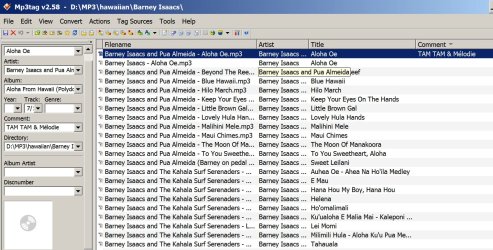
How can I easily view "Comments" field of MP3 files.
File Name tells me nothing.
Title is limited to a single line
Comments are concatenated into a continuous line
In Win-XP, Office 2003 Applications I could edit the file properties fields in the registry to display my preferred fields in my preferred order. In Win-Explorer when I hovered over a file the yellow call-out would display my preferences.
Is this possible with MP3 files, or do I need a third party program to read lengthy "comments" ?
My MP3 files are not in one folder, they are stored in sub-folders within a "Podcasts" folder.
Many of my podcast MP3 files contain 3 topics, the "Comments" field is the best field as far as I can see.
Or maybe there is another program that will make searching for tracks within an MP3 file easier.
I would appreciate any assistance
File Name tells me nothing.
Title is limited to a single line
Comments are concatenated into a continuous line
In Win-XP, Office 2003 Applications I could edit the file properties fields in the registry to display my preferred fields in my preferred order. In Win-Explorer when I hovered over a file the yellow call-out would display my preferences.
Is this possible with MP3 files, or do I need a third party program to read lengthy "comments" ?
My MP3 files are not in one folder, they are stored in sub-folders within a "Podcasts" folder.
Many of my podcast MP3 files contain 3 topics, the "Comments" field is the best field as far as I can see.
Or maybe there is another program that will make searching for tracks within an MP3 file easier.
I would appreciate any assistance
My Computer
- Computer type
- PC/Desktop
- Computer Manufacturer/Model Number
- Toshiba, Lenovo (laptops) + 4 rigs
- OS
- XP Pro (x86) | 7 HP (x86) & (x64) | 7 Pro (x64)