
Just upgraded to Win7 64bit. My trusty old monitor has no sound  (the picture is fine) I found a driver for a generic Viewsonic x64 driver, http://www.viewsonic.com/support/do...d/Standard_Monitor_Driver_Signed_Win7_x64.zip but that didn't solve the problem. I read a suggestion somewhere to uninstall the driver and let Windows find it. That didn't solve the problem either. I tested the monitor with my old (XP) system, in case the monitor developed a sudden fault, but there is still sound when I plug it back in there.
Any suggestions would be appreciated. I really don't fancy having to buy a new monitor too, after having had to replace my printer and scanner
(the picture is fine) I found a driver for a generic Viewsonic x64 driver, http://www.viewsonic.com/support/do...d/Standard_Monitor_Driver_Signed_Win7_x64.zip but that didn't solve the problem. I read a suggestion somewhere to uninstall the driver and let Windows find it. That didn't solve the problem either. I tested the monitor with my old (XP) system, in case the monitor developed a sudden fault, but there is still sound when I plug it back in there.Any suggestions would be appreciated. I really don't fancy having to buy a new monitor too, after having had to replace my printer and scanner
My Computer
At a glance
Microsoft Windows 7 Professional 32-bit 7601 ...Intel(R) Pentium(R) Dual CPU T2390 @ 1.86GHz3.00 GB(1) Mobile Intel(R) 965 Express Chipset Famil...
- Computer type
- Laptop
- Computer Manufacturer/Model Number
- Toshiba Satellite Pro
- OS
- Microsoft Windows 7 Professional 32-bit 7601 Multiprocessor Free Service Pack 1
- CPU
- Intel(R) Pentium(R) Dual CPU T2390 @ 1.86GHz
- Motherboard
- Intel Corp. Base Board Product Name
- Memory
- 3.00 GB
- Graphics Card(s)
- (1) Mobile Intel(R) 965 Express Chipset Family (2) Mobile
- Sound Card
- (1) Realtek High Definition Audio (2) Bluetooth Hands-free
- Screen Resolution
- 1280 x 800 x 32 bits (4294967296 colors) @ 59 Hz
- Hard Drives
- M4-CT128M4SSD2
- PSU
- Silverstone Strider Plus 600W ST60F-P
- Case
- Silverstone TJ08-E Black M-ATX/ITX Case
- Keyboard
- Microsoft Natural Ergonomic Desktop 7000 Combo
- Antivirus
- MS Security Essentials
- Browser
- FF


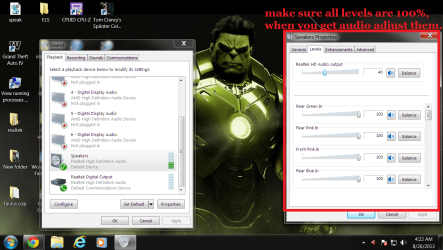

 BTW, I triple checked the audio cable and it is connected securely on both ends. And, if I unplug it from this machine and plug in back into my old XP, it (without touching the monitor end) it is working fine.
 I went to take a photo of the back of the box to send to you to prove that I have it plugged into the correct place. I then unplugged it to take a photo of all the possibilities. I noticed another place that could have been green, so tried that one. A window opened with some settings. Fiddled with that, did nothing. Closed the window, and plugged it back to where I had it originally. The same window opened and voila, I had sound! And, it has now allowed me to change the default in the control panel


