
Hello,
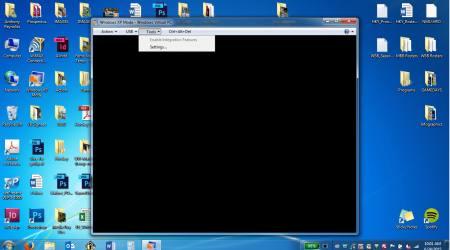
I just started this new job and one of the computers we have requires Windows XP Mode. When I opened the virtual machine it says "Could not enable integration features" with options of retry or continue. Retrying does nothing so I go to continue and I get a black screen, completely blank. Then I look under tools and Enable Integration Features is greyed out and I'm unable to click it. Under action there are only the options of Sleep and Close, no restart. This virtual machine has a lot of archived data on it, and I really can't afford to lose it. Please help!
I just started this new job and one of the computers we have requires Windows XP Mode. When I opened the virtual machine it says "Could not enable integration features" with options of retry or continue. Retrying does nothing so I go to continue and I get a black screen, completely blank. Then I look under tools and Enable Integration Features is greyed out and I'm unable to click it. Under action there are only the options of Sleep and Close, no restart. This virtual machine has a lot of archived data on it, and I really can't afford to lose it. Please help!
Attachments
My Computer
At a glance
Windows 7
- Computer type
- Laptop
- Computer Manufacturer/Model Number
- ThinkPad
- OS
- Windows 7
