
virtual xp restarts with errors

dale5351

New member
Member
Local time
7:48 AM
Messages
74
Location
Columbia, MD
I have been running XP mode in a virtual window for several months. The VPC I am using is what I got from Microsoft, and so is the XP. I have some persistent, but intermittent problems and could use some help making it run more smoothly.

1, I have created another user with admin privileges in addition to the default xpmuser. I am having difficulty getting it to work the way I'd like. I used control panel to set the option to allow for login fast user switching and to use the welcome screen (i.e. where it shows user names and lets you log in via clicking on a name). Neither of those options is taking hold. Instead, it keeps opening up the virtual XP using that default xpmuser.

2. I am getting frequent errors, especially with the xpmuser. There will be the usual error message asking me to send info to MS. Usually when I click that or the don't send, the virtual window closes and restarts itself. Sometimes I am able to get xpmuser to log off and then login my normal user.

3. If I can get to my normal user, I can look at event viewer to see various error and warning messages. Often trying to look at event view under xpmuser causes the system to restart and reload the virtual xp.
A sample of the recurring error and warning messages is:
Errors:
Driver Amyuni Document Converter 400 required for printer Quicken PDF Printer is unknown. Contact the administrator to install the driver before you log in again.
Error code 1000007e, parameter1 c0000005, parameter2 00000000, parameter3 b51cd1a8, parameter4 b51ccea4.
Warnings:
Printer Microsoft XPS Document Writer (from DALES-COMPUTER) was deleted.
Printer Microsoft XPS Document Writer (from DALES-COMPUTER) is pending deletion.
Printer Microsoft XPS Document Writer (from DALES-COMPUTER) was purged.
plus a similar set of three messages for each of printer pdf995, printer fax, and
Printer hp LaserJet 1320 PCL 6 on GAILS-COMPUTER (from DALES-COMPUTER) was deleted.

These messages strike me as strange because my virtual XP is not attempting to print *and* I can find no evidence in the printers property that any of those printers is installed in the virtual XP (although Quicken is installed on the host and the laserjet is a printer installed on another computer in the local net).

I'd appreciate any hints as to how to make my virtual XP more stable -- and how to enable the logon procedure to be the way I want it.
 

My Computer

Computer type
PC/Desktop
Computer Manufacturer/Model Number
DELL xps8500
OS
Microsoft Windows 7 Professional 64-bit 7601 Multiprocessor Free Service Pack 1
CPU
Intel(R) Core(TM) i7-3770 CPU @ 3.40GHz
Motherboard
Dell Inc. 0NW73C
Memory
16.00 GB
Graphics Card(s)
NVIDIA GeForce GT 620
Sound Card
(1) NVIDIA High Definition Audio (2) Realtek High Definiti
Screen Resolution
1280 x 1024 x 32 bits (4294967296 colors) @ 60 Hz
Hard Drives
(1) WDC WD10EZEX-75ZF5A0 (2) Generic- Compact Flash USB Device (3) Generic- MS/MS-Pro USB Device (4) Generic- SD/MMC USB Device (5) Generic- SM/xD-Picture USB Device (6) WD My Passport 0820 USB Device
I'm still hoping for some answers to the frequent crashes and errors looking for printers that are not being used. Can anyone help?
 

My Computer

Computer type
PC/Desktop
Computer Manufacturer/Model Number
DELL xps8500
OS
Microsoft Windows 7 Professional 64-bit 7601 Multiprocessor Free Service Pack 1
CPU
Intel(R) Core(TM) i7-3770 CPU @ 3.40GHz
Motherboard
Dell Inc. 0NW73C
Memory
16.00 GB
Graphics Card(s)
NVIDIA GeForce GT 620
Sound Card
(1) NVIDIA High Definition Audio (2) Realtek High Definiti
Screen Resolution
1280 x 1024 x 32 bits (4294967296 colors) @ 60 Hz
Hard Drives
(1) WDC WD10EZEX-75ZF5A0 (2) Generic- Compact Flash USB Device (3) Generic- MS/MS-Pro USB Device (4) Generic- SD/MMC USB Device (5) Generic- SM/xD-Picture USB Device (6) WD My Passport 0820 USB Device
Hi Dale.In the virtual machine I would select the C:drives properties and select tools and run check disc to check for errors, you will most likely have to reboot. Checking your real drive for errors if the virtual one has errors would be a good idea too. To reboot use the Control Alt Del from the XP modes window.
 

My Computer

Computer type
PC/Desktop
Computer Manufacturer/Model Number
Bluethunder II
OS
Windows 7 x64 Ultimate and numerous virtual machines
CPU
AMD FX-8350 Vishera 32nm Technology @ 4.2 GHz default
Motherboard
ASUSTeK COMPUTER INC. SABERTOOTH 990FX R2.0 (Socket 942)
Memory
G Skill 32.0GB Dual-Channel DDR3 @ 1204MHz (11-13-13-31)
Graphics Card(s)
EVGA GeForce GTX 960 4GB Super SC ACX 2.0+ with Back Plate
Sound Card
Creative X-Fi Titanium HD Audiophile PCIe
Monitor(s) Displays
LG L227WTG x 3
Screen Resolution
1680 x 1050 16:10
Hard Drives
238GB Samsung850 PRO SATA Disk Device (SSD)
1863GB Seagate ST2000DM 001-1CH164 (SATA)
1397GB Seagate ST1500DL 003-9VT16L(SATA)
466GB Western Digital WDC WD50 03AZEX-00K1GA0 (SATA) x 2
932GB Seagate ST310005 28AS SATA Disk Device (SATA)
PSU
Enermax Revolution87+ 1000 Watts Gold Certified Power Supply
Case
Rocketfish Full Tower
Cooling
Cooler Master Hyper 212 EVO Push Pull 120mm Fans
Keyboard
Logitech K740
Mouse
Logitech G100S Laser LED + Logitech Gamepad F310
Internet Speed
500 mbs down and 30mbs up
Antivirus
Malwarebytes Pro & Avast and MSE on certain Virtual Machines
Browser
Firefox (Main) Chrome, Internet Explorer (Back Up)
Other Info
Logitech X 230 2.1 Stereo System and 5.1 Yamaha RX V2090
B&W DM6 Monitor Speakers + Center and Surround Speakers
Using Mouse Without Borders (Google it)
Thanks, I'll try that tomorrow and report back. One place where I get a consistent error is trying to open a file on one of the mapped drives which is on yet another computer. I'll do chkdsk on that directory also.
 

My Computer

Computer type
PC/Desktop
Computer Manufacturer/Model Number
DELL xps8500
OS
Microsoft Windows 7 Professional 64-bit 7601 Multiprocessor Free Service Pack 1
CPU
Intel(R) Core(TM) i7-3770 CPU @ 3.40GHz
Motherboard
Dell Inc. 0NW73C
Memory
16.00 GB
Graphics Card(s)
NVIDIA GeForce GT 620
Sound Card
(1) NVIDIA High Definition Audio (2) Realtek High Definiti
Screen Resolution
1280 x 1024 x 32 bits (4294967296 colors) @ 60 Hz
Hard Drives
(1) WDC WD10EZEX-75ZF5A0 (2) Generic- Compact Flash USB Device (3) Generic- MS/MS-Pro USB Device (4) Generic- SD/MMC USB Device (5) Generic- SM/xD-Picture USB Device (6) WD My Passport 0820 USB Device
I did the chkdsk on the virtual C: drive, and also on the networked drive from the other computer. The virtual C: drive had a few corrections, but nothing that seemed serious.

I have been doing some experimenting, and I have information to share. It might shed light for you or others, but it totally confuses me.

I have a drive on another computer, labeled H:. I have it mapped to H: on my virtual XP. It has folders and folders within folders. If I use internet explorer and attempt to navigate on H: I can get it to display the first layer of folders. Then if I try to drill down another layer, or if I attempt to access a single file in a first layer folder, the system immediately restarts the virtual XP. After it starts, there is the standard window error message for send/don't send. The event viewer will show the error code message that I posted above, which is:
Error code 1000007e, parameter1 c0000005, parameter2 00000000, parameter3 b51cd1a8, parameter4 b51ccea4.

Thinking that perhaps this was some sort of sharing problem I went to the other computer and double checked that sharing was on -- it was.

My favorite windows text editor program is called editpad light. If I use it and attempt to open a text file that is in a top level folder, I get the same sort of crash and reboot.

Now for the weird part. If I use the MS notepad program, I can access such a file. If I navigate using my favorite 4NT console window, I can move to that same file and open it in a DOS based editor.

*SO*, it seems that something has gone wrong with the MS explorer program, and with my editpad lite program, but not with other means of accessing the file. I am totally perplexed, but hope that someone can make a suggestion that allows me to get to the bottom of this problem.
 

My Computer

Computer type
PC/Desktop
Computer Manufacturer/Model Number
DELL xps8500
OS
Microsoft Windows 7 Professional 64-bit 7601 Multiprocessor Free Service Pack 1
CPU
Intel(R) Core(TM) i7-3770 CPU @ 3.40GHz
Motherboard
Dell Inc. 0NW73C
Memory
16.00 GB
Graphics Card(s)
NVIDIA GeForce GT 620
Sound Card
(1) NVIDIA High Definition Audio (2) Realtek High Definiti
Screen Resolution
1280 x 1024 x 32 bits (4294967296 colors) @ 60 Hz
Hard Drives
(1) WDC WD10EZEX-75ZF5A0 (2) Generic- Compact Flash USB Device (3) Generic- MS/MS-Pro USB Device (4) Generic- SD/MMC USB Device (5) Generic- SM/xD-Picture USB Device (6) WD My Passport 0820 USB Device
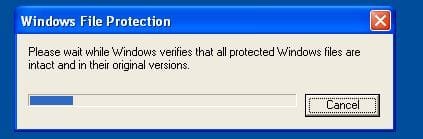
It sounds like, and I say this from working with VMs in a lab environment and breaking litteraly dozzens of them that two things are possibly/probably happening here first I am willing to bet that there is significant file system corruption, which may be able to be fixed with the system file checker. So begin by opening a command prompt then once open type the following:

Code:
sfc /scannow
a little message box will appear allow it to finish, you may need to reboot the VM when it is done.

If this does not find any problems or doesn't seem to help the VM its self may be corrupt and the best option would be to pull everything you need off of it and then recreate it.
 

Attachments

  • Capture.JPG
    Capture.JPG
    16.8 KB · Views: 4

My Computer

Computer Manufacturer/Model Number
Lenovo ThinkCenter, Custom Built PC, Acer Aspire V3-771G-9809
OS
Windows 7 enterprise 64 bit, Windows 7 Pro 64 bit ,Windows 8 64bit
CPU
Core i5-2400, Athlon 64 X2 6400+ ,Core i7-3632QM
Motherboard
ASUS M4A79 Deluxe
Memory
4GB, 4gb g.skill ddr2, 8gb
Graphics Card(s)
Radeon HD 4550 sgb, Radeon HD 4870, NVIDIA Geforce GT 650m
Monitor(s) Displays
dual samsung 22" monitors
Hard Drives
500GB, Western Digital WD Blue WD6400AAKS 640GB 7200 RPM 16MB Cache SATA 3.0Gb/s, 1TB
Case
Antec Twelve Hundred V3 Black Steel ATX Full Tower
Cooling
ASUS Silent Square Pro
Mouse
Razar Death adder
Internet Speed
20 mbps
I have tried to run sfc /scannow on the virtual XP, but have been unable to do so. I did run chkdsk /f/r c: and can look at winlogin entry in the event viewer to see the results. I've run chkdsk multiple times over the past day or so. First time it got 1700+ minor errors, next it got 17 and last it got 2.
Cleaning up minor inconsistencies on the drive.
Cleaning up 2 unused index entries from index $SII of file 0x9.
Cleaning up 2 unused index entries from index $SDH of file 0x9.
Cleaning up 2 unused security descriptors.

When I attempt to run sfc from either my usual 4NT prompt or from the more standard console window, I get told that I have to be running it from a console with administrator privileges. I can do that on this main computer by hitting "run as" administrator. However, on the virtual XP machine even though I right click, say "run as" and check the administrator box (and enter its password), I still get the same error message from sfc. Not sure what I need to do to run sfc on the virtual XP machine. Should the chkdsk be doing the same thing?

I will say that after running chkdsk several times, the crash problem is much better -- but I still just got one when attempting to save a file on the mapped drive from my other computer.
 

My Computer

Computer type
PC/Desktop
Computer Manufacturer/Model Number
DELL xps8500
OS
Microsoft Windows 7 Professional 64-bit 7601 Multiprocessor Free Service Pack 1
CPU
Intel(R) Core(TM) i7-3770 CPU @ 3.40GHz
Motherboard
Dell Inc. 0NW73C
Memory
16.00 GB
Graphics Card(s)
NVIDIA GeForce GT 620
Sound Card
(1) NVIDIA High Definition Audio (2) Realtek High Definiti
Screen Resolution
1280 x 1024 x 32 bits (4294967296 colors) @ 60 Hz
Hard Drives
(1) WDC WD10EZEX-75ZF5A0 (2) Generic- Compact Flash USB Device (3) Generic- MS/MS-Pro USB Device (4) Generic- SD/MMC USB Device (5) Generic- SM/xD-Picture USB Device (6) WD My Passport 0820 USB Device

My Computer

Computer Manufacturer/Model Number
Lenovo ThinkCenter, Custom Built PC, Acer Aspire V3-771G-9809
OS
Windows 7 enterprise 64 bit, Windows 7 Pro 64 bit ,Windows 8 64bit
CPU
Core i5-2400, Athlon 64 X2 6400+ ,Core i7-3632QM
Motherboard
ASUS M4A79 Deluxe
Memory
4GB, 4gb g.skill ddr2, 8gb
Graphics Card(s)
Radeon HD 4550 sgb, Radeon HD 4870, NVIDIA Geforce GT 650m
Monitor(s) Displays
dual samsung 22" monitors
Hard Drives
500GB, Western Digital WD Blue WD6400AAKS 640GB 7200 RPM 16MB Cache SATA 3.0Gb/s, 1TB
Case
Antec Twelve Hundred V3 Black Steel ATX Full Tower
Cooling
ASUS Silent Square Pro
Mouse
Razar Death adder
Internet Speed
20 mbps
Thanks for the interest.

I followed the steps as suggested in the referenced threads. The steps played out a little differently since they were written for Win7 and I was doing them in my virtual XP. You did not say what type of dump to choose, so I chose full dump.

Setting up the full dump seemed to cause a difference in the reaction to an operation that caused the error (attempting to navigate in the networked file). Now instead of just restarting the virtual XP window, it freezes and I had to hit the red X to make it restart. When it did restart, it gave me the usual "report error to MS" message. I then ran the application to save the dump files.

I renamed the zip file to dale5351.zip -- I think I saw that instruction someplace, although I cannot find it right now.
 

Attachments

My Computer

Computer type
PC/Desktop
Computer Manufacturer/Model Number
DELL xps8500
OS
Microsoft Windows 7 Professional 64-bit 7601 Multiprocessor Free Service Pack 1
CPU
Intel(R) Core(TM) i7-3770 CPU @ 3.40GHz
Motherboard
Dell Inc. 0NW73C
Memory
16.00 GB
Graphics Card(s)
NVIDIA GeForce GT 620
Sound Card
(1) NVIDIA High Definition Audio (2) Realtek High Definiti
Screen Resolution
1280 x 1024 x 32 bits (4294967296 colors) @ 60 Hz
Hard Drives
(1) WDC WD10EZEX-75ZF5A0 (2) Generic- Compact Flash USB Device (3) Generic- MS/MS-Pro USB Device (4) Generic- SD/MMC USB Device (5) Generic- SM/xD-Picture USB Device (6) WD My Passport 0820 USB Device
Well I do think I may have found the source of the problem, looking through the dump files I found this in all of the dumps that didn't throw errors when I tried examining the stack:

Code:
b5cfcaf8  b980f316Unable to load image aswSnx.SYS, Win32 error 0n2
*** WARNING: Unable to verify timestamp for aswSnx.SYS
*** ERROR: Module load completed but symbols could not be loaded for aswSnx.SYS
 aswSnx+0x5c316

Driver Reference Table - aswSnx.SYS

That is the avast! virtualization driver, best course of action would be removing avast! with the Avast! Removal Tool and replacing it with a combination of MSE and Malwarebytes Anti-malware


Tip: when installing Mbam be sure to uncheck the box offering to start a free trial.
 

My Computer

Computer Manufacturer/Model Number
Lenovo ThinkCenter, Custom Built PC, Acer Aspire V3-771G-9809
OS
Windows 7 enterprise 64 bit, Windows 7 Pro 64 bit ,Windows 8 64bit
CPU
Core i5-2400, Athlon 64 X2 6400+ ,Core i7-3632QM
Motherboard
ASUS M4A79 Deluxe
Memory
4GB, 4gb g.skill ddr2, 8gb
Graphics Card(s)
Radeon HD 4550 sgb, Radeon HD 4870, NVIDIA Geforce GT 650m
Monitor(s) Displays
dual samsung 22" monitors
Hard Drives
500GB, Western Digital WD Blue WD6400AAKS 640GB 7200 RPM 16MB Cache SATA 3.0Gb/s, 1TB
Case
Antec Twelve Hundred V3 Black Steel ATX Full Tower
Cooling
ASUS Silent Square Pro
Mouse
Razar Death adder
Internet Speed
20 mbps
You may well be right, but hopefully I can find out why Avast is having that problem by going to one of their forums. I only recently installed Avast, replacing Norton's. Norton's was free to me from my *then* ISP (Comcast) but now that I have switched to Verizon FIOS I had to find something else. I've used both MSE and Mbam (and CCleaner), but liked the reviews on Avast among the various free anti-virus programs. It may be that the install of Avast in the virtual window did not go well, or something like that.

You've certainly moved me along to solving problem. Thanks & Kudo for you.
 

My Computer

Computer type
PC/Desktop
Computer Manufacturer/Model Number
DELL xps8500
OS
Microsoft Windows 7 Professional 64-bit 7601 Multiprocessor Free Service Pack 1
CPU
Intel(R) Core(TM) i7-3770 CPU @ 3.40GHz
Motherboard
Dell Inc. 0NW73C
Memory
16.00 GB
Graphics Card(s)
NVIDIA GeForce GT 620
Sound Card
(1) NVIDIA High Definition Audio (2) Realtek High Definiti
Screen Resolution
1280 x 1024 x 32 bits (4294967296 colors) @ 60 Hz
Hard Drives
(1) WDC WD10EZEX-75ZF5A0 (2) Generic- Compact Flash USB Device (3) Generic- MS/MS-Pro USB Device (4) Generic- SD/MMC USB Device (5) Generic- SM/xD-Picture USB Device (6) WD My Passport 0820 USB Device
Further info that might help others looking over our shoulders:
I went to the Avast forum and did a search on aswsnx.sys -- and saw a lot of error reports involving it over the past year or so. There were not any real answers that I saw, but one suggestion was that it was related to the "sandbox" option.

However, I tried something else and it seems to have worked. As is my normal practice, I had previously installed Avast in a folder created by me. On most of my computers, I try to keep only windows stuff on the C: drive and other programs installed into a separate drive. On the theory that perhaps Avast was not smart enough to find its files in a non standard location, I uninstalled Avast and then installed it again using the default install instead of the custom install. After pushing around for an hour or so, I've gotten no more crashes. I'll monitor the situation for the next week and report back if this made the crashes go away.

As a side note -- I've also been having intermittent "internet explorer has stopped working" messages. So just in case, I uninstalled my custom install of Avast on this win 7 machine and then installed it again using the defaults. We'll also see if that helped MSIE crashes.

Thanks again.
 

My Computer

Computer type
PC/Desktop
Computer Manufacturer/Model Number
DELL xps8500
OS
Microsoft Windows 7 Professional 64-bit 7601 Multiprocessor Free Service Pack 1
CPU
Intel(R) Core(TM) i7-3770 CPU @ 3.40GHz
Motherboard
Dell Inc. 0NW73C
Memory
16.00 GB
Graphics Card(s)
NVIDIA GeForce GT 620
Sound Card
(1) NVIDIA High Definition Audio (2) Realtek High Definiti
Screen Resolution
1280 x 1024 x 32 bits (4294967296 colors) @ 60 Hz
Hard Drives
(1) WDC WD10EZEX-75ZF5A0 (2) Generic- Compact Flash USB Device (3) Generic- MS/MS-Pro USB Device (4) Generic- SD/MMC USB Device (5) Generic- SM/xD-Picture USB Device (6) WD My Passport 0820 USB Device
Thank you for letting us know, and I am glad to hear that your problems have been cleared up, feel free to post back if you have further troubles.
 

My Computer

Computer Manufacturer/Model Number
Lenovo ThinkCenter, Custom Built PC, Acer Aspire V3-771G-9809
OS
Windows 7 enterprise 64 bit, Windows 7 Pro 64 bit ,Windows 8 64bit
CPU
Core i5-2400, Athlon 64 X2 6400+ ,Core i7-3632QM
Motherboard
ASUS M4A79 Deluxe
Memory
4GB, 4gb g.skill ddr2, 8gb
Graphics Card(s)
Radeon HD 4550 sgb, Radeon HD 4870, NVIDIA Geforce GT 650m
Monitor(s) Displays
dual samsung 22" monitors
Hard Drives
500GB, Western Digital WD Blue WD6400AAKS 640GB 7200 RPM 16MB Cache SATA 3.0Gb/s, 1TB
Case
Antec Twelve Hundred V3 Black Steel ATX Full Tower
Cooling
ASUS Silent Square Pro
Mouse
Razar Death adder
Internet Speed
20 mbps
Back
Top