VirtualBox v. 3.12 & 4 Beta: how to change Snapshot default location?
All my computers are set up so that C: has only the Program Files, Program Files (x86) and Windows folders, plus a folder called Virtual Machines with subfolders for Virtual PC, VirtualBox and VMware machines. D: has the ProgramData and Users folders, latter with all respective subfolders for each user. Additional drives for media.
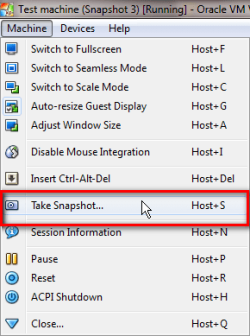
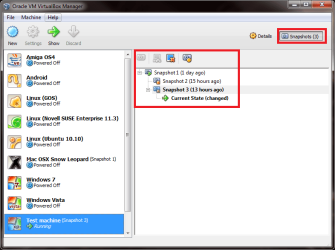
When I create a VBox virtual machine, it's easy to set vhd up in C:\Virtual Machines. But I use a lot of snapshots, and by default these are saved in %userprofile%\.VirtualBox (VBox v.3.12) and in %userprofile%\VirtualBox VMs (VBox 4 Beta 2).
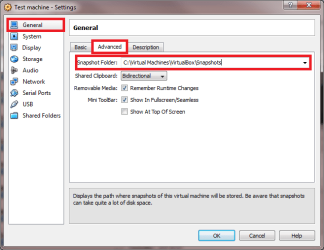
For reasons not belonging here, I need these snapshots saved in C:\Virtual Machines\VirtualBox\Snapshots, if possible.
How to change the default save location of snapshots? Or is it at all possible?
Kari
All my computers are set up so that C: has only the Program Files, Program Files (x86) and Windows folders, plus a folder called Virtual Machines with subfolders for Virtual PC, VirtualBox and VMware machines. D: has the ProgramData and Users folders, latter with all respective subfolders for each user. Additional drives for media.
When I create a VBox virtual machine, it's easy to set vhd up in C:\Virtual Machines. But I use a lot of snapshots, and by default these are saved in %userprofile%\.VirtualBox (VBox v.3.12) and in %userprofile%\VirtualBox VMs (VBox 4 Beta 2).
For reasons not belonging here, I need these snapshots saved in C:\Virtual Machines\VirtualBox\Snapshots, if possible.
How to change the default save location of snapshots? Or is it at all possible?
Kari
My Computer
At a glance
Windows 10 Pro x64 EN-GB1.6 GHz Intel Core i7-720QM Processor6 GBATI Mobility Radeon HD 5850 Graphics
- Computer type
- Laptop
- Computer Manufacturer/Model Number
- HP ENVY 17-1150eg
- OS
- Windows 10 Pro x64 EN-GB
- CPU
- 1.6 GHz Intel Core i7-720QM Processor
- Memory
- 6 GB
- Graphics Card(s)
- ATI Mobility Radeon HD 5850 Graphics
- Sound Card
- Beats sound system with integrated subwoofer
- Monitor(s) Displays
- 17" laptop display, 22" LED and 32" Full HD TV through HDMI
- Screen Resolution
- 1600*900 (1), 1920*1080 (2&3)
- Hard Drives
- Internal: 2 x 500 GB SATA Hard Disk Drive 7200 rpm
External: 2TB for backups, 3TB USB3 network drive for media
- Cooling
- As Envy runs a bit warm, I have it on a Cooler Master pad
- Keyboard
- Logitech diNovo Media Desktop Laser (bluetooth)
- Mouse
- Logitech Performance Mouse MX
- Internet Speed
- 50/10 Mbps VDSL
- Antivirus
- Windows Defender 4.3.9431.0
- Browser
- Maxthon 3.5.2., IE11