Hello community,
have had for some time following problem ...
So the following:
I had put on me for Christmas a new PC that had Windows Vista recovery on a separate partition on the hard disk / is.
Had the time when the recovery was still not back to burn them to DVD's desire to order it.
Have now Windows 7 on it.
In the boot screen appears, as always, that I will appear by pressing the "F11" button, the Recoverymenü. This goes some way no longer.
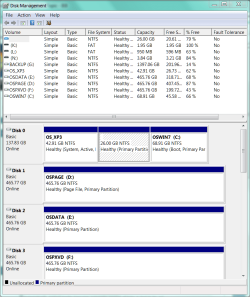
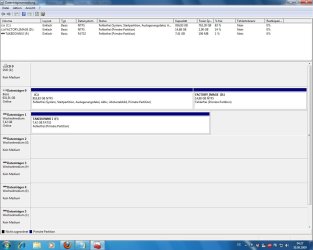
At defragmentation does not show yet that the data reside on the partition. But as soon as I can access this partition, there's nothing, but already, the memory, even though the files ALL (!) Are still available.
Can you help me or maybe give some tips on how I could get back my old OS?
The PC was bought from HP and collected.
Sincerely,
Steven
have had for some time following problem ...
So the following:
I had put on me for Christmas a new PC that had Windows Vista recovery on a separate partition on the hard disk / is.
Had the time when the recovery was still not back to burn them to DVD's desire to order it.
Have now Windows 7 on it.
In the boot screen appears, as always, that I will appear by pressing the "F11" button, the Recoverymenü. This goes some way no longer.
At defragmentation does not show yet that the data reside on the partition. But as soon as I can access this partition, there's nothing, but already, the memory, even though the files ALL (!) Are still available.
Can you help me or maybe give some tips on how I could get back my old OS?
The PC was bought from HP and collected.
Sincerely,
Steven
My Computer
- OS
- Windows 7