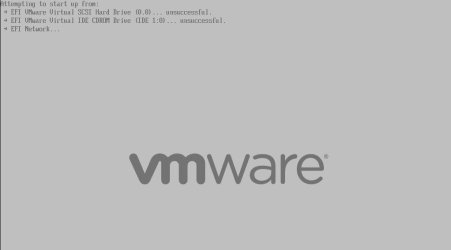
Solved VMWare Error,EFI VMware Virtual SCSI Hard Drive(0.0)unsuccessful

Local time
8:00 PM
Messages
30
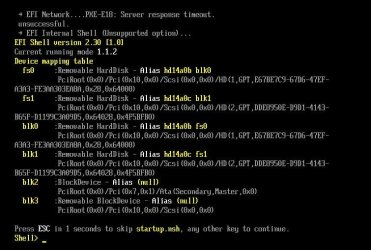
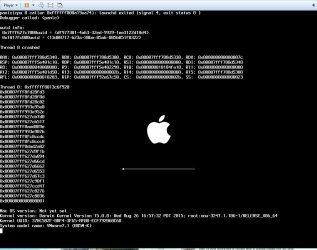
I have tried to install Mac OS X into VMware 8.0.0, I did everything in 'How To Install Mac OS X Lion 10.7.5 Retail On Intel/AMD PC (Image Download)' video but get this error ( image bellow )
1.JPG
2.JPG

So far, I got many solution form this Chinese website ( translate with Google translator) said that you have to "remove the firmware = "efi" line in the vmx file" but I am not sure whether it is the right instruction or not because it is in the Chinese language.

I really want to install Mac in VMware for along time & i spend 3 days for download the file & it is very frustrating things like this happen ... I really hope someone in here can help me.

Thank you.

NOTE:- I'm using Win 7 Home Premium Sp1 64bit, Intel-Core i5 2410M CPU, 2.3GHz, 4GB RAM & VMWare 8.0.0.
 

My Computer My Computer

At a glance

Windows 7 Ultimate x32
OS
Windows 7 Ultimate x32
I can not solve this problem, but the cause of the probability of this happening because some files are missing/corrupt or there is a file that is incomplete , then I get complete "Mac OS X 10.8.2 retail' iso and it works.

If anyone experiment this error & want a more explanation, i think i can help , so just contact me.
 

My Computer My Computer

At a glance

Windows 7 Ultimate x32
OS
Windows 7 Ultimate x32
Hi, I have the same problem "EFI vmware virtual SCSI Hard drive (0.0) unsucessful"
"EFI Network : Server response timeout"
I want to know how do you solve this problem, and what means for "some files are missing/corrupt or there is a file that is incomplete".
Can you give me more details about it? thanks
 

My Computer My Computer

At a glance

Windows 7 Home Premium 32bits
Computer type
Laptop
OS
Windows 7 Home Premium 32bits
Solution to VMWare Error,EFI VMware Virtual SCSI Hard Drive(0.0)unsucc

I know this is an old post, but I have managed to come up with the solution to this issue. In regards to removing the "firmware = efi" string from the .vmx file, that is correct. There some issues with the VM Bootloader Manager having a conflict in attempting to do an EFI-Style boot of the virtual operating system.

Thus, removing this string will basically allow the VM to process startup the way a normal machine would, using either an .ISO file or a CD/DVD in the optical drive, with the BIOS booting set for such. I happened to use an old Snow Leopard disk (Hazard) laying around, and was successfully able to install that.

To avoid a potential kernel panic, you'll want to hit F8 once see the option for it during booting, and input the following:

Code:
busratio=20 cpus=1 -v

This will allow you boot up successfully in verbose mode, and set the busratio equal to a value of "20," where I noticed the value during a kernel panic had the busratio equal to a value of "31." Hope this helps. Cheers!!! :geek:
 

My Computer My Computer

At a glance

Windows 8 Pro 64-bitIntel i3 Core24 GBNvidia
Computer type
PC/Desktop
Computer Manufacturer/Model Number
Custom
OS
Windows 8 Pro 64-bit
CPU
Intel i3 Core
Motherboard
Asus
Memory
24 GB
Graphics Card(s)
Nvidia
busratio..... dont work, unknow command. and have alltime this like on picture
 

Attachments

  • Clipboard01.jpg
    Clipboard01.jpg
    86.7 KB · Views: 3

My Computer My Computer

At a glance

win7 ultimate x643500 athlon4gbGeForce N220
OS
win7 ultimate x64
CPU
3500 athlon
Memory
4gb
Graphics Card(s)
GeForce N220
Sound Card
-
Monitor(s) Displays
-
Hard Drives
-
Back
Top