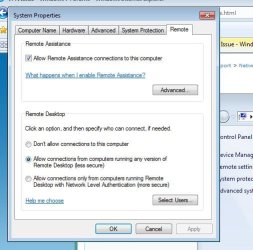
Hello everyone. Please excuse my ignorance. I am still learning.
I set up my desktop computer to allow incoming VPN traffic. I opened the necessary port on my netgear router. Next I set up my laptop as my outgoing connection. I tested it at my house, and it works great. What I have found is I cannot connect outside of my network. I know I set something up wrong. So my desktop has a static ip addres of 192.186.1.136. I used that to set up my outgoing connection at first. I realize that is just the ip address assigned behind my router. I have the actual ip address, but when I use that, I get an error 800. Can anyone point me in the right direction for what I am doing wrong here?
Thanks!
I set up my desktop computer to allow incoming VPN traffic. I opened the necessary port on my netgear router. Next I set up my laptop as my outgoing connection. I tested it at my house, and it works great. What I have found is I cannot connect outside of my network. I know I set something up wrong. So my desktop has a static ip addres of 192.186.1.136. I used that to set up my outgoing connection at first. I realize that is just the ip address assigned behind my router. I have the actual ip address, but when I use that, I get an error 800. Can anyone point me in the right direction for what I am doing wrong here?
Thanks!
My Computer
- OS
- Windows 7 Ultimate x64