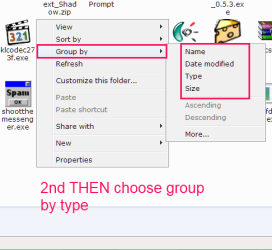
And now when Windows own Explorer has gone worse then ever, there isn't any choice left but to give a try to FREE COMMANDER.
Most obviously for MS people Windows 7 target group isn't an advanced computer user :huh:
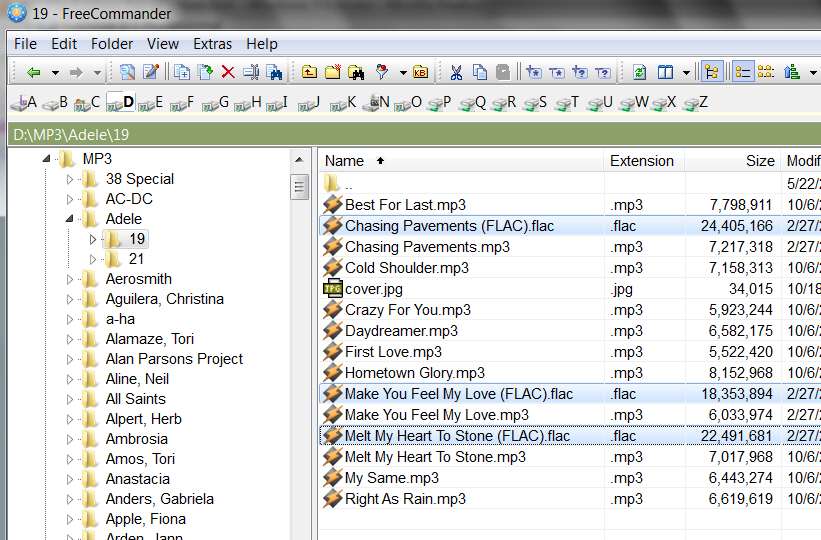
Just as another example of how I use this very "once it's lit up and selected, it's always lit up and selected" aspect of Free Commander, no matter what you do...
I download organizational files that are distributed as CSV data, but because of their size are delivered as ZIP (or, actually RAR) files. They are available from a web site and I usually retrieve them generally on a weekly basis, at which time there are several of these new RAR files which have accumulated.
I download them to a target folder into which all of the RAR files have been expanded into the underlying CSV content, and then the RAR files deleted.
Well, I download all of the new RAR files, and they end up in the folder with some alphabetically arranged name. Using Free Commander I then sort that folder by "extension", clicking on the extension column heading. That puts all of the new RAR files now downloaded into that folder at the end, with all of the previously existing CSV files in that same folder at the front, since RAR comes after CSV.
Then I select all of the new RAR files, lighting them all up. That's very easy to do because they're all together, at the end, by virtue of sorting on the "extension" column heading.
Then I right-click on the selected/highlighted group, and move the mouse over the WINRAR item (which is on the context menu because I installed WINRAR's shell extension option) to get the WINRAR flyout, and then select the "extract here..." item on the flyout.
This invokes WINRAR to expand all of the selected RAR files right into the same folder, so all of the newly extracted CSV files now are placed into the same folder as the RAR files also are in (along with all the previously extracted CSV files from previously retrieved RAR files).
However... since this is Free Commander, ALL OF THOSE RAR FILES ARE STILL LIT UP AND SELECTED!!! So now I just hit the SHIFT+DELETE keys on the keyboard, and all of the still selected RAR files I just extracted in one group using WINRAR invoked from the right-button context menu are now all deleted in one group (also bypassing the recycle bin, because I held down the SHIFT key). All that is now left are the newly extracted CSV files, along with the previously existing CSV files.
Sometimes, newly updated versions of previously distributed CSV files are posted, which means I want to delete the old CSV file (which may have a similar but slightly different name, maybe "v2" at the end) while at the same time expanding the newly posted and downloaded RAR file. That is easy enough to accomplish, by first sorting the target folder by clicking on the "name" column heading, to sort the whole folder alphabetically by name. Now the new RAR file is interspersed with the previously existing CSV file with the very similar name (close enough so that they are right next to each other in the vertically alphabetical list). I can recognize the new RAR file because of its WINRAR icon, and the old CSV file by its Excel icon. I SHIFT+DELETE the old CSV file, and then select and right-click the RAR file, "extract here..." to extract the new CSV from the RAR file, and then SHIFT+DELETE to delete the still selected RAR file. I now have the new CSV file, and have deleted the old CSV file and the new RAR file... with minimal mouse clicks and keystrokes.
And it's all made trivially easy, because (a) Free Commander keeps selected files selected, no matter what you do to the group... re-sort from another column heading, apply a context menu operation on a selected group, etc., and (b) WinRAR has a shell extension that can be invoked onto a group of selected ZIP/RAR files via a convenient right-click context menu.
It may take you a little while to learn about all the magic you can do with Free Commander (including customizing and rearranging its toolbar, learning and utilizing its keyboard shortcuts and assorted buttons, etc.).
But once you get used to it, you'll very rarely use Windows Explorer again... especially since the standard Windows Explorer right-click context menu items and functions will also appear within Free Commander when you right-click.




 " with Windows since 3.1