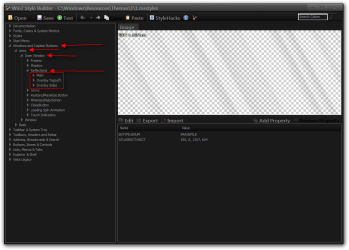
Hi, I can't seem where to find the image/setting that controls the subtle white glow at the top left/right corners of windows in W7 Style Builder. Other themes have been able to disable this and it would be appreciated if someone could point me in the right direction (I'm not trying to remove the glow, but rather 'copy' the glow and add it to a theme that doesn't have it)
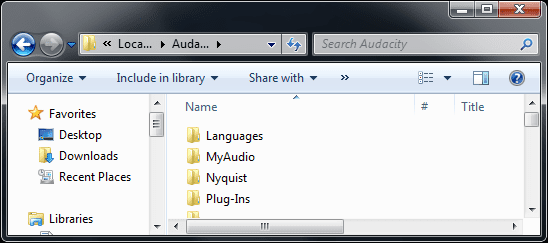
For a screenshot of what I'm talking about: (see how the top corners are slightly whiter - this greatly helps with reading titlebar text on dark backgrounds, which is why I don't understand why so many theme authors remove it)
For a screenshot of what I'm talking about: (see how the top corners are slightly whiter - this greatly helps with reading titlebar text on dark backgrounds, which is why I don't understand why so many theme authors remove it)
Attachments
Last edited:
My Computer
- Computer type
- PC/Desktop
- OS
- Windows 7 Professional x64
- CPU
- Intel Core i5 4690K
- Motherboard
- Gigabyte Z97X Gaming-3
- Memory
- Corsair Vengeance 16GB DDR3-1600
- Graphics Card(s)
- Sapphire Radeon R9 290 Tri-X OC
- Sound Card
- ONBOARD SOUND :D
- Monitor(s) Displays
- Samsung S24A450BW
- Screen Resolution
- 1920x1200 (16:10 forever)
- Hard Drives
- 250GB Samsung 840 EVO + 2TB Seagate Barracudea
- PSU
- Fractal Design Newton R3 1000W
- Case
- Corsair Graphite 230T
- Cooling
- Cooler Master Hyper 212X
- Keyboard
- Logitech G710+, CM Storm TK
- Mouse
- Steelseries Rival
- Internet Speed
- Australian
- Antivirus
- Avast, because I'm cheap
- Browser
- All the browsers!