I'm a fairly advanced computer/hardware user. Advanced enough to get myself into a whole lot of trouble if I'm not careful LOL. This is a first for me. I'm trying to build a quad-boot machine (don't ask) (W8.1/XP - HDD-0 & W7/CentOS HDD-2) Putting 8.1 & XP on HDD-0 was easy enough and straight forward.
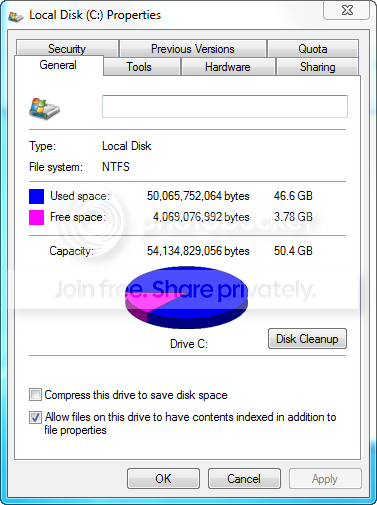
I then threw an old 80gb WD raptor drive in and put W7x64 SP1 on it yesterday. Did my updates, etc. I assumed that the 80GB drive could be partitioned down to 2x 40GB and I could throw CentOS on the Partition2 of HDD2 easily... Except when I went into W7 this morning (Computer Management) to shrink down the volume I'm seeing something funky.
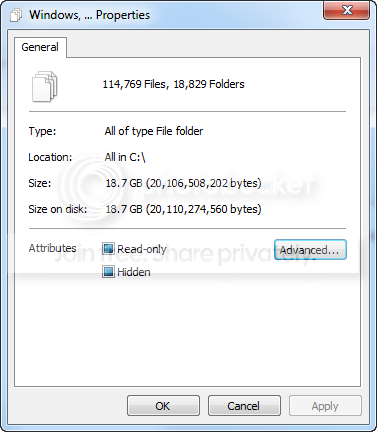
When I go to folder options and "view hidden folders and files" then open up C drive and Ctrl+A, Right click and choose properties I get:
and
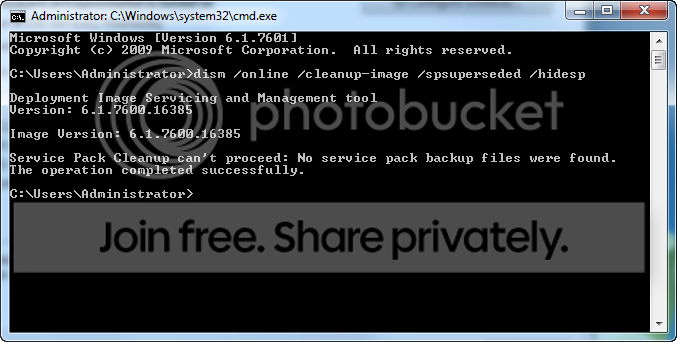
So what's going on... or what am I missing???
I know the easy solution would be to format the drive, partition first and then install W7 and CentOS onto each partition - but I am curious and can't let this go...
Thanks for any help - I just want to find where and what the data is on the drive that's hidden somewhere. It's just the bare OS, I've gone into Add/Remove Windows Components and removed pretty much everything I can that I don't need so it would be a very stripped down bare OS...
•16 GB available hard disk space (32-bit) or 20 GB (64-bit)
I formatted the whole 80gb (74 usable) drive into two 37.2GB partitions. I installed W7x64 onto the 37.2GB partition and it's now showing 455mb free and 36.8GB used - I've never paid attention to this before however I do a bunch of VM deployments on 16, 24 or 32GB HDD's and have never had this issue before.
All I want to know is where the hidden files are so I can clean them out.
32gb RAM. It's a development/test box... Yes I am deleting partitions AND formatting the drives. I even went so far as to get the Western Digital tool and zero-write the drive and the same thing happened. W7x64 was taking up about 36.5 GB of space upon initial install.
Well long story short I'm still curious but I got totally fed up with it and I threw in a pile of old 60gb SSD's so I could have a dedicated drive per OS...
I have no clue what it is/was. I'll see if I can duplicate it with the Dell OEM flavor of W7 media vs. the MSFT media.
You have 32 GB of ram so your paging file is 32 GB, turn it off and you`ll gain 32 GB of space back.
You don`t need a paging file with 32 GBs of memory
And if you don`t use system restore, turn that off, if you don`t use hybernation, disable that too. You`ll gain mega space back.
All 3 of those items take up space on your hard drive, everytime you do an install. None of that applies to a VM, that`s why you never see the problem in a VM.
I have W7 Pro 64 bit fully updated, and all my programs, and it only takes up 21 GBs of my ssd.
Last edited:
My Computer
At a glance
Windows 10 Pro x64Intel Core i7 6700KGSkill TridentZ RGB 16GB 3600 16-16-16-36EVGA GTX 980 Ti SC x2