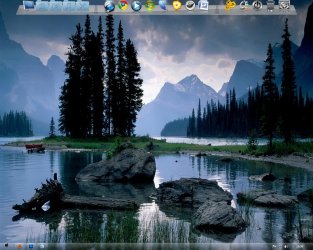
Wallpaper isn't good!

BeyLIN

Banned
Local time
6:44 PM
Messages
65
Look my resolution is 1280 X 1024
and the wallpaper I downloaded is larger...

But when I right click it and set it as my wallpaper, it's in the middle with black tips.

And the I use "Fill" it makes the wallpaper with bad quality.
What am I suppost to do?
 

My Computer

OS
Windows 7 Ultimate 64-Bit
CPU
Intel Core 2 Duo E8400 @ 3.00GHz
Motherboard
Gigabyte Technology Co., Ltd. EP45T-UD3LR (Socket 775)
Memory
4.0GB Dual-Channel DDR3 @ 666MHz 9-9-9-24
Graphics Card(s)
M1917A on NVIDIA GeForce GTS 250
Do you make sure that you download the correct resolution photo from the place you are getting your wallpaper?
 

My Computer

Computer type
PC/Desktop
Computer Manufacturer/Model Number
Acer Aspire XC-704 x64 bit/ Asus K55A Notebook PC/HP Envy x360 Convertible 15-bq0xx
OS
Windows 10 64bit/Windows 10 64bit/Windows 10 64bit
CPU
Intel Pentium J3710 @ 60GHz/Intel B820,1.7GHz/AMD A9 Radeon
Motherboard
Acer Aspire XC-704 (SOCKET 0)/Asus/HP 8312 (Socket FP4)
Memory
8.00GB DDR3 @ 1599MHz/8GB 2 x 4GB DDR3/8.00GB Dual-Channel
Graphics Card(s)
Intel HD Graphics/Intel/512MB ATI AMD Radeon R5 Graphics (HP
Sound Card
Realtek High Definition Audio/Onboard/AMD High Definition Au
Monitor(s) Displays
Acer LCD K222HQL /Asus 15.6/Generic PnP Monitor (1920x1080@6
Screen Resolution
1920x1080@59Hz/1366 x 768/1920x1080@60Hz
Hard Drives
1863GBWesternn Digital WDC/Asus/119GB SanDisk SD8SN8U-128G-1006 (SSD)
931GB Hitachi HGST HTS721010A9E630 (SATA)
Keyboard
Microsoft Natural Ergonomic Keyboard 4000 (UK)/Inbuilt/Inbui
Mouse
Microsoft Optical Wheel Mouse/Same plus Touchpad/Same + Pad
Internet Speed
Infinity 2 up to 76 Mbps
Antivirus
MSE/MSE/MSE and all 3 have MalwareBytes Premium
Browser
Edge, Firefox/Edge, Firefox/Edge, Firefox, Chrome
Other Info
Seagate Expansion 500GB External Desktop Drive
Seagate Expansion Portable Drives 500GB and 1TB
Epson XP-332 Wireless Printer
Yes
I checked on XP and it's fine.
 

My Computer

OS
Windows 7 Ultimate 64-Bit
CPU
Intel Core 2 Duo E8400 @ 3.00GHz
Motherboard
Gigabyte Technology Co., Ltd. EP45T-UD3LR (Socket 775)
Memory
4.0GB Dual-Channel DDR3 @ 666MHz 9-9-9-24
Graphics Card(s)
M1917A on NVIDIA GeForce GTS 250
Hiya pal

Could you post a link to the image?
It's possible that we could resize it to your requirements without loosing to much quality ;)
 

My Computer

Computer type
PC/Desktop
Computer Manufacturer/Model Number
Self Built
OS
Windows 7 Ultimate 64bit
CPU
AMD Phenom Quad core 9950 black edition
Motherboard
Gigabyte
Memory
16Gb
Graphics Card(s)
2x XFX Radeon 5850
Sound Card
PCI Express X-Fi Titanium / Logitech G35
Monitor(s) Displays
2x HP 2410i
Screen Resolution
1920x1080
Hard Drives
2x 500Gb Seagate
1x 300Gb Seagate
1x 1Tb Seagate
2x 1Tb Hitatchi
PSU
Jean Tech Storm 700W
Case
Cooler Master COSMOS S
Cooling
Akasa Evo Blue Pro
Keyboard
Logitech G15
Mouse
Mad Catz M.M.O. 7
Internet Speed
12mb
Look my resolution is 1280 X 1024
and the wallpaper I downloaded is larger...

But when I right click it and set it as my wallpaper, it's in the middle with black tips.

And the I use "Fill" it makes the wallpaper with bad quality.
What am I suppost to do?
Maybe try "Fit" instead of "Fill". If that doesn't work, then as PooMan suggested, link us to it, and one of us can surely manage to re-size it.
 

My Computer

Computer type
PC/Desktop
Computer Manufacturer/Model Number
Gigabyte Technology Co., Ltd.
OS
Win 7 Ultimate 64-bit SP1 (desktop)
CPU
Intel Core 2 Duo E8400
Motherboard
Gigabyte GA-EP35-DS3R
Memory
2x 2GB OCZ DDR II SDRAM PC2-6400
Graphics Card(s)
NVIDIA GeForce 9400GT
Monitor(s) Displays
HP 2009m(primary), Acer P191W
Screen Resolution
1600x900, 1440x900
Hard Drives
Internal:WD Caviar Black 640GB 32MB cache 7200RPM
External:Samsung Story Station 1TB HDD desktop drive
500GB Toshiba portable drive
PSU
Antec Earthwatts EA500D
Case
Antec Sonata III
Cooling
4 fans
Keyboard
Logitech Wave
Mouse
Logitech M-SBF90
Internet Speed
Slow due to home Wireless-G router
Antivirus
MSE, Hitman Pro, Malwarebytes
Browser
Chrome and Palemoon
Other Info
Laptop....Acer 5750Z-4835
15.6" HD Widescreen CineCrystal™ LED-backlit LCD Display: (1366x768 resolution, 16:9 aspect ratio)
Intel® Pentium® Processor B940 (2.0GHz, 2MB L3 cache)
Windows® 7 Home Premium,500GB Hard Drive,4GB DDR3 RAM, Intel® HD Graphics,8X DVD-Super Multi Double-Layer Drive
Multi-in-1 Digital Media Card Reader,802.11b/g/n Wi-Fi
Chrome and Palemoon, MSE, Hitman Pro
Hiya pal

Could you post a link to the image?
It's possible that we could resize it to your requirements without loosing to much quality ;)

40 Best Nature Views HD Wallpapers 1920 X 1200 torrent - Wallpapers torrents - Pictures torrents - ExtraTorrent.com The World's Largest BitTorrent System
I am guessing this is it...


Look my resolution is 1280 X 1024
and the wallpaper I downloaded is larger...

But when I right click it and set it as my wallpaper, it's in the middle with black tips.

And the I use "Fill" it makes the wallpaper with bad quality.
What am I suppost to do?
Maybe try "Fit" instead of "Fill". If that doesn't work, then as PooMan suggested, link us to it, and one of us can surely manage to re-size it.

Tried...
Does'nt work
 

My Computer

OS
Windows 7 Ultimate 64-Bit
CPU
Intel Core 2 Duo E8400 @ 3.00GHz
Motherboard
Gigabyte Technology Co., Ltd. EP45T-UD3LR (Socket 775)
Memory
4.0GB Dual-Channel DDR3 @ 666MHz 9-9-9-24
Graphics Card(s)
M1917A on NVIDIA GeForce GTS 250
Have you tried just opening it up in paint and resizing it? If you're resizing from larger to smaller, then you shouldn't lose much quality at all.
 

My Computer

Computer type
PC/Desktop
Computer Manufacturer/Model Number
SuperBeast
OS
Windows 10 Tech Preview 9926 x64
CPU
AMD FX-8350
Motherboard
Gigabyte GA-990FXA-UD3
Memory
16GB DDR3 1333
Graphics Card(s)
Asus R9 290 DirectCU II OC, Gigabyte Windforce R9 290 OC
Sound Card
Integrated w/ Creative A250 2.1 speakers
Monitor(s) Displays
Main: Asus VN289H 28" Secondary: Acer G246HL 24"
Screen Resolution
1920x1080
Hard Drives
128 GB SanDisk Ultra Plus (Windows drive)

240 GB Crucial M500 SSD (Games drive)

1 TB WDC WD10EACS 7200RPM HDD (Data drive)

2 TB Seagate Expansion Desktop external HDD (Backup drive)
PSU
900w Antec HCG-900
Case
Raidmax Agusta Full ATX
Cooling
Corsair H80
Keyboard
Cooler Master Devastator MB24
Mouse
Cooler Master Devastator MS2K 1000/1600/2000 DPI
Internet Speed
100Mbps cable
Antivirus
Avast!
Browser
Chrome

My Computer

Computer type
PC/Desktop
Computer Manufacturer/Model Number
Self Built
OS
Windows 7 Ultimate 64bit
CPU
AMD Phenom Quad core 9950 black edition
Motherboard
Gigabyte
Memory
16Gb
Graphics Card(s)
2x XFX Radeon 5850
Sound Card
PCI Express X-Fi Titanium / Logitech G35
Monitor(s) Displays
2x HP 2410i
Screen Resolution
1920x1080
Hard Drives
2x 500Gb Seagate
1x 300Gb Seagate
1x 1Tb Seagate
2x 1Tb Hitatchi
PSU
Jean Tech Storm 700W
Case
Cooler Master COSMOS S
Cooling
Akasa Evo Blue Pro
Keyboard
Logitech G15
Mouse
Mad Catz M.M.O. 7
Internet Speed
12mb
2hr1f0m.jpg
 

My Computer

OS
Windows 7 Ultimate 64-Bit
CPU
Intel Core 2 Duo E8400 @ 3.00GHz
Motherboard
Gigabyte Technology Co., Ltd. EP45T-UD3LR (Socket 775)
Memory
4.0GB Dual-Channel DDR3 @ 666MHz 9-9-9-24
Graphics Card(s)
M1917A on NVIDIA GeForce GTS 250
This came up for me as 1600x1000. You're looking for 1,280x1,024. So I tried to re-size it for you, with two different programs.

Keep in mind, I am not one of the graphics experts here on the site....and I just woke up and haven't had my coffee yet.....but anyways, here is my attempt.:geek:
 

Attachments

  • 2hr1f0mV1.jpg
    2hr1f0mV1.jpg
    202 KB · Views: 9
  • 2hr1f0mV2.jpg
    2hr1f0mV2.jpg
    193.2 KB · Views: 5

My Computer

Computer type
PC/Desktop
Computer Manufacturer/Model Number
Gigabyte Technology Co., Ltd.
OS
Win 7 Ultimate 64-bit SP1 (desktop)
CPU
Intel Core 2 Duo E8400
Motherboard
Gigabyte GA-EP35-DS3R
Memory
2x 2GB OCZ DDR II SDRAM PC2-6400
Graphics Card(s)
NVIDIA GeForce 9400GT
Monitor(s) Displays
HP 2009m(primary), Acer P191W
Screen Resolution
1600x900, 1440x900
Hard Drives
Internal:WD Caviar Black 640GB 32MB cache 7200RPM
External:Samsung Story Station 1TB HDD desktop drive
500GB Toshiba portable drive
PSU
Antec Earthwatts EA500D
Case
Antec Sonata III
Cooling
4 fans
Keyboard
Logitech Wave
Mouse
Logitech M-SBF90
Internet Speed
Slow due to home Wireless-G router
Antivirus
MSE, Hitman Pro, Malwarebytes
Browser
Chrome and Palemoon
Other Info
Laptop....Acer 5750Z-4835
15.6" HD Widescreen CineCrystal™ LED-backlit LCD Display: (1366x768 resolution, 16:9 aspect ratio)
Intel® Pentium® Processor B940 (2.0GHz, 2MB L3 cache)
Windows® 7 Home Premium,500GB Hard Drive,4GB DDR3 RAM, Intel® HD Graphics,8X DVD-Super Multi Double-Layer Drive
Multi-in-1 Digital Media Card Reader,802.11b/g/n Wi-Fi
Chrome and Palemoon, MSE, Hitman Pro
  • Like
Reactions: Arc
Hmm .... I think my desktop is cool :D Thanks for sharing, Randy :p
 

Attachments

  • Capture.jpg
    Capture.jpg
    181.1 KB · Views: 7

My Computer

Computer type
PC/Desktop
Computer Manufacturer/Model Number
Self Assembled
OS
Microsoft Windows 10 Pro Insider Preview 64-bit
CPU
Intel(R) Core(TM) i3-4130 CPU @ 3.40GHz
Motherboard
Gigabyte Technology Co., Ltd. B85M-D3H
Memory
Corsair Vengence 4GB x2 (8.00GB Dual-Channel DDR3 @ 798MHz)
Graphics Card(s)
2047MB GeForce GTS 450 (ZOTAC International)
Sound Card
Onboard (Realtek High Definition Audio)
Monitor(s) Displays
LG Flatron E2040T
Screen Resolution
1600x900
Hard Drives
Western Digital 1 TB
Seagate 500 GB
PSU
Corsair VS550
Case
Cooler Master K380
Cooling
Cooler Master Seidon 120V Plus
Keyboard
Logitech MK260r
Mouse
Logitech MK260r
Internet Speed
PMPL Broadband
Antivirus
Windows Defender + MBAM
Browser
Firefox
Other Info
Dell Studio 15" Laptop
This came up for me as 1600x1000. You're looking for 1,280x1,024. So I tried to re-size it for you, with two different programs.

Keep in mind, I am not one of the graphics experts here on the site....and I just woke up and haven't had my coffee yet.....but anyways, here is my attempt.:geek:

AWESOME!
It works :D

Can you tell me how to re-size it?

Hmm .... I think my desktop is cool :D Thanks for sharing, Randy :p

Cool desktop :D
 

My Computer

OS
Windows 7 Ultimate 64-Bit
CPU
Intel Core 2 Duo E8400 @ 3.00GHz
Motherboard
Gigabyte Technology Co., Ltd. EP45T-UD3LR (Socket 775)
Memory
4.0GB Dual-Channel DDR3 @ 666MHz 9-9-9-24
Graphics Card(s)
M1917A on NVIDIA GeForce GTS 250
My guess is he re-sized with photoshop. :)

Try googling "Image Resizers" if ya can't find a good one i'll post back what i found.
 

My Computer

Computer type
PC/Desktop
OS
Win7 Home Premium x64 SP1, Archlinux x86_64. Elementary Luna
You can always use paint to resize. Just right click on the image you want to resize and choose Edit. Once paint opens up, just click resize and you can resize by either percentage or pixels.
 

My Computer

Computer type
PC/Desktop
Computer Manufacturer/Model Number
SuperBeast
OS
Windows 10 Tech Preview 9926 x64
CPU
AMD FX-8350
Motherboard
Gigabyte GA-990FXA-UD3
Memory
16GB DDR3 1333
Graphics Card(s)
Asus R9 290 DirectCU II OC, Gigabyte Windforce R9 290 OC
Sound Card
Integrated w/ Creative A250 2.1 speakers
Monitor(s) Displays
Main: Asus VN289H 28" Secondary: Acer G246HL 24"
Screen Resolution
1920x1080
Hard Drives
128 GB SanDisk Ultra Plus (Windows drive)

240 GB Crucial M500 SSD (Games drive)

1 TB WDC WD10EACS 7200RPM HDD (Data drive)

2 TB Seagate Expansion Desktop external HDD (Backup drive)
PSU
900w Antec HCG-900
Case
Raidmax Agusta Full ATX
Cooling
Corsair H80
Keyboard
Cooler Master Devastator MB24
Mouse
Cooler Master Devastator MS2K 1000/1600/2000 DPI
Internet Speed
100Mbps cable
Antivirus
Avast!
Browser
Chrome
Yeah but with paint you can only re-size it so much it becomes distorted, yeah?
 

My Computer

Computer type
PC/Desktop
OS
Win7 Home Premium x64 SP1, Archlinux x86_64. Elementary Luna
Have a looky here pal FastStone
Nice and easy to use and it's free ;)
 

My Computer

Computer type
PC/Desktop
Computer Manufacturer/Model Number
Self Built
OS
Windows 7 Ultimate 64bit
CPU
AMD Phenom Quad core 9950 black edition
Motherboard
Gigabyte
Memory
16Gb
Graphics Card(s)
2x XFX Radeon 5850
Sound Card
PCI Express X-Fi Titanium / Logitech G35
Monitor(s) Displays
2x HP 2410i
Screen Resolution
1920x1080
Hard Drives
2x 500Gb Seagate
1x 300Gb Seagate
1x 1Tb Seagate
2x 1Tb Hitatchi
PSU
Jean Tech Storm 700W
Case
Cooler Master COSMOS S
Cooling
Akasa Evo Blue Pro
Keyboard
Logitech G15
Mouse
Mad Catz M.M.O. 7
Internet Speed
12mb
Yeah but with paint you can only re-size it so much it becomes distorted, yeah?

If you are sizing up, then yeah...haven't ever had that issue sizing down. I really only use paint to resize if I'm in a hurry though. Most of the time I use PS CS5. Just throwing paint out there as a fast, free alternative.
 

My Computer

Computer type
PC/Desktop
Computer Manufacturer/Model Number
SuperBeast
OS
Windows 10 Tech Preview 9926 x64
CPU
AMD FX-8350
Motherboard
Gigabyte GA-990FXA-UD3
Memory
16GB DDR3 1333
Graphics Card(s)
Asus R9 290 DirectCU II OC, Gigabyte Windforce R9 290 OC
Sound Card
Integrated w/ Creative A250 2.1 speakers
Monitor(s) Displays
Main: Asus VN289H 28" Secondary: Acer G246HL 24"
Screen Resolution
1920x1080
Hard Drives
128 GB SanDisk Ultra Plus (Windows drive)

240 GB Crucial M500 SSD (Games drive)

1 TB WDC WD10EACS 7200RPM HDD (Data drive)

2 TB Seagate Expansion Desktop external HDD (Backup drive)
PSU
900w Antec HCG-900
Case
Raidmax Agusta Full ATX
Cooling
Corsair H80
Keyboard
Cooler Master Devastator MB24
Mouse
Cooler Master Devastator MS2K 1000/1600/2000 DPI
Internet Speed
100Mbps cable
Antivirus
Avast!
Browser
Chrome
This came up for me as 1600x1000. You're looking for 1,280x1,024. So I tried to re-size it for you, with two different programs.

Keep in mind, I am not one of the graphics experts here on the site....and I just woke up and haven't had my coffee yet.....but anyways, here is my attempt.:geek:

AWESOME!
It works :D

Can you tell me how to re-size it?
I used Irfanview for one of them, and Photoshop CS4 for the other.:geek:

My guess is he re-sized with photoshop. :)

Try googling "Image Resizers" if ya can't find a good one i'll post back what i found.
You guessed correctly!;) But it took me 3 times as long as it did with Irfanview.....lol.:o
 

My Computer

Computer type
PC/Desktop
Computer Manufacturer/Model Number
Gigabyte Technology Co., Ltd.
OS
Win 7 Ultimate 64-bit SP1 (desktop)
CPU
Intel Core 2 Duo E8400
Motherboard
Gigabyte GA-EP35-DS3R
Memory
2x 2GB OCZ DDR II SDRAM PC2-6400
Graphics Card(s)
NVIDIA GeForce 9400GT
Monitor(s) Displays
HP 2009m(primary), Acer P191W
Screen Resolution
1600x900, 1440x900
Hard Drives
Internal:WD Caviar Black 640GB 32MB cache 7200RPM
External:Samsung Story Station 1TB HDD desktop drive
500GB Toshiba portable drive
PSU
Antec Earthwatts EA500D
Case
Antec Sonata III
Cooling
4 fans
Keyboard
Logitech Wave
Mouse
Logitech M-SBF90
Internet Speed
Slow due to home Wireless-G router
Antivirus
MSE, Hitman Pro, Malwarebytes
Browser
Chrome and Palemoon
Other Info
Laptop....Acer 5750Z-4835
15.6" HD Widescreen CineCrystal™ LED-backlit LCD Display: (1366x768 resolution, 16:9 aspect ratio)
Intel® Pentium® Processor B940 (2.0GHz, 2MB L3 cache)
Windows® 7 Home Premium,500GB Hard Drive,4GB DDR3 RAM, Intel® HD Graphics,8X DVD-Super Multi Double-Layer Drive
Multi-in-1 Digital Media Card Reader,802.11b/g/n Wi-Fi
Chrome and Palemoon, MSE, Hitman Pro
It's all good lol as-long it done that what counts right. ;) ..But 3 times? i've never had any problems re-sizing with PS.. may i ask what you were doing lol..just curious :P
 

My Computer

Computer type
PC/Desktop
OS
Win7 Home Premium x64 SP1, Archlinux x86_64. Elementary Luna
Back
Top